This topic has been closed for replies.

1 reply

Participating Frequently
September 1, 2022

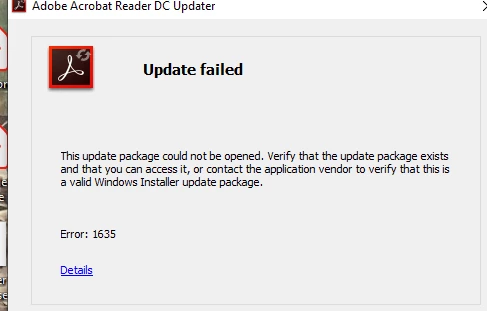
Monica, please search this forum for iLogLevel registry value and related instructions on how to enable Updater verbose logging. After verbose logging is enabled, try to update using "Check for updates" menu in the application. After that collect and send me in the private message AdobeARM.log file from User Temp folder.

S_S
Community Manager
Community Manager
September 2, 2022

Hi @Monica259197227c68,


Adding to @LeoUpdaterX, you may use cleaner tool to uninstall the existing installation from your machine: Download Adobe Reader and Acrobat Cleaner Tool - Adobe Labs .Once uninstallation is done restart the machine.

Keep the new step downloaded: Adobe - Adobe Acrobat Reader DC Distribution


Try installing again and it should work. Let us know if that solves the problem.


-Souvik.