Inspiring
March 26, 2018
Question

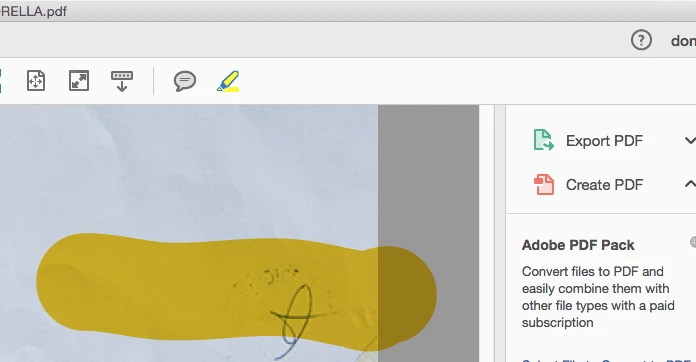
Urgent please! Highlighter hugely oversized

  • March 26, 2018
  • 2 replies
  • 806 views

Hi my highlighter is huge the cursor is smaller, cursor looks normal, what can I do? thanks
This topic has been closed for replies.

2 replies

Inspiring
January 19, 2022

Yes, the issue occurs on all PDF's. I took a video with my iPhone. What's the best way to take and upload a video? I took a video with my iPhone but it is too large to go through our email server. 

Inspiring
January 19, 2022

I used the Windows Step Recorder to record a my steps but unfortunately this website doesn't permit uploading zip files or the extracted mht file. I went ahead and printed the info to a PDF file but it doesn't show the graphics. Let me know how best to upload a video in a format that this website accepts. 

Inspiring
January 19, 2022

Here is a PDF showing an example of the oversized cursor issue. There are two highlighed areas that correspond to two cursor points. One cursor covered about 80% of the page. 

Inspiring
January 17, 2022

I have the same issue. After an update last year I am encountering an issue with a very large cursor selection and highlighting  area (which goes hand-in-hand with the large cursor selection). Did you ever figure out the solution to this? 

Using: Adobe Pro DC version 2021.011.20039, 64-bit running on Windows 10 Pro version 20H2, Build 19042.1466. 

Meenakshi Negi
Legend
January 18, 2022

Hi Galen,


Thank you for reaching out and sorry about the trouble.


Could you please confirm if the issue occurs with all PDFs or with some particular PDFs?

It would be helpful if you can share a video of the issue occurring at your end and the sample PDF with us.


Thanks,

Meenakshi
