


Using Adobe Acrobat Reader DC I am having a problem Displaying the File
Hi.
I have a Filemaker db built on 2019, since then we have been using Adobe Acrobat Reader DC, even though we had another problem with Acrobat Reader DC on the MAC, it was something related to a format that Acrobat Reader was demanding to Filemaker to use, then we disabled that condition, then Filemaker was using his own format, now the issue I have today, is again related to the MAC devices trayin to display the
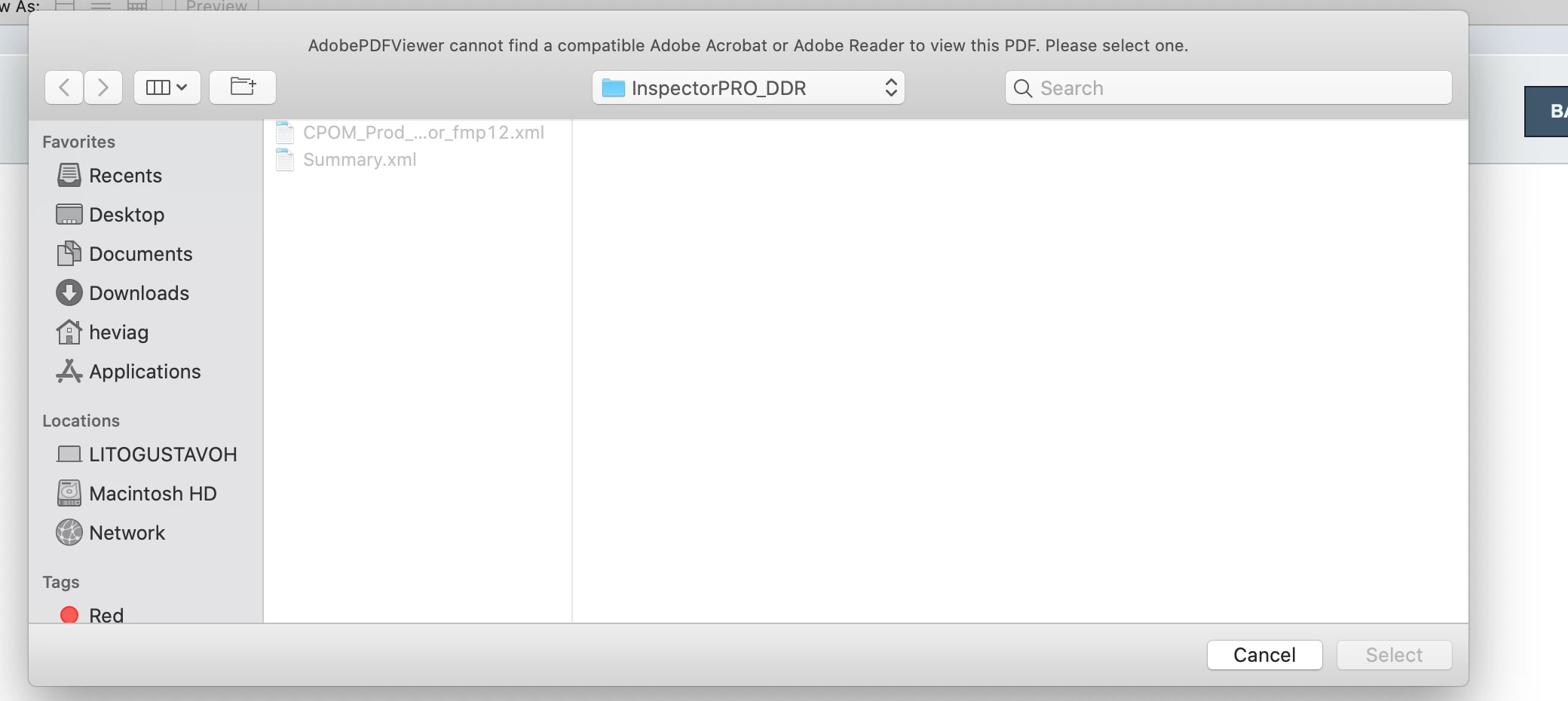
file saved on the Filemaker container, when the user tries to do that it makes FM crash, and that is happenning with the user in production and only using MAC and FM PRO 18 (32 bit), I tried on my MAC, using FM PRO 18 (64 bit), and also with FM PRO 19 ( which is 64 bit)., and it is happening something else different, still is not displaying the file, but also is not crashing, as a different it is asking me to use a different AdobePDF Viewer, because is not able to find a compatible Adobe Reader to view the file, check out the file I attached to this message.
Then investigating on the Adobe version I have , which is 2021.001.20155, I noticed there are some ( i don't know if those are new plugins ), but there is something related to Store and access your files fro,m any device ), my question is :
Is there something new, which it changed somehow the way I get the file from my container and display, because, I remember it used to work, but I am not sure which version it was before and since when it is happening. Please let me know what can I do to fix this.
Appreciate any help on this.
Thanks
 AdChoices