
Participant
December 18, 2017
Answered

Viewing Civil Drawing Turns text into a collage of boxes and letters.

  • December 18, 2017
  • 1 reply
  • 521 views

Today I opened some civil drawings on Google Chrome, downloaded them to import into my Take-Off program and when I opened it up in the program the wording formatting messed up. Thinking it was my takeoff program I tried other projects I was working on, same issue. So I started viewing PDF's using the DC program and Architectural drawings are the only PDF's  that have this formatting issue. Just updated DC this morning and I can't find anything on other parts of the forum regarding a possible fix.

Adobe Acrobat Reader DC 18.009.20050
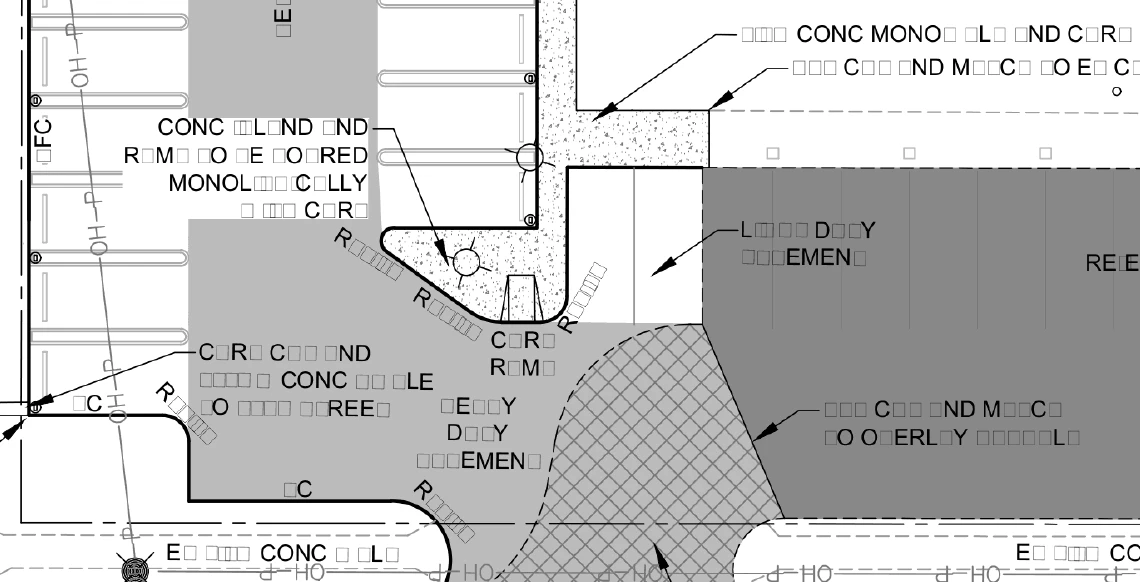
If anyone has any recommendations on fixing this, please let me know.

    This topic has been closed for replies.
    Correct answer Adorobat

    Hi Busuwe,

    Sorry for the delay in response.

    Please visit the following links which discuss the issue similar to yours:

    text changes to square charaters, how can I correct this? (Edit PDF)

    Fix garbaged PDFs

    Small square boxes appearing on blank lines (UPDATED) - The question is, how to get rid of them?

    Thanks,

    Shivam

    1 reply

    Adorobat
    AdorobatCorrect answer
    Participating Frequently
    January 23, 2018

    Hi Busuwe,

    Sorry for the delay in response.

    Please visit the following links which discuss the issue similar to yours:

    text changes to square charaters, how can I correct this? (Edit PDF)

    Fix garbaged PDFs

    Small square boxes appearing on blank lines (UPDATED) - The question is, how to get rid of them?

    Thanks,

    Shivam