


pwillener
Legend
February 22, 2013
Question

Viewing PDF documents in Firefox 19+

  • February 22, 2013
  • 5 replies
  • 44064 views

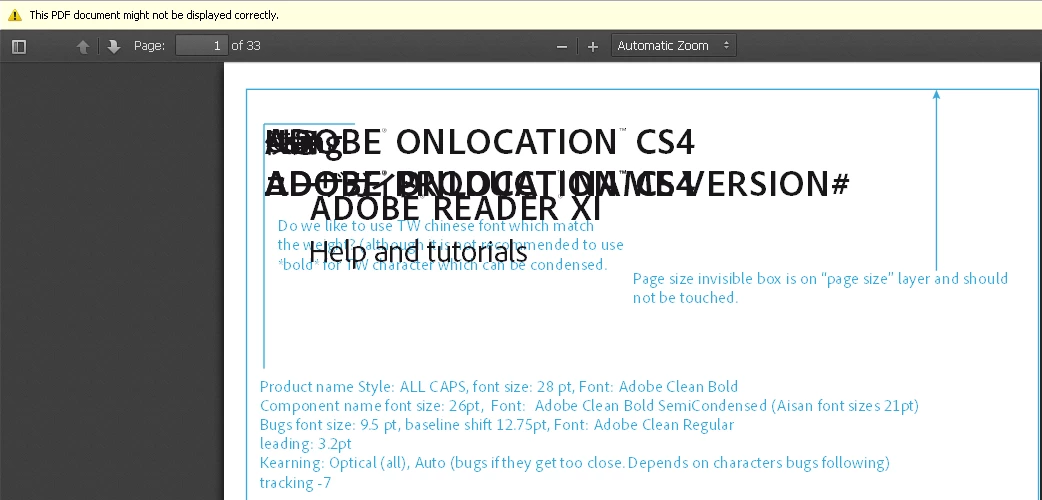
Firefox 19 comes with a new PDF viewer add-on called PDF.js; it is absolutely terrible!  The first PDF I tried to display (http://helpx.adobe.com/pdf/adobe_reader_reference.pdf) looks like this
To fix this and use the Adobe Reader plugin: Tools | Options | tab Applications

change (Portable Document Format)
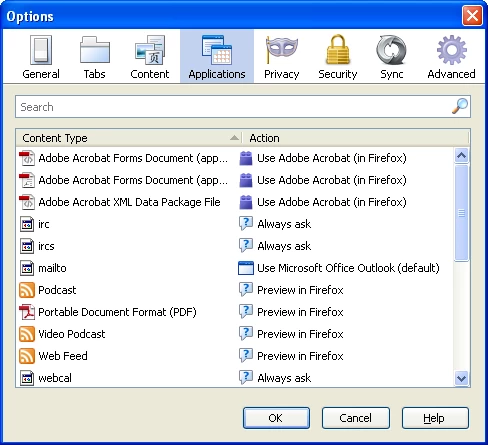
to (click on the Action part on that line to get the pull-down menu)
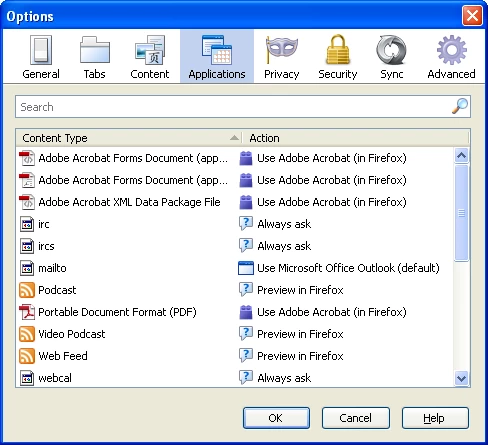
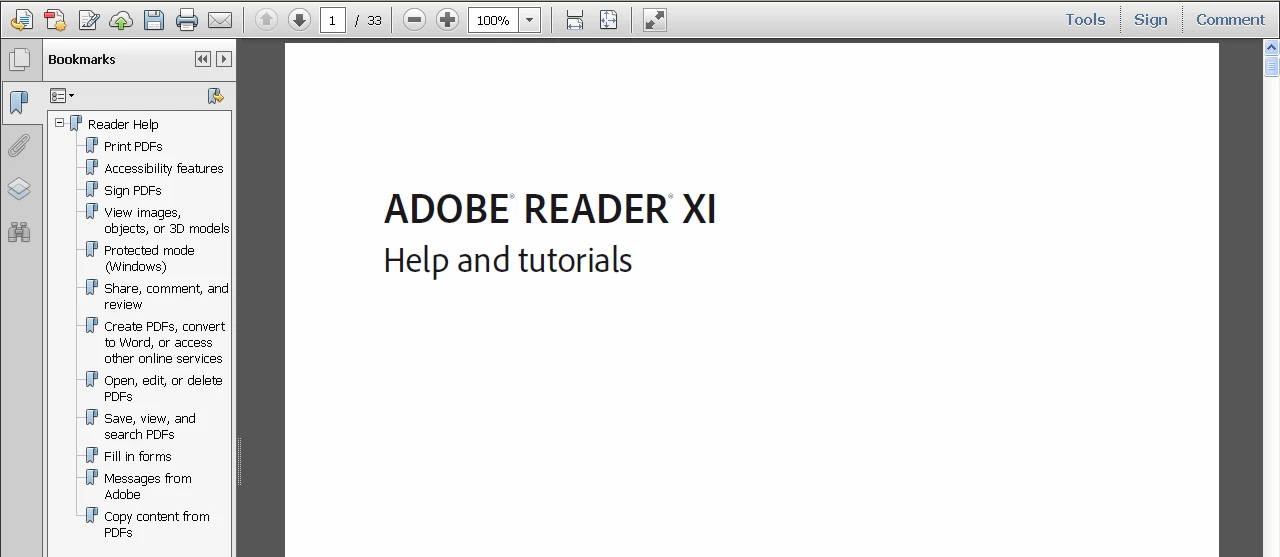
Now the PDF document displays correctly in the Adobe Reader plugin
In case you do not see 'Portable Document Format' under the Applications tab, you may need to reset your Firefox profile (Help | Troubleshooting | Reset Firefox).

This topic has been closed for replies.

5 replies

Participant
June 17, 2014

I've been using the default PDF plugin for Firefox and it's awesome. First, it doesn't take forever to initialize like the bloated Adobe one does.  Second, it won't have a bazillion bugs and security holes like the Adobe one does.  And finally, it's cross platform, unlike the Adobe one which is Mac and Windoze only now, as they dropped Linux support (for some unknown reason).  So, it's lightweight, updates with Firefox, and more secure.  A winning combination.

Participant
September 26, 2013

The viewer helped me perfectly. Earlier I exported my all outlook emails to pdf formats using an automated app. It exported emails into pdf correctly but was having the issues while I opened with Firefox. Finally your tips worked a lot.

Thanks!!!  

Participant
September 15, 2013

I was able to set up the Firefox adobe reader plug-in, as described above.  However, this still does not help me actually PRINT OUT the PDF document.  When I do so, I still get that error message Error 126, and something about not loading a library DLL..blah blah. 

Also, the Adobe plug-in I was able to set up did not open the PDF in Firefox, it merely downloaded it where I needed to open it up, and then print it out, which I still could not do.

Participating Frequently
March 29, 2013

Thanks! The viewer has been driving me nuts - locks up the website holding the PDF most of the time.

pwillener
pwillenerAuthor
Legend
February 22, 2013

Additionally you can disable PDF.js in about:config (pdfjs.disbled=true).

Participant
June 13, 2013

Can you explain how I can disable on the imac?  When I type about:config I just get redirected to a google search.