
Answered
W10 various versions, 'registered iFilter is not found' in index
The past 2 months I've been having problems again with searching PDF content in attachments on Outlook.
These problems have come and gone in the past year, I managed to fix them at the time but alas, it's broken again.
This is how the indexing looks like on Windows;
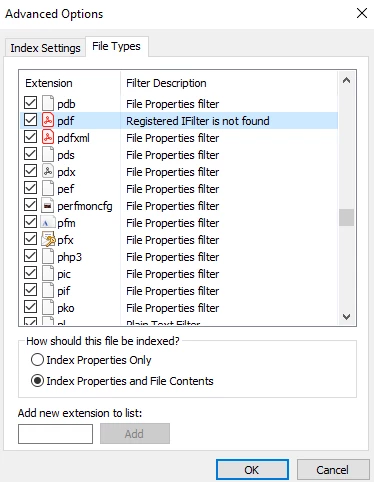
In control panel --> software you clearly see the adobe ifilter (newest version) installed but it's never recognized in the indexing menu. It just doesn't work. I've tried reinstalling it and reinstalling Adobe, I've tried a different W10 PC, etc....
Anyone know a fix for this?
It's similar to this problem
 AdChoices