Answered
Weird Rendering
Hi, has anyone see this type of error before? This is really irritating. The document sometimes renders fine but sometimes renders like this below:
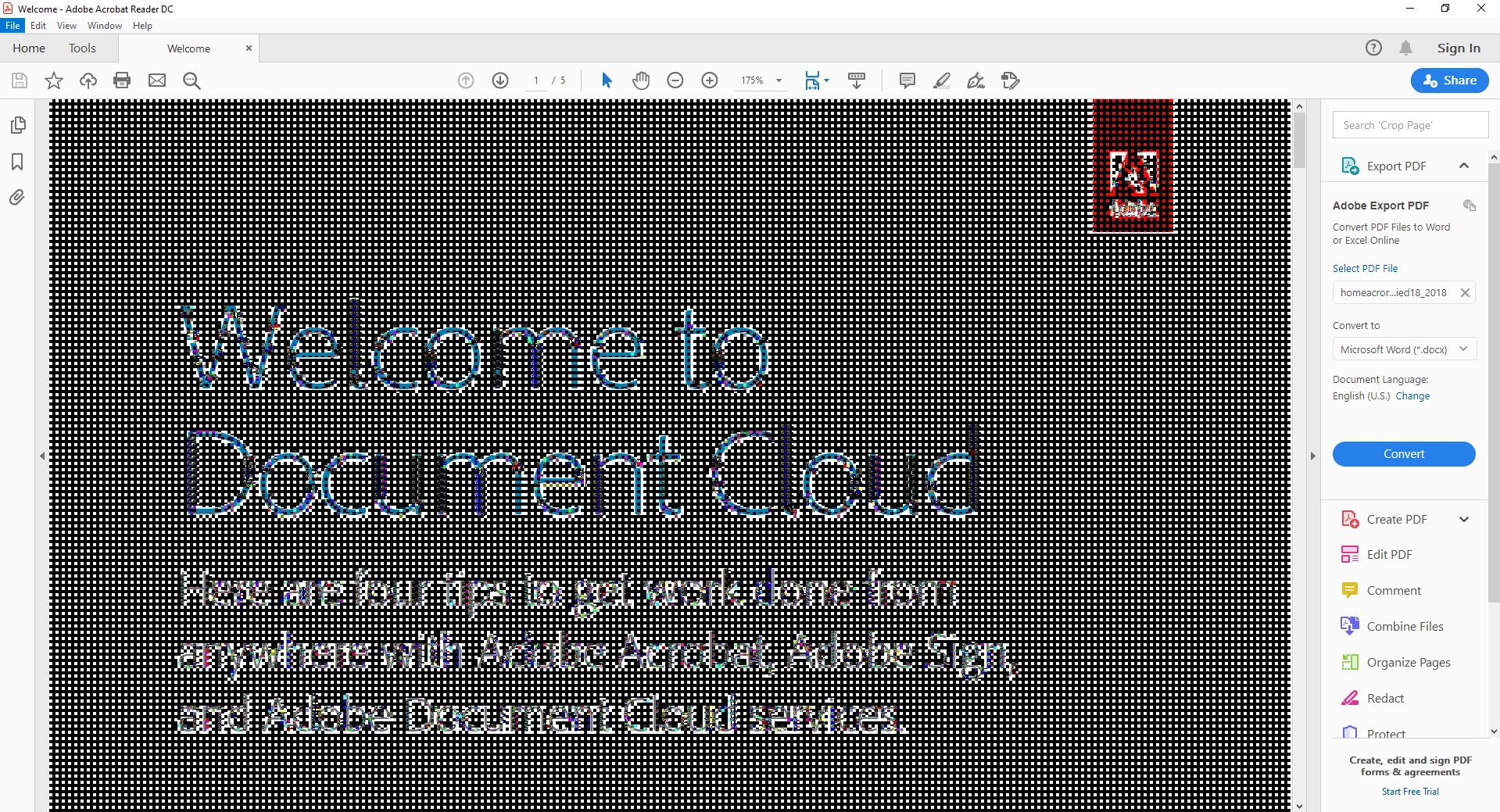

Hi, has anyone see this type of error before? This is really irritating. The document sometimes renders fine but sometimes renders like this below:
Seems like I've finally found the solution.
Firstly, you will need to uninstall Adobe Acrobat using this tool:
https://labs.adobe.com/downloads/acrobatcleaner.html
Download Version 4 and unzip and then run the "AdobeAcroCleaner_DC2015.exe" file.
Choose "Reader" (for my case at least).
After the uninstallation is done, it will ask you to reboot...I just didn't bother to, so I don't think its necessary.
Download and re-install Adobe Acrobat Reader from here: https://get.adobe.com/reader/
(I usually uncheck all those McAfee stuff and Chrome browser extensions before downloading)
After it is re-installed, open a PDF document and try to select some text...you should not have the rendering issue anymore.
Already have an account? Login
No account yet? Create an account
Enter your E-mail address. We'll send you an e-mail with instructions to reset your password.


 AdChoices