
Known Participant
July 12, 2024
Question

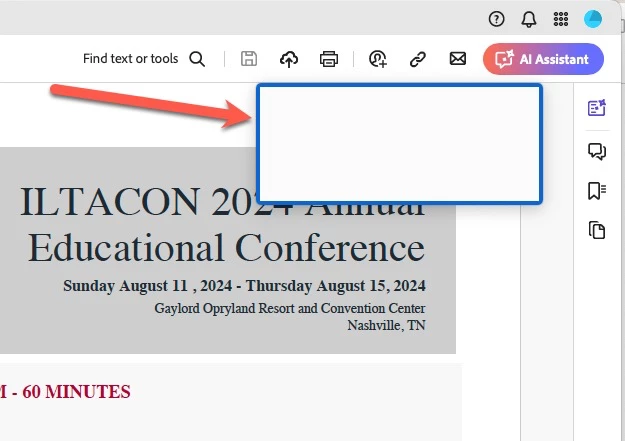
What is this blue box?

  • July 12, 2024
  • 2 replies
  • 783 views

nce a recent update, I have all sorts of problems with Reader.  Either there is a giant over-enlarged "What's New" graphic blaockig my document that locks up the whole program and I can't close the box, forcing me to Force quit (I'm on a MacBook Pro). When i finally DO get the file open, it has this weird solid white box with a thick blue border on it blocking the top right corner of text.


I thought it had something to do with the new AI feature, but turning that on and off did nothing to the box. Does anyone know how to make it go away?

Thank you.
 

This topic has been closed for replies.

2 replies

CoolMoeZAuthor
Known Participant
July 23, 2024

Thank you.  Lucky enough, it has stopped appearing.

-M

Inspiring
July 23, 2024

Hi @CoolMoeZ,


Hope you are doing well. Sorry for your experience with Acrobat.


Do you see this box every time you launch Acrobat? This looks like an border when hovered on the interactive files.


To check, would you mind trying out the steps: Go to Preferences-> Forms-> uncheck the box "Show border hover color for fields"-> restart the app and check again.


If this does not work, you might want to try resetting the app preferences. Steps can be found here: How to reset Acrobat Preference settings to defaul


Hope this helps.


-Souvik