
Why does adobe reader xi for mac reposition open windows half way down the screen?
Hi - I have a MacBook Pro running OS Sierra, and Adobe Reader XI. I have two external 1920x1080 monitors (NOT mirrored) connected to the MacBook Pro. When I have the two monitors connected, I work primarily on them as they are much larger.
When I open a PDF document with Adobe Reader XI, all is well. But if I have two PDF documents open, something peculiar happens: when I click on one of the documents, the others reposition half way down the screen so that it's half hidden. If I click the window that moved half way down the screen to move it up, the other window repositions itself half way down the screen. Thus, it is impossible to view two PDF documents simultaneously without one of them being positioned half way down. Looks like this:
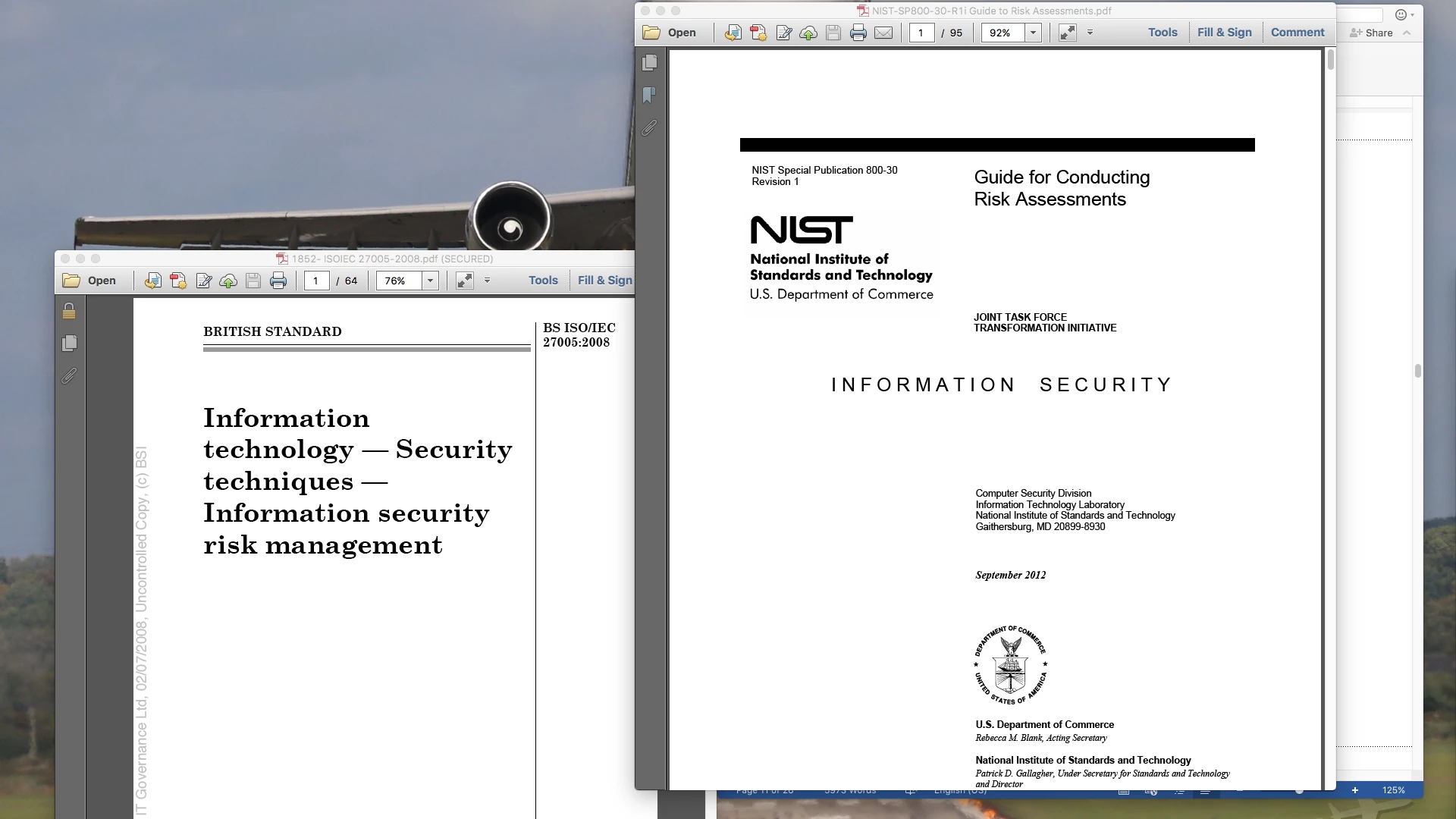
I read a similar post and checked my Page Display preferences. Here they are:
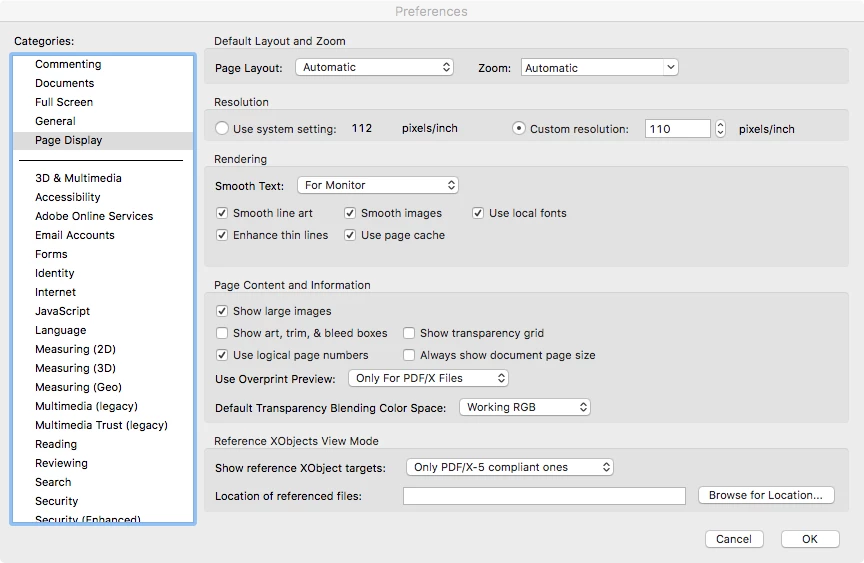
Incidentally, if I change the resolution from "custom" to "Use system setting", Adobe Reader XI crashes.
Thank you!!


 AdChoices