



Question
Why Print on both sides option Flips prints orientations?
It's really annoying when I switch flipping option and see both has same results!
Whatever I select, it prints flipped-up side down the other side, it's really annoying and left me with a lot of wasted papers!
Does anybody could help with this to disable any flipping option or just print pages up side up - simple as that!
My work is a bookleted-double paged document - landscape which needs to be printed on both sides.
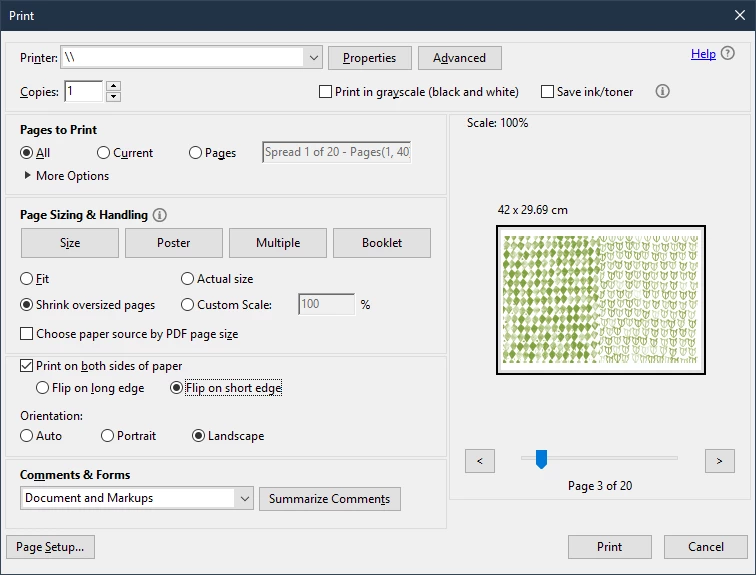
For this, I know it's good to print with Flip on short edge (horizontaly on landscape) but it still flips, the other option acts same!
My co-workers say a program called Foxit do it simple, but as a graphic designer I have a collection of adobe softwares but this simple task lays on adobe reader/acrobat pro make me embarrassed!!
 AdChoices