


Participant
January 12, 2017
Answered

Windows cannot find 'c:\.....\AcroRd32.exe'

  • January 12, 2017
  • 31 replies
  • 92938 views

Every time I try to launch Acrobat reader from the start menu I get this message:
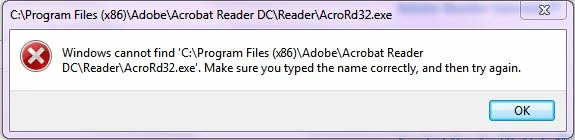
When I browse to the folder and double click on the AcroRD32.exe icon - I get the same message

When try to open a .pdf file by double clicking on it - I get the message that the file can't be found - even though I can open these files within a browser
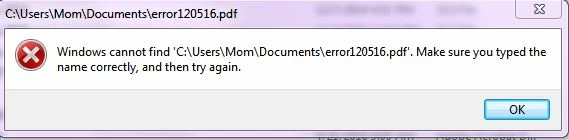
Again - I can open these pdf files (with or without acrobat?) in my browser but it doesn't seem to work independent of an HTML browser

I have uninstalled and reinstalled Acrobat Reader - please don't tell me to do that and let you know how it worked - it didn't

Thanks

Natasha

Correct answer Adorobat

Still doesn't work.


Could you please try the following steps:

1- Close Reader

2- Hold down Windows key and press R on your keyboard, this will bring up Run dialogue box.

3- Type regedit in the run dialogue box and hit Enter, click Yes when User Account Control pop-up appears.

4- Navigate to HKEY_LOCAL_MACHINE\SOFTWARE\Microsoft\Windows NT\CurrentVersion\Image File Execution Options, delete the key AcroRd32.exe

5- Relaunch Reader

31 replies

Adorobat
Community Manager
Community Manager
January 12, 2017

Hi natashav15100628,

Could you please confirm if Reader is installed on your computer by navigating to Start menu>Control Panel>Programs and Features

Which Operating System is installed on the machine?

Also, try to select one of the pdf file>right click on it>hover the mouse over Open with>check if Adobe Acrobat Reader DC is there as an option.

Participant
January 12, 2017

Yes it is installed on my machine.

Windows 7 Home Premium Service pack 1

Yes it appears under the Open with... > option when I right click on a .pdf file

Adorobat
Community Manager
Community Manager
January 12, 2017

Try right clicking on Acrobat Reader DC under Programs and Features then select Change>click Repair installation