

Question
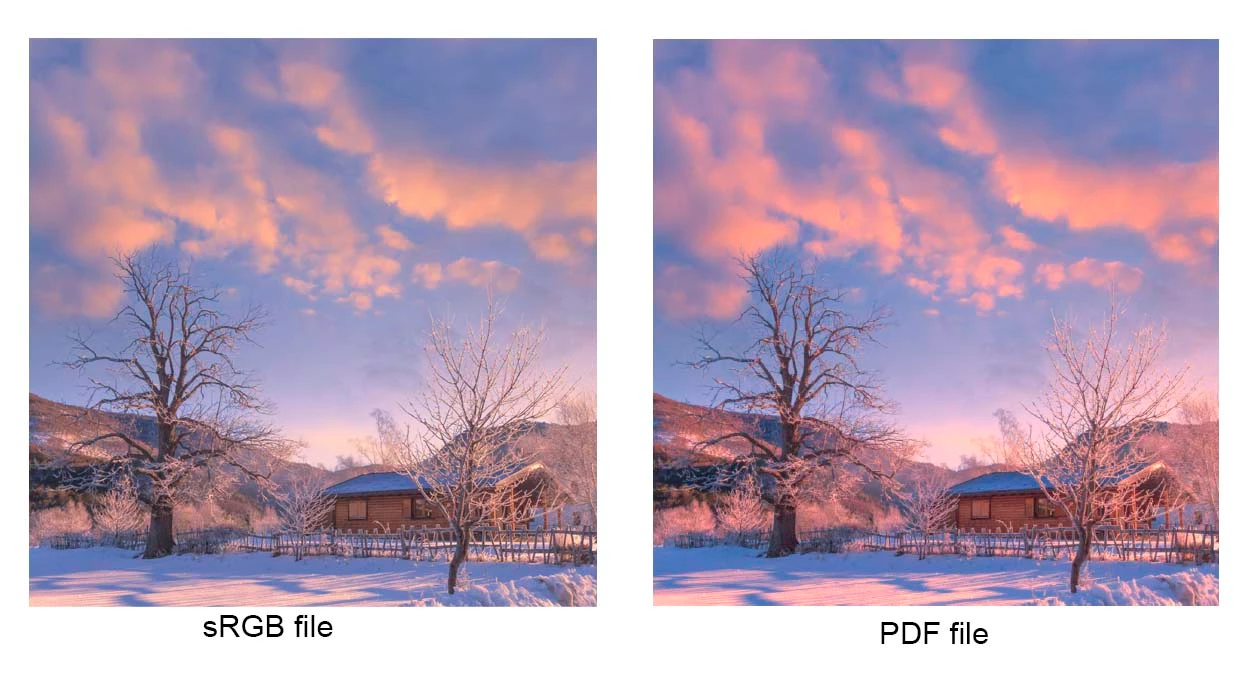
Wrong colors (oversaturated) in Acrobat Reader
Hi,
after a recent update of my PC to Win10 V.1909 and Acrobat Reader to v 2020.006.20034, the PDF files look over saturated. The sRGB file looks ok in Photoshop (it is an sRGB with embedded sRGB profile) Out of curiosity if I drag the pdf file to a Firefox or Chrome tab it looks perfectly ok (as ever) so I believe the problem should lie in Acrobat Reader.
I thought that I could tweak some preferences but the old "Color management" settings under "Preferences" are no longer available in the new version so I'm stuck.
Is anyone experiencing this ?


 AdChoices