
Known Participant
April 3, 2023
Question

Creating custom shaped buttons

  • April 3, 2023
  • 1 reply
  • 1631 views

HI,


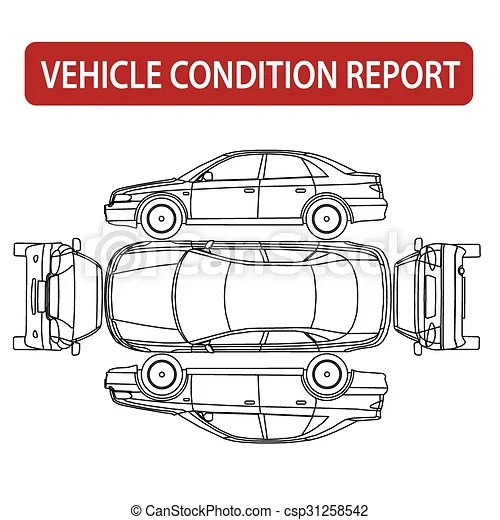
I was wondering if i am able to make custom shaped buttons on an Adobe form. i would like to make a checking in form that shows any damage done to panel work, i would like the user to click areas of an image (can be made of several images if required) that wil lthen highlight red to show where the damage is. i was hoping to use something like the image below:


This topic has been closed for replies.

1 reply

JR Boulay
Community Expert
Community Expert
April 14, 2023

Download the attachment provided in the best answer of this topic, you will just have to change the image (placed in the layout) or copy-paste the fields into your document:

https://community.adobe.com/t5/acrobat-discussions/indicate-pain-areas-on-body-chart/m-p/11104870

Acrobate du PDF, InDesigner et Photoshopographe
John CorfAuthor
Known Participant
April 14, 2023

Hi,

That is exactly what im looking for, unfortunatly as i will be using it on an IPad through PDF Expert it does not work! im not even sure how you would convert the code to do so eiter!

Either way, Thank you very much!

try67
Community Expert
Community Expert
April 16, 2023

If the locations are limited you can use regular button fields and change their fill color with each click. It will be less flexible than the example I provided in the linked-to thread above, but should work on PDF Expert.

The basic code for doing it is:


if (color.equal(event.target.fillColor, color.red)) event.target.fillColor = color.transparent;
else event.target.fillColor = color.red;