

ncme18389706
Participating Frequently
February 4, 2016
質問

how to replicate security/permissions and print settings on fillable forms pdf?

  • February 4, 2016
  • 返信数 1.
  • 2122 ビュー

Anyone able to help determine which permissions/print/and forms settings are activated on existing PDF handouts? See below for sample.
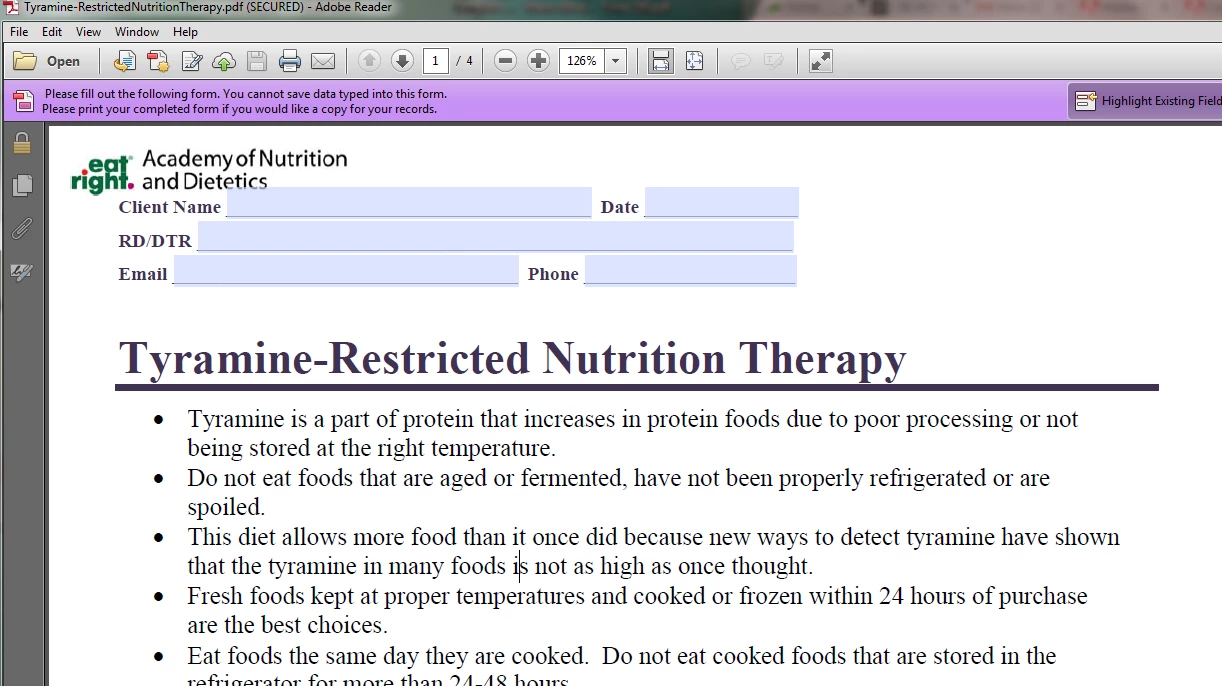
I am updating a library of handouts that need to be printed by all useres, forms fillable by all users (however, content cannot be saved within the form), and the bulk content cannot be edited. The entire library has the same settings, but I have been unable to replicate.

Please help!

Thanks.

このトピックへの返信は締め切られました。

返信数 1

Meenakshi_Negi
Legend
February 4, 2016

Hincme18389706,

PDF form needs to Reader Extended (File menu -> Save as other -> Reader Extended PDF -> Enable More tool) using Acrobat application so that users can Save & print the form data.


Regards,
Meenakshi

ncme18389706
ncme18389706作成者
Participating Frequently
February 4, 2016

Hi Meenakshi, I don't see this as an option?

Thanks!

Sarah

Inspiring
February 4, 2016

Is there any way to protect this information in the field boxes? For legal reasons (HIPPA), this must be done so patient information is not saved.

"If the form is not Reader-enabled, Reader versions prior to 11 won't be able to save the filled-in form." Is this a partial solution? Or does this mean that this feature is not available? If it's not available, how did these settings get created on the library of 300+ handouts? Clearly this was possible at some time?

After pulling the security restrictions in the above example, I see that there were no modifications here as you suggest. Why does the file below indicate that is is (SECURED)? What does this mean/how can this be achieved?

Here is an example of a more recent handout and its security settings, which is slightly different than the last example. Please note that it does not appear to be "(SECURED)" or prohibit data being saved in these forms, the security settings seem different as well:

Thanks!


It will show (SECURED) in the title bar when the document has security applied. In the screen shot you showed in post #4, no security is applied.

The message in the purple bar that says "You cannot save data typed into this form" really means: Adobe Reader is not able to save data typed into this form. It could though if the form was Reader-enabled."

Adobe made a change with Reader 11 and allowed it to save non-enabled forms, so you won't see this message in Reader 11 or DC. Before Reader 11 was released, you didn't have to worry about Reader users saving filled-in forms, because it wasn't possible unless the form was Reader-enabled. Note that the message you see in the purple bar will be different for the same form depending on whether it's opened in Acrobat or Reader.

In order to advise you on what you should do, it would be helpful if you provided more information about how the form will be used. Are you providing filled-in forms to people and don't want them to be able to change them? Or are you providing blank forms to people, having them fill them in, and then print them? Or something else?