


Question
Try This if Scanner Not Accessible
I use an Epson Perfection 3400 Photo scanner with Acrobat Pro DC 2015 and recently upgraded to Mac OS X (El Capitain) 10.11.2. When I tried to create a pdf from scanner in Acrobat (File > Create > PDF from Scanner) my scanner wasn't showing up, and upon trying to scan with other applications, it seemed that the error was scanner recognition by Mac OS. I found this fix by searching Apple Support:
- Open Image Capture
- Select File >Reset TWAIN devices.
- Close Image Capture.
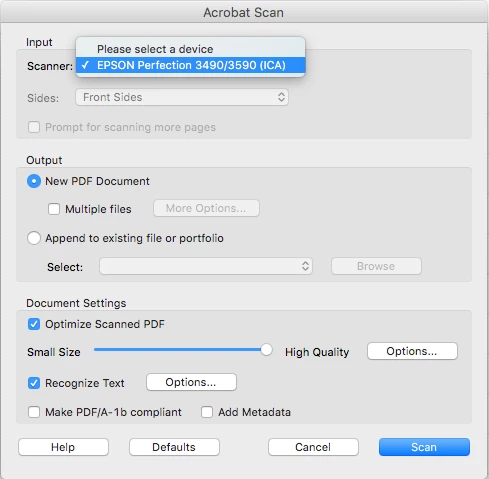
Once I did this, the scanner was selectable from the Devices pop-up menu in the Acrobat Scan window.
Here's the original post:
What happened to my scanner El Capitan? | Apple Support Communities
 AdChoices