allenzuk
Participant
May 9, 2026
Question

Why did Adobe Color change?

  • May 9, 2026
  • 22 replies
  • 789 views

Reposting this from my CC Desktop feature request. Please vote if you feel the same!

In the past few days, Adobe Color (formerly Kuler) at color.adobe.com has disappeared and been replaced with something that lacks the flexibility and usefulness of the previous interface. I’m hereby begging you to bring the previous interface back, in its entirety.

I’ve been a paying subscriber to Adobe CC and an instructor of Adobe CC apps for many years, and while I haven’t been happy with the recent price increases, my overall satisfaction with the service and the useful generative AI features in Photoshop have been enough to offset the pain of paying more every month. However, Adobe Color was one of the most useful creative tools of its kind available anywhere, and the fact that it integrated with all my apps was a huge bonus. Why on earth would I want to be forced into Adobe Express while I’m trying to fine-tune and experiment with a complex color scheme? I’m really struggling to understand the purpose of this downgrade.

There are many other users with similar sentiments: https://www.reddit.com/r/Adobe/comments/1t5heav/adobe_color_redesign/

Please bring back Adobe Color, now! This change is killing my productivity.

    22 replies

    AlanGilbertson
    Community Expert
    Community Expert
    May 14, 2026

    I have to say, if someone wanted to make the contrast checker as inscrutable and difficult to use as possible, they definitely succeeded. There is no discoverable way to check contrast on a layout, so the title “Color contrast checker” is more gaslight than tool.

    No downloadable swatches file is bizarre. It would be great to know whom the developers had in mind as users, because it wasn’t professional designers. For sure, no one I know was consulted.

    This new iteration seems to have had no user testing at all prior to launch: a rookie mistake unworthy of a company that makes tools for professionals. “Don’t Make Me Think” by Steve Krug should be required reading for the entire team, with an exam at the end and a year of wearing woolen mittens while working as the penalty for flunking..

    INSILC
    Participant
    May 21, 2026

    This is an incredibly important tool, I’m so frustrated they had to mess around with it.

    carlosgarro
    Community Expert
    Community Expert
    May 14, 2026

    In my opinion, it's a terrible change that undermines an established workflow. In their eagerness to force Adobe Express in at all costs, they're destroying foundations that have worked well and don't hinder the new.

    It appears that this decision was not made with input from expert users. We already faced a setback when you ended the partnership with Pantone; please reconsider this change.

    Participant
    May 14, 2026

    My very quick and simple work flow of extract colors from an image and download the newly made Color .Ase file is stunted. I was building a catalog of my favorite swatches this way for years, quickly sharable .ase files for peers.
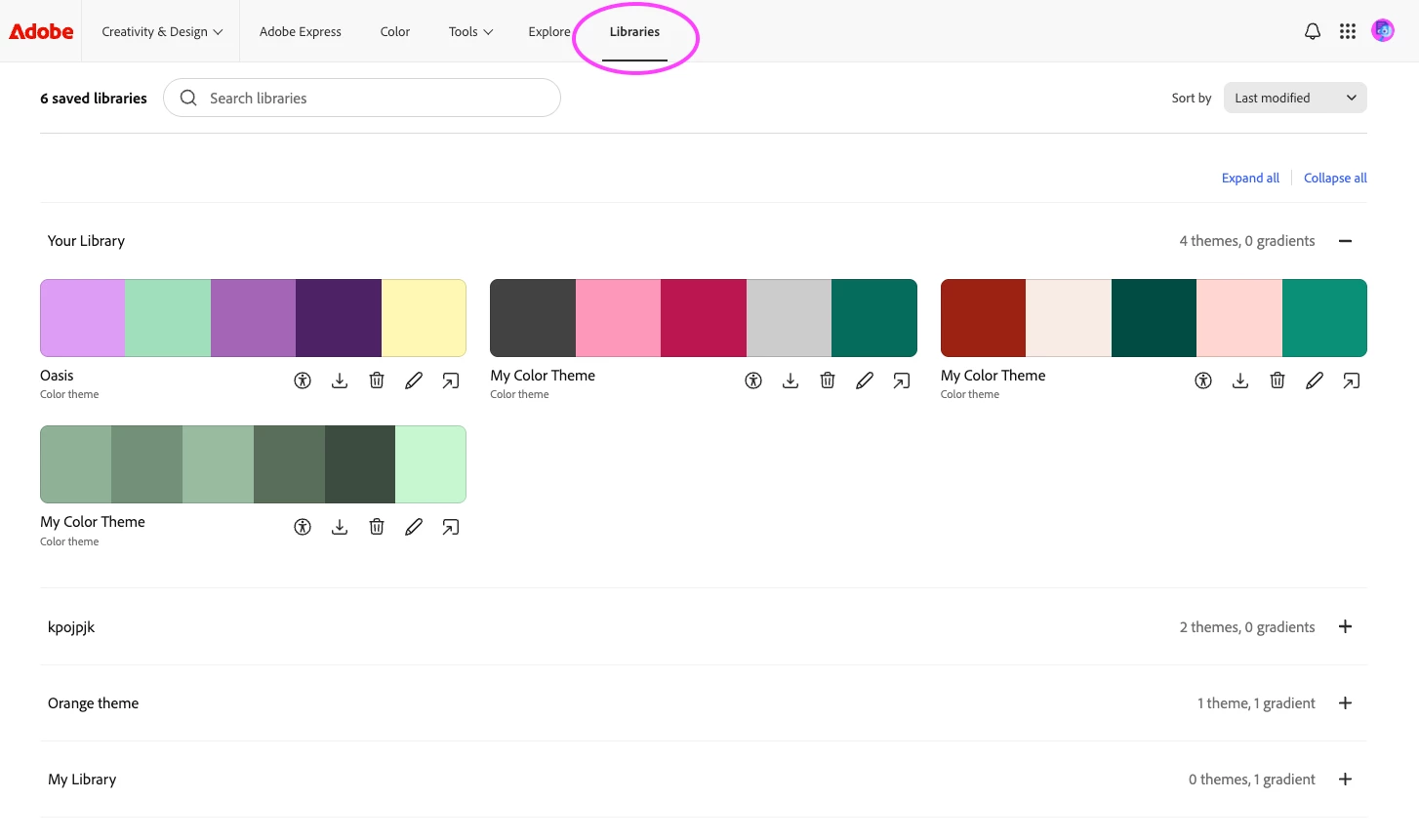
    (Update: Going through CC/ “Libraries” lets me at least use the newly made pallet/theme)

    At least add back the option to download the .ase file, and not just a jpeg.

    MilenaJackson
    Participant
    May 13, 2026

    “Other websites had me manually copy/paste hex codes, which was extremely annoying. With the new update, it is no longer possible to upload an image and drag my color choices around to see what works and doesn’t. I have looked for other websites and they are not as good as what Adobe Color Contrast Checker had.”    yes this user said exactly what I was thinking!

    CClark968
    Participant
    May 13, 2026

    I’m begging Adobe to bring back Adobe Color!!!

    ndobiecka
    Participant
    May 12, 2026

    The changes are terrible! Poor functionality, difficult to undersand how to use it to create a colour scheme. The individual colours seem to be completely independent of the scheme - so switching to a tint then looking to try another tint of the original is wrecked because now the tints are of the newly selected tint and not the original colour.

    Create from image has no way to actually apply the colours you pick on the image to the colours in the scheme.

    Setting a base colour is awkward - it’s in a different panel to the colour wheel - so you can’t just pick the item in the set of colours you’re working with.

    I can’t see why any of these changes came about - they break the workflows of many and make a basic tool that worked very well into something extremely frustrating and limited. 

    Montague202
    Participant
    May 12, 2026

    Pleeeease bring back the old color wheel and color library page. I just found it, loved using it, and now it feels awkward and restricting. I like being able to add more colors, but the old site(s) were better.

    May 11, 2026

    In many ways I prefer the previous version.

    mariah_expresso
    Community Manager
    Community Manager
    May 12, 2026

    We’d love to hear more about this! Sending you a message now to learn more. 

    Ace@Parks
    Participant
    May 11, 2026

    I am in agreement as a graphic designer with 7 years of experience. The ability to upload my finished piece to check for contrast by choosing the exact placement of the background color and text color saved immense time for me. Other websites had me manually copy/paste hex codes, which was extremely annoying. With the new update, it is no longer possible to upload an image and drag my color choices around to see what works and doesn’t. I have looked for other websites and they are not as good as what Adobe Color Contrast Checker had.


    Many other designers are in the same boat with their frustrations with the new update. I hope Adobe is willing to reconsider this new confusing and very hard to understand interface. Don’t change it if it ain’t broken!

    mariah_expresso
    Community Manager
    Community Manager
    May 12, 2026

    Hi! The team is really interested to learn more about this. Hopefully you’re willing to connect—reaching out in a message to learn more! 

    atsand21
    Participant
    May 11, 2026

    (profanity removed by moderator) my color library is gone!

    mariah_expresso
    Community Manager
    Community Manager
    May 12, 2026

    Users maintain the ability to access their libraries through any of the CC apps, in Creative Cloud Deskop, or here https://www.adobe.com/files/libraries


    We are exploring an update to Libraries now and would love the chance to connect about any feedback you have.

    June 2, 2026

    Could you please make them editable through https://color.adobe.com/create/color-wheel after saving/loading (like they used to be)?