
Adobe PDF Embed API not working fine when you have anchors on the PDF
I found an issue with the library, if you have a PDF with anchors, the anchors are linking to the desired page plus one. for example if the anchor is pointing to page 19, when you click on it, it will send you to the page 20, but the PDF is working fine when you open it directly in a browser:
You can replicate the issue if you use the DEMO page:
https://documentcloud.adobe.com/view-sdk-demo/index.html#/view/FULL_WINDOW/Bodea%20Brochure.pdf
Follow these steps:
1.- go to the Demo page: https://documentcloud.adobe.com/view-sdk-demo/index.html#/view/FULL_WINDOW/Bodea%20Brochure.pdf
2.- Click on Customize button on the bottom left corner:
3.- Download this PDF: https://www.delltechnologies.com/asset/en-us/solutions/business-solutions/briefs-summaries/delltechnologies-fy22-esg-report.pdf to your local drive and click on the Open file to upload it to the demo page:
4.- Scroll to the third page in the document, you will find the anchors there:
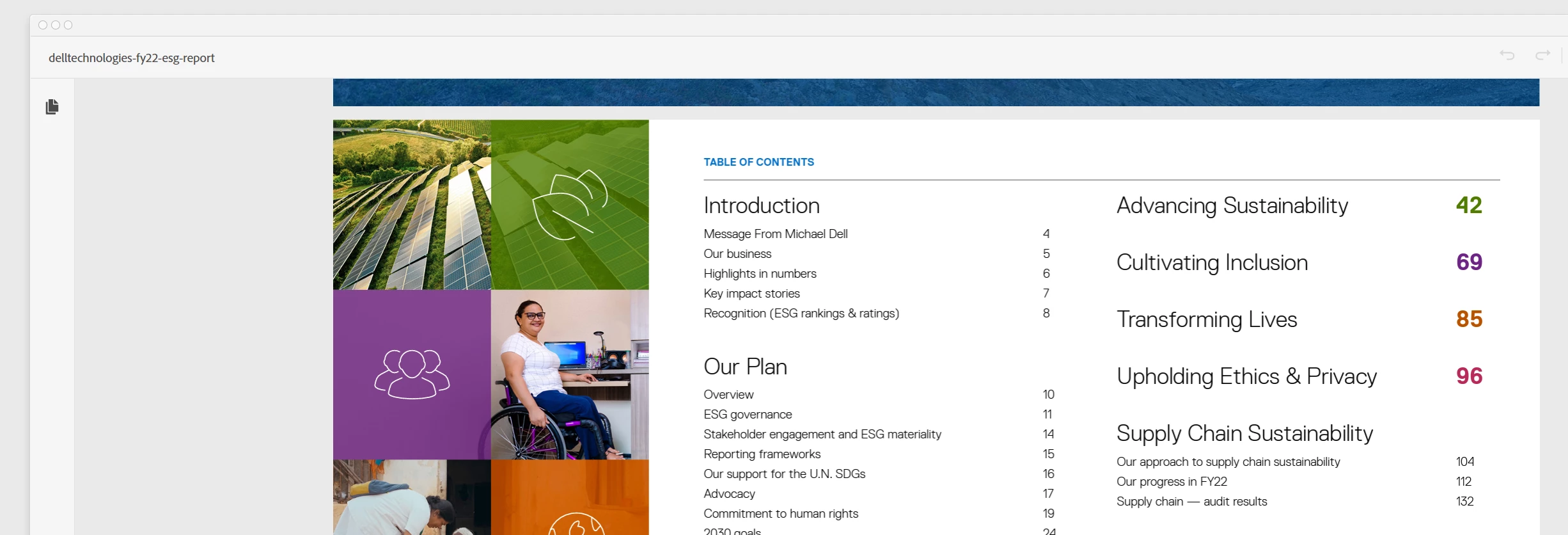
Click on any and you will see how it is going to the next page.
Regards


 AdChoices