
Question
Conditional Statements in Tables
I am using Doc Gen API to output information in a grid (Word Table). However, whenever I try to use conditional statements the output fails. If I put the same statement OUTSIDE of the table it works. Has anyone come across this? Is there a fix or work around? It's quite limiting if conditional statements can't be used inside a table.
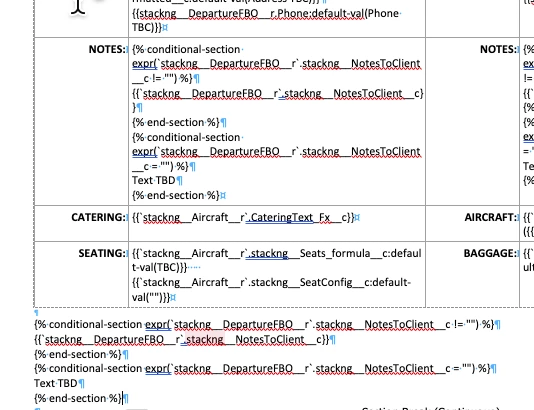
Template file (Word) - Conditional statement is in the NOTES section and again BELOW the table. Compare to the output screenshot of the results.
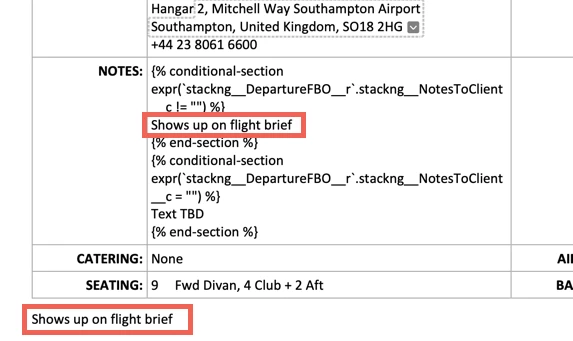
Output... The correct statement is shown in the test outside the table. The same statement is inside the table but does not render correctly.


 AdChoices