
Question
Corrupt file error using PowerAutomate to merge multiple (non-corrupt) PDF files
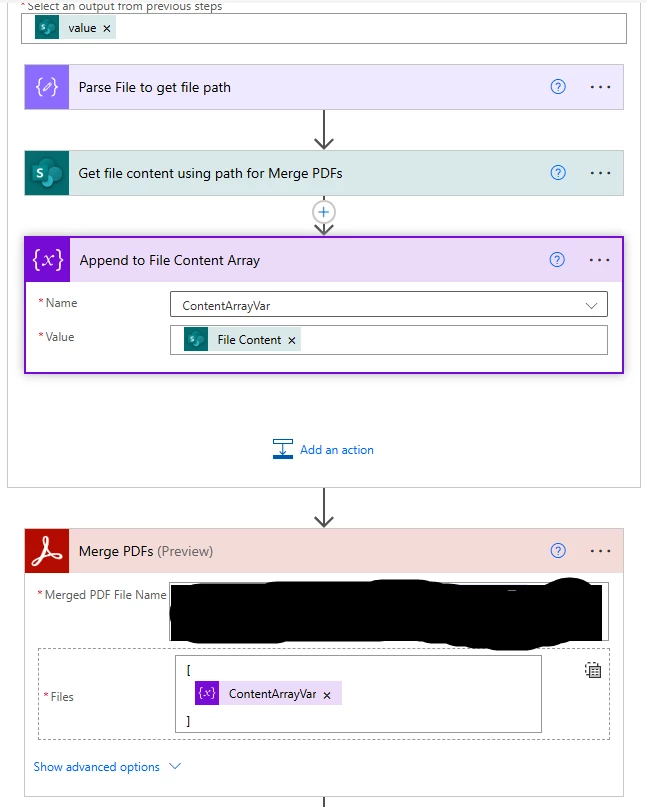
Using the [Merge PDFs] Powerautomate action to merge multiple PDF files into a single file all stored on a SharePoint site. When I do this, I get the Corrupt File error. Here are the relevant steps I'm using.
1. [Get items] (from SharePoint)
---- [For Each] ----
2. [Parse] (to get file path)
3. [Get file content using path]
4. [Append to array variable]
--- Outside of [For Each] ----
5. [Merge PDFs] <- Error occurs here
I'm including a notepad file with the raw inputs into the 'Merge PDFs' action for reference.
Any assistance in resolving this would be greatly appreciated.


 AdChoices