Participant
September 12, 2023
Question

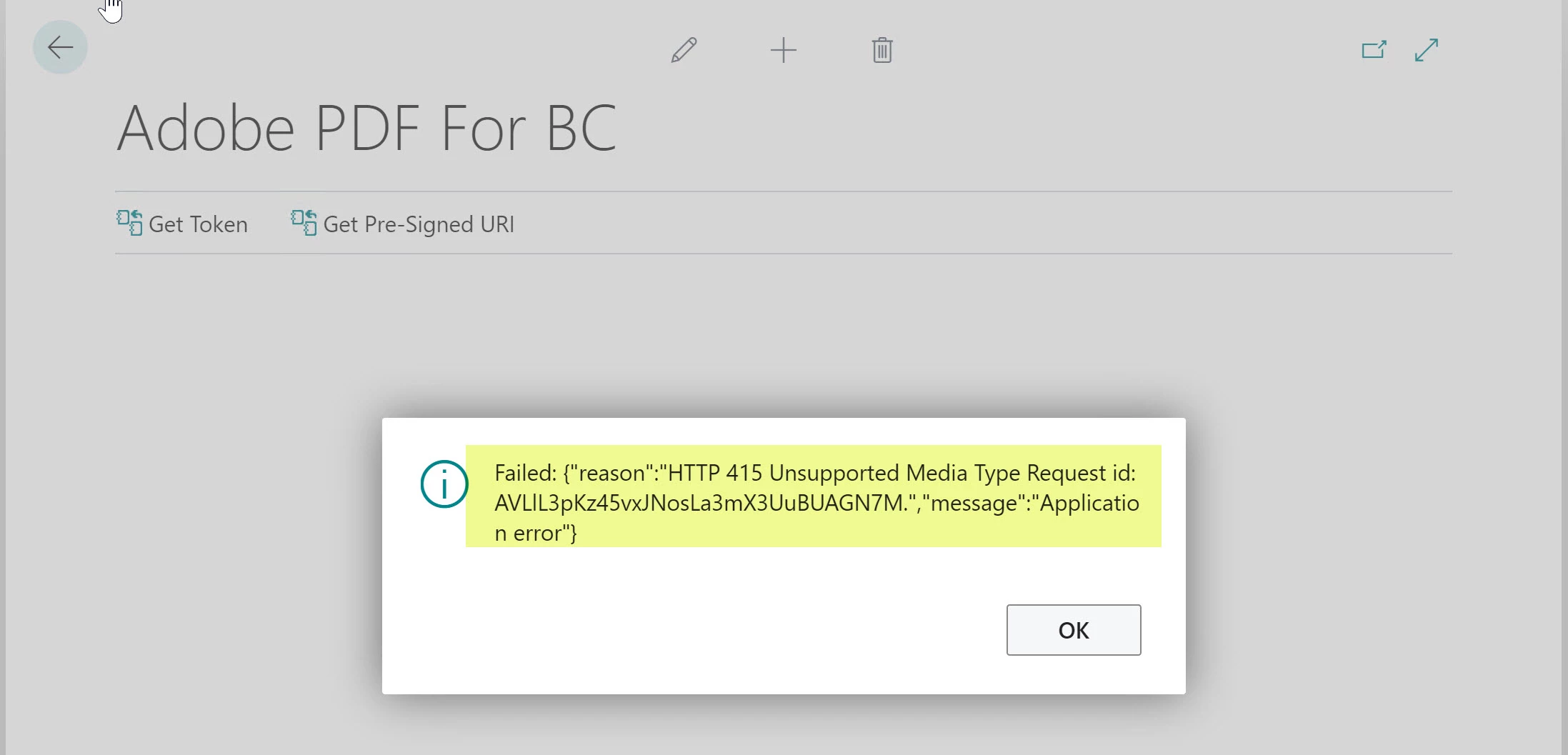
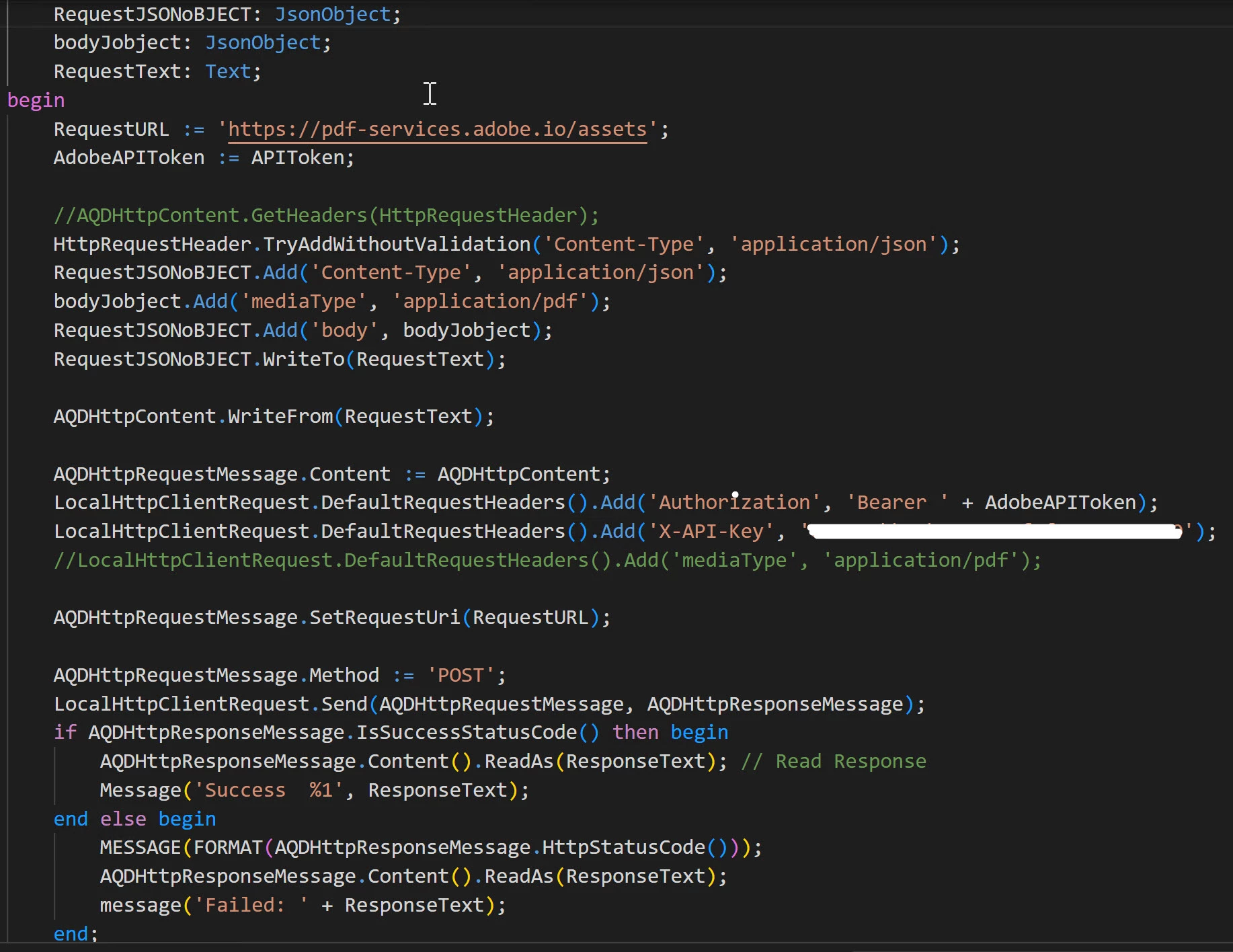
Failed: 415{"reason":"HTTP 415 Unsupported Media Type Request id: [ID].","message":"Applicationerror

  • September 12, 2023
  • 3 replies
  • 1587 views

Hello,
I am working on Microsoft ERP - Adobe Reader API Integration. I am struggling with passing MediaType in Request via programming.
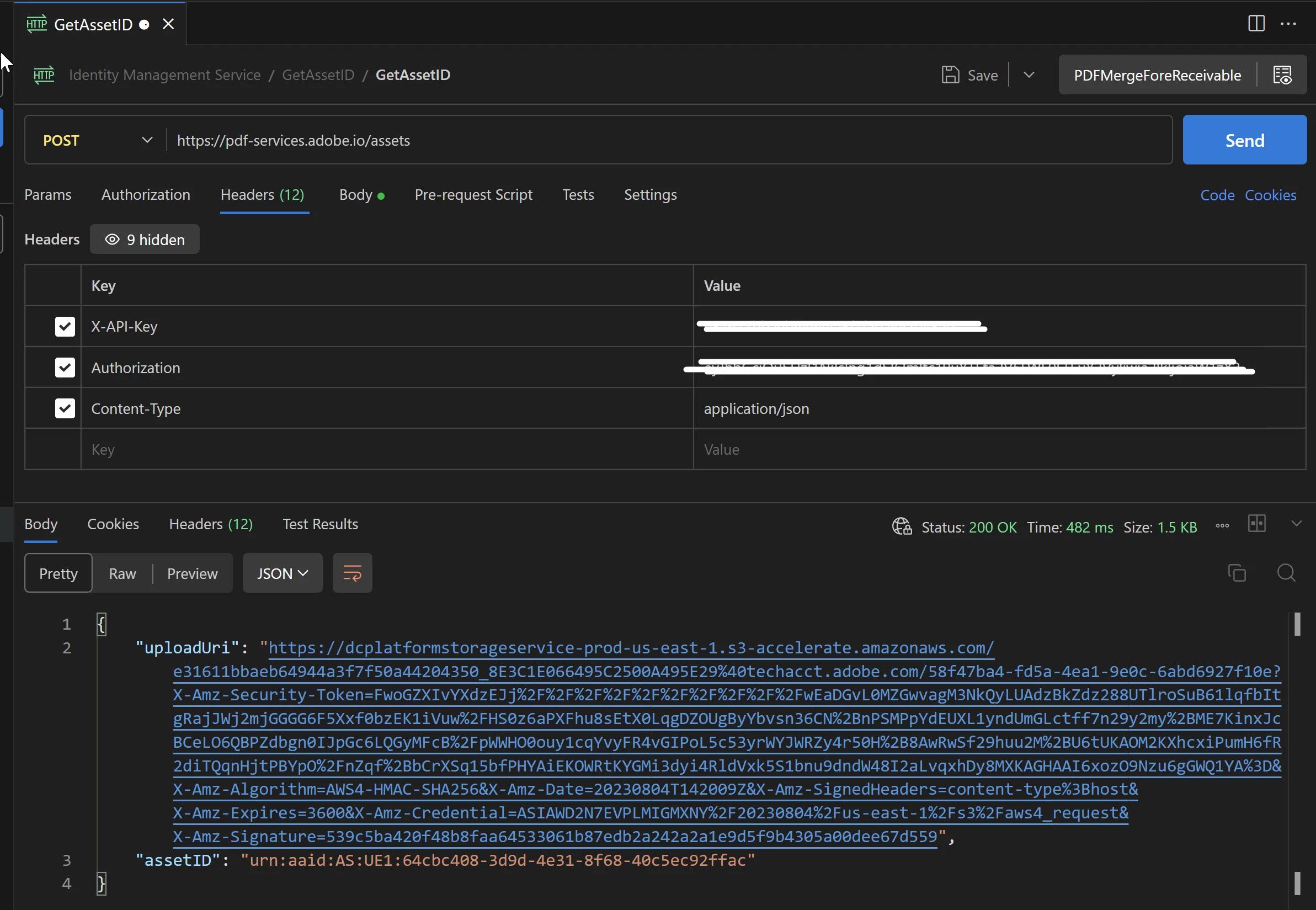
I have followed Adobe Reader API Documentation and passing MediaType as per given example. But I am getting error when Request is sent via programming. The same works when I send Request using PostMan extension in visual studio code.
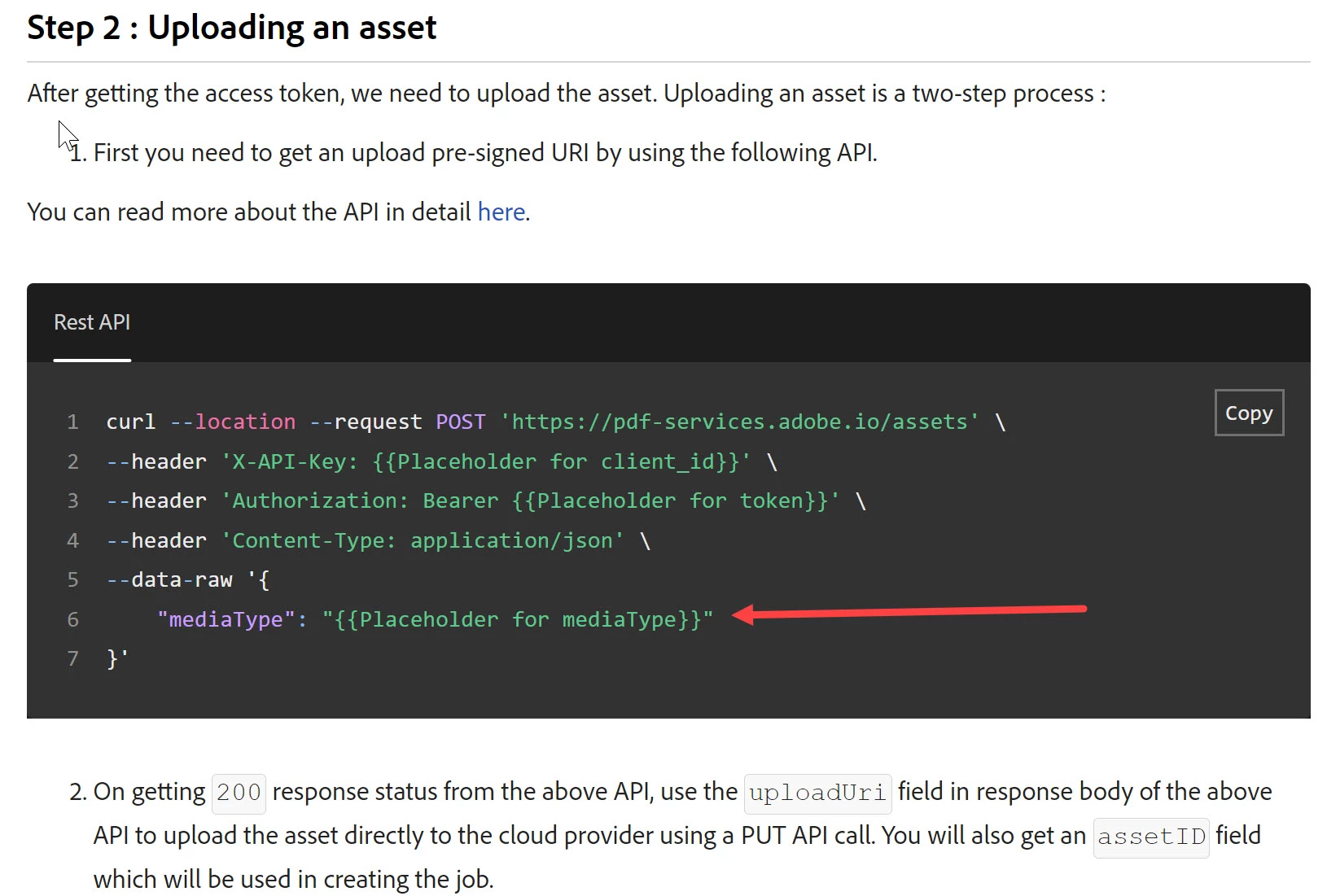
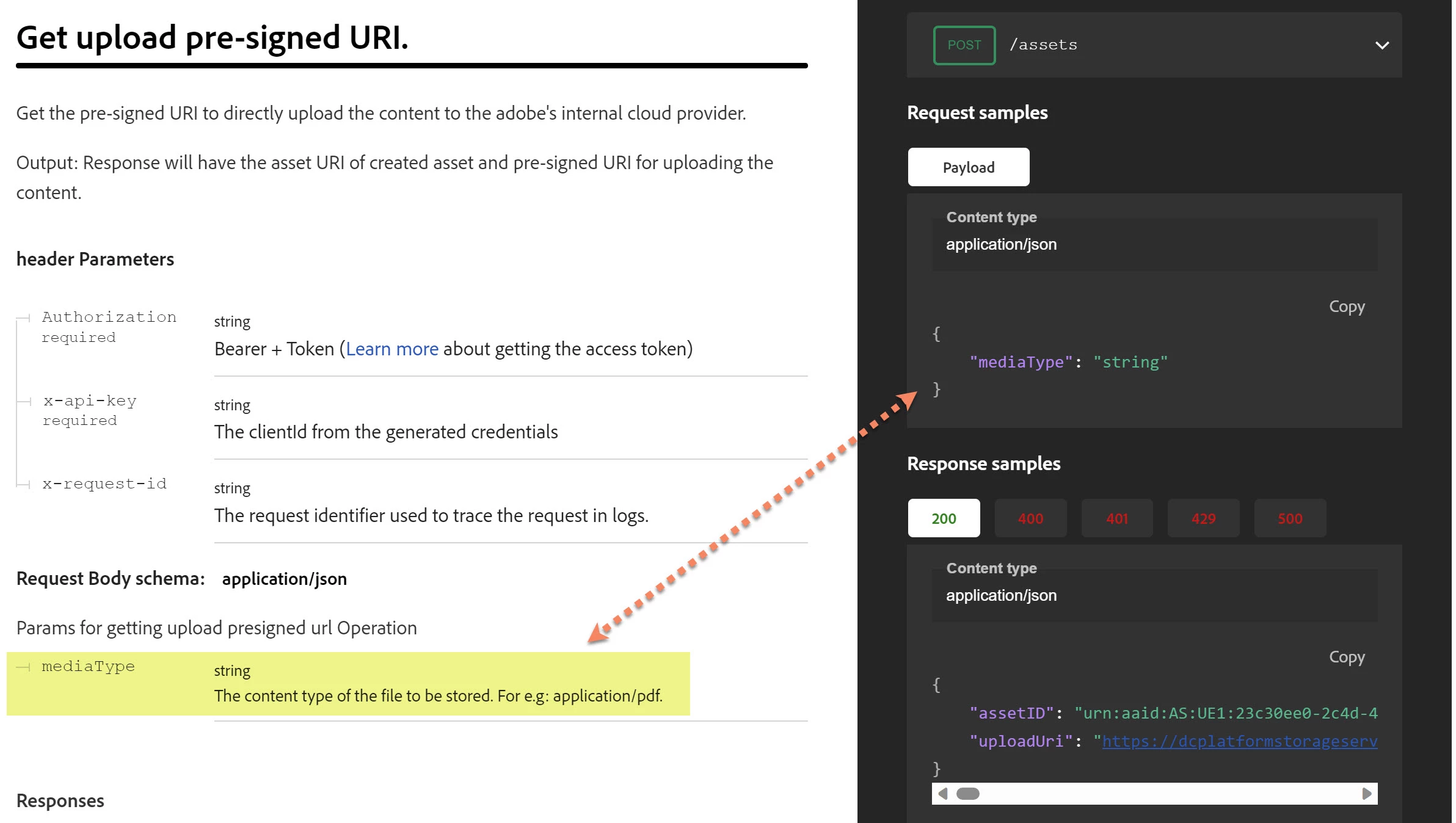
Snapshot 1 and 2 give information about Adobe Reader API Documentation.
Snapshot 3 and 4 give information about programming to send request and error that I am getting.
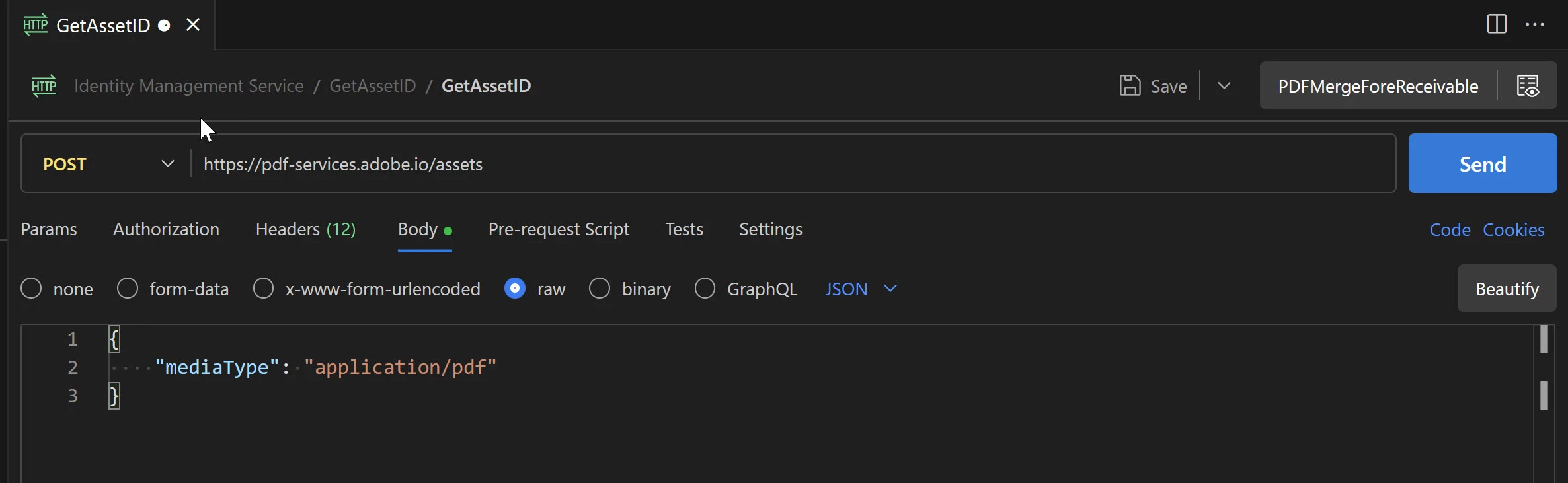
Snapshot 5 and 6 give information about sending request from PostMan and its response.
Any help or suggestion is appreciated.

Adobe Reader API Documentation


Request and Response from Visual Studio code programming
Request and Response using Postman extension in Visual Studio Code.
    3 replies

    Participant
    July 22, 2026

    A 415 Unsupported Media Type error usually means the SAP service rejected the request because the request body or Content-Type header isn't in the expected format.

    Here are a few things to check:

    • Verify the Content-Type header. If the API expects JSON, it should typically be application/json.
    • Make sure the request payload is valid and matches the format required by the SAP API.
    • If you're using SAP Integration Suite, Postman, or another REST client, compare your request with the sample request in the API documentation.
    • Check whether the endpoint expects XML instead of JSON, or vice versa.
    • Review the SAP Gateway or application logs (if available) to identify which part of the request is being rejected.
    • If you're making a POST or PUT request, ensure all mandatory fields are included and correctly formatted.

    To help narrow down the issue, could you share:

    • Which SAP product are you using (S/4HANA, Integration Suite, BTP, Gateway, etc.)?
    • The API or endpoint you're calling.
    • The request headers (especially Content-Type and Accept).
    • A sample of the request body (remove any sensitive information).

    If you're new to working with SAP APIs and integrations, a hands-on SAP courses covering SAP Integration Suite, OData services, REST APIs, and SAP BTP can help you understand request formats, authentication, and common integration errors like HTTP 415. Practical labs make troubleshooting these issues much easier.

    Participant
    June 6, 2025

    Exactly same problem. Have you find solution ?

    Participant
    December 17, 2024

    Any answer from Adobe?