
Garbled Text When Converting PDF to DOCX Using PDF Services API
I am reaching out regarding an issue I encountered while using the PDF Services API to convert PDF files to DOCX format.
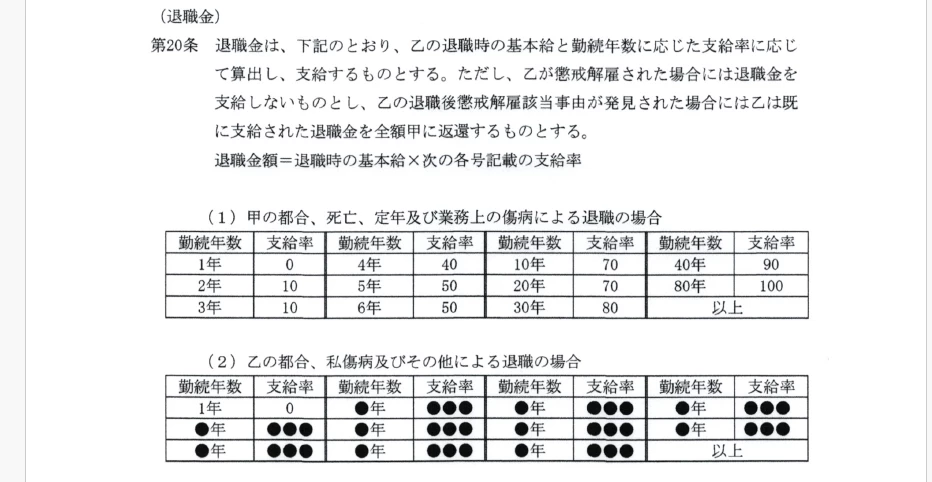
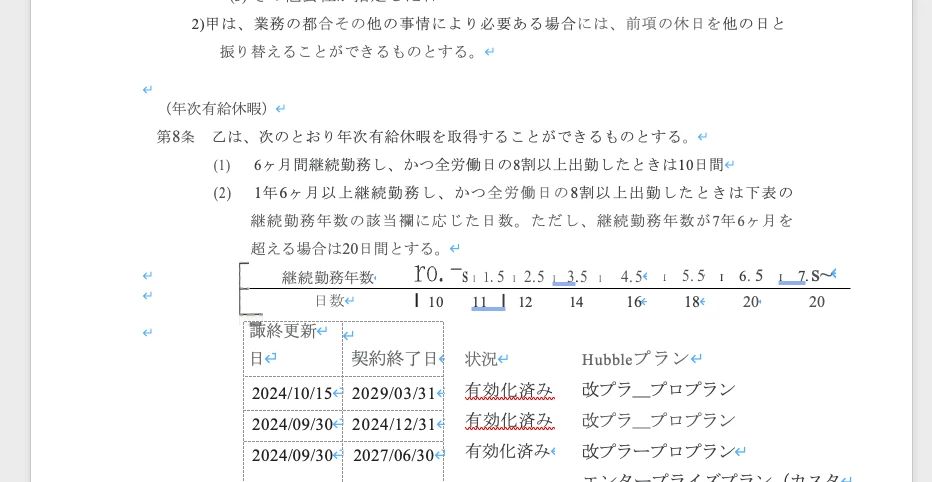
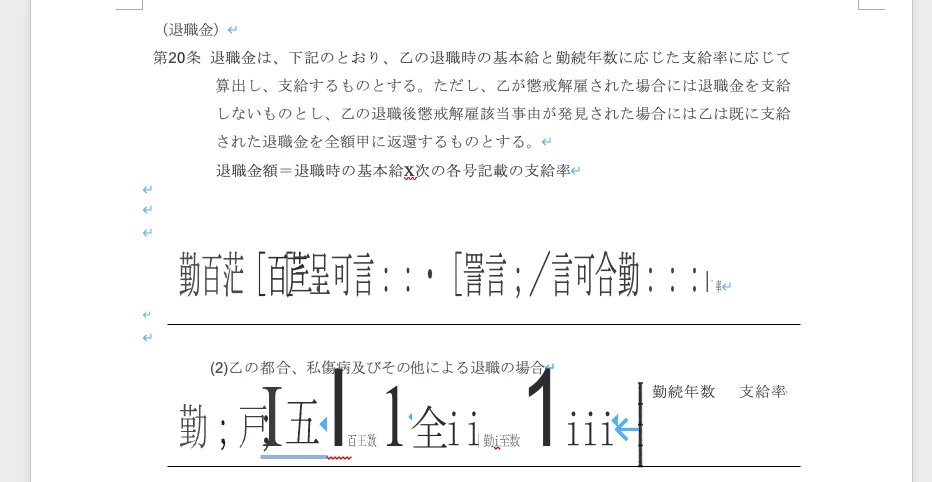
Specifically, the problem occurs with PDF files that contain Japanese text and were generated using a multifunction printer. When I convert these PDF files to DOCX, the resulting Word documents often contain garbled or unreadable text, particularly in sections that contain tables. I suspect the issue may be related to how the OCR handles tables during the conversion process.
Could you please provide guidance on how to address this issue? Is there a recommended workflow or settings adjustment that could improve the accuracy of OCR for tables during conversion?
Here is the source code and the resulting conversion output for your reference:
Java source code:
var pdfServices = new PDFServices(credentials);
var asset = pdfServices.upload(inputStream, PDFServicesMediaType.PDF.getMediaType());

var exportPDFParams = ExportPDFParams.exportPDFParamsBuilder(ExportPDFTargetFormat.DOCX)
		.withExportOCRLocale(ExportOCRLocale.JA_JP).build();

var location = pdfServices.submit(new ExportPDFJob(asset, exportPDFParams));
var pdfServicesResponse = pdfServices.getJobResult(location, ExportPDFResult.class);

var resultAsset = pdfServicesResponse.getResult().getAsset();
StreamAsset streamAsset = pdfServices.getContent(resultAsset);

try (var outputStream = Files.newOutputStream(tempFile.getPath())) {
	IOUtils.copy(streamAsset.getInputStream(), outputStream);
}
original pdf: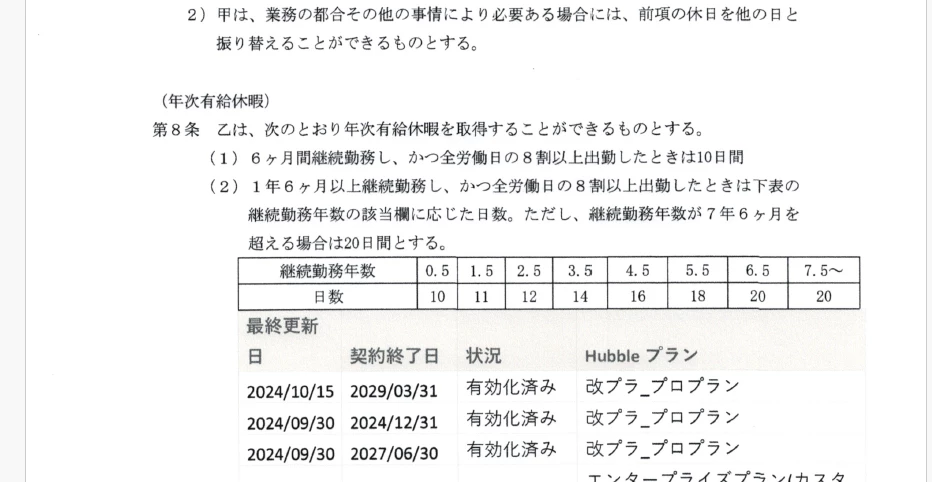
converted docx:


 AdChoices