
Participant
May 10, 2021
Question

Headers and footers are not removed Html To Pdf

  • May 10, 2021
  • 3 replies
  • 1209 views

Hi,

I am using Pdf Tools API with .Net SDK v1.3.0. 

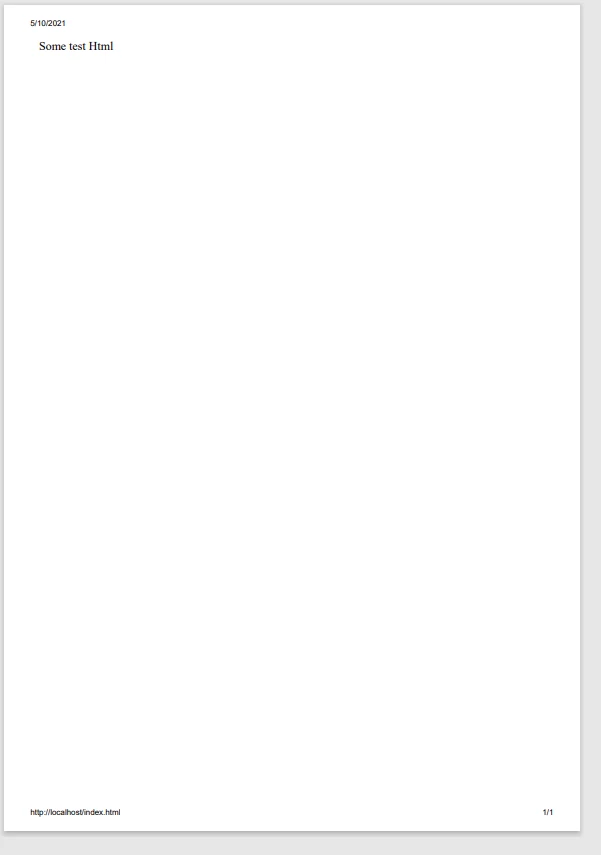
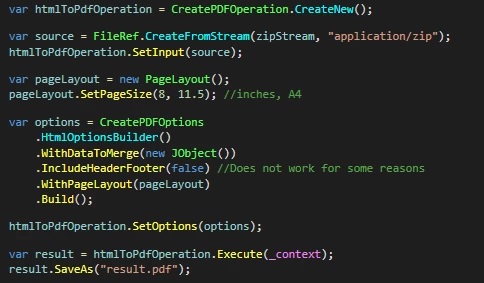
According to documentation headers and footers, which contain the date, page numbers, and source site name can be removed from the result pdf using IncludeHeaderFooter(false) option. However, it includes those headers and footers no matter if IncludeHeaderFooter is set to true or false. 

Is there a way to get HTML converted to Pdf without those default headers and footers?


Result PDF:
 

Code:


This topic has been closed for replies.

3 replies

Participating Frequently
June 8, 2021

Thanks a lot @Magda5EAC and @9429322 for using our product and reporting the issue. Your feedback is very valuable to us.

We are glad to share the update on the issue. We have rolled out a fix for this in the latest version of our SDK. Please find the new bundle at https://www.nuget.org/packages/Adobe.PDFServicesSDK/2.0.0.

Please update your application with the latest SDK version 2.0.0 and re-try the workflow. The flag should work as expected now. Please let us know if you see any other issues.

Hope this helps.


Participating Frequently
July 8, 2022

.IncludeHeaderFooter(false) is working for me, but i want to customize the header and footer instead of default ones. is there any way? 

Participant
June 4, 2021

I have the same problem

Participant
May 11, 2021

I have the same issue. 

Even settings IncludeHeaderFooter to false in the example solution still produce the header and footer.