
Issue with uploading PDF file in API
Hi,
I am working on converting PDF files into images thanks to the Adobe PDF Services API. As you may already know, the conversion consists of 6 consecutive requests :
- POST : Exchange JWT for Access token ;
- POST : Get upload pre-signed URI ;
- PUT : Upload asset to cloud provider ;
- POST : Create job (convert into image) ;
- GET : Fetch status ;
- GET : Download asset.
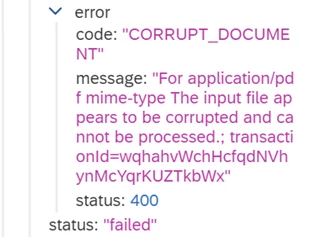
All of the above API’s are working perfectly fine in Postman. But now that I have built the corresponding automation in SAP Cloud Factory, I’m getting the following error at step 5 (Fetch status) :
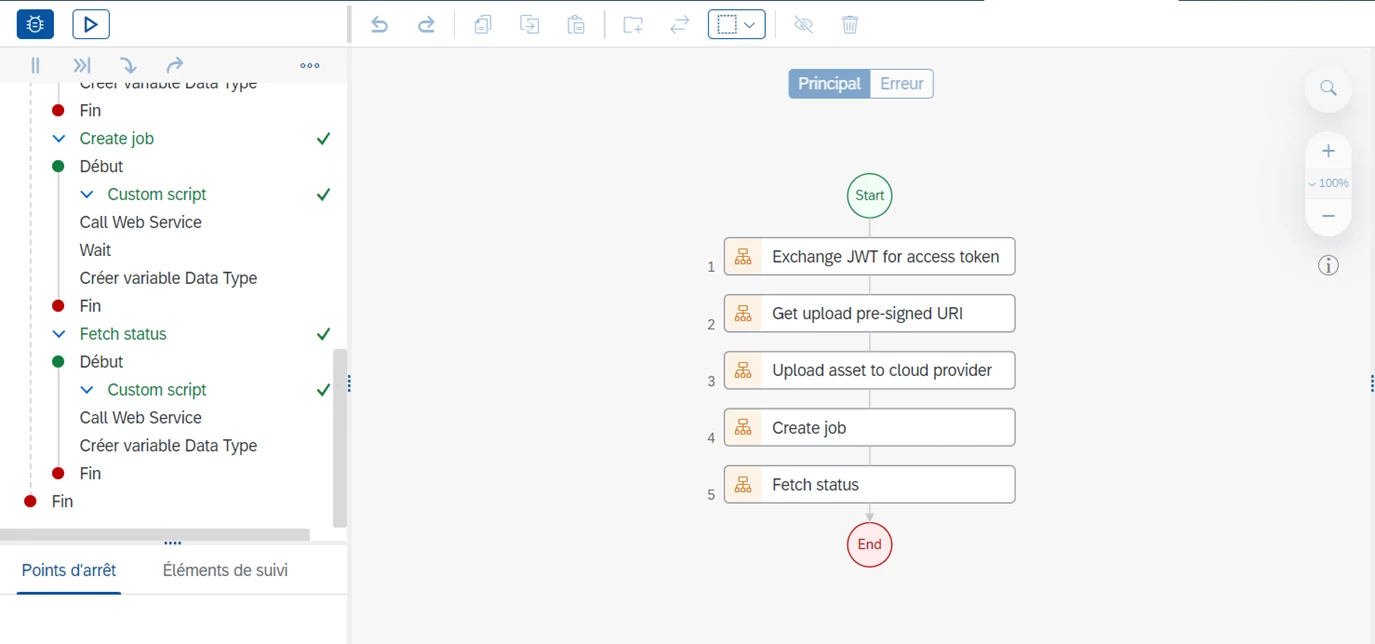
The overall automation looks like this :
After a couple of tests, I have reasons to believe the issue might come from step 3 (Upload asset), which I have built using the following code :
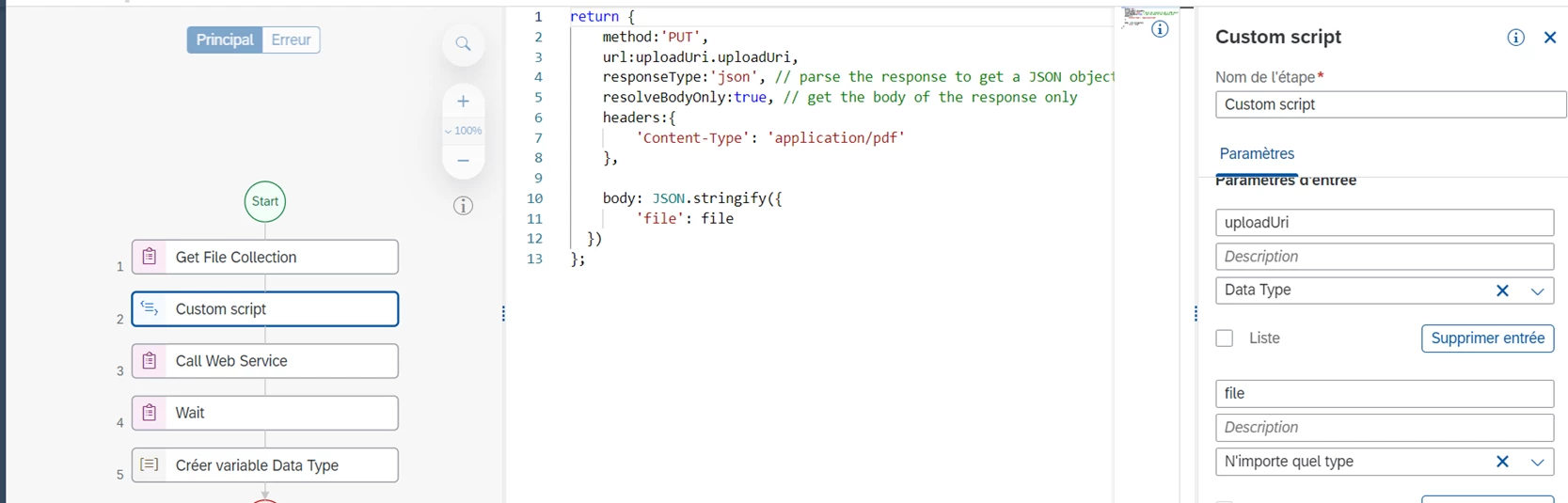
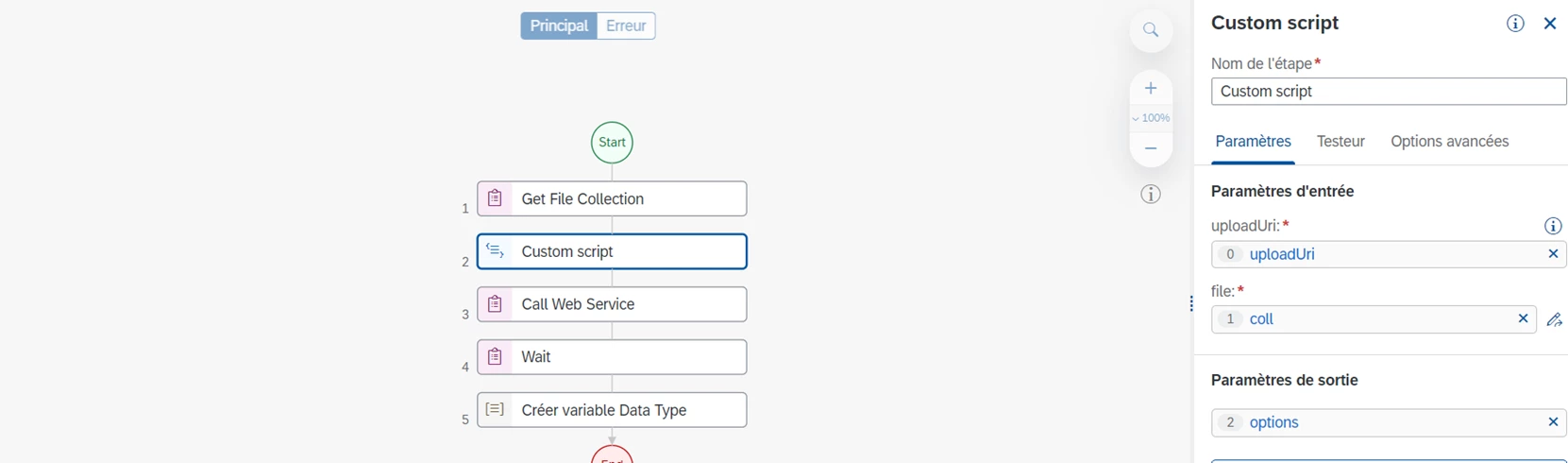
I think the body is what is causing trouble, and even though it’s a pretty straightforward piece of code, there’s something my low level of coding stops me from doing correctly. Note that in Postman I upload the file using the binary option.
Thanks for your assistance on this.
Kind regards,
LM.
The overall automation looks like this :
After a couple of tests, I have reasons to believe the issue might come from step 3 (Upload asset), which I have built using the following code :
I think the body is what is causing trouble, and even though it’s a pretty straightforward piece of code, there’s something my low level of coding stops me from doing correctly. Note that in Postman I upload the file using the binary option.
Thanks for your assistance on this.
Kind regards,
LM.


 AdChoices