
Question
Logic App Connectors not working
Hello Team,
I am using the Adobe Tools - Converting PDF to image
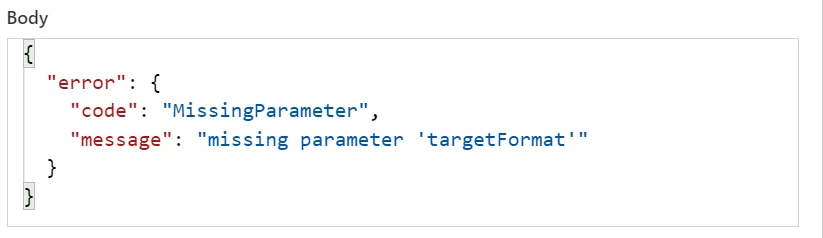
I encounter the above issue despite giving the target format in the MS Logic App.
I am able to fix the error if I change the order (move

I move the below piece above the Body headers
{
                                "body": "JPEG",
                                "headers": {
                                    "Content-Disposition": "form-data; name=\"targetFormat\""
                                }
                            },
Above this
 {
                                "body": "test.pdf",
                                "headers": {
                                    "Content-Disposition": "form-data; name=\"inputFileName\""
                                }
                            },
                            {
                                "body":
I save this modification, I am able to run the Logic app with out any error. However I don't get the required output.
I am only getting the input file in the output and filecontent of the converted image


 AdChoices