Participant
June 5, 2022
Question

PDF Embed API - Fillable form.

  • June 5, 2022
  • 1 reply
  • 1012 views

I have a fillable form that has already been filled and stored in Firebase.

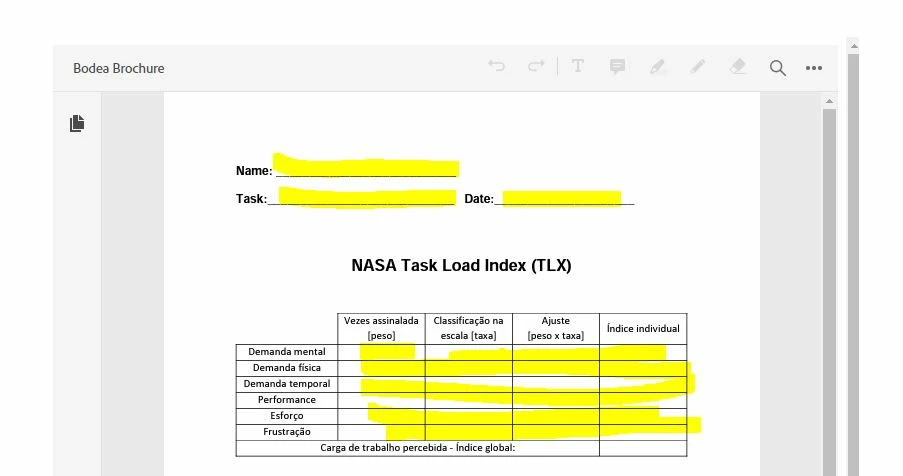
I'm trying to view this PDF in my web application. This PDF is showing in the application without any problems. However, the information filled in the fields is not visible.


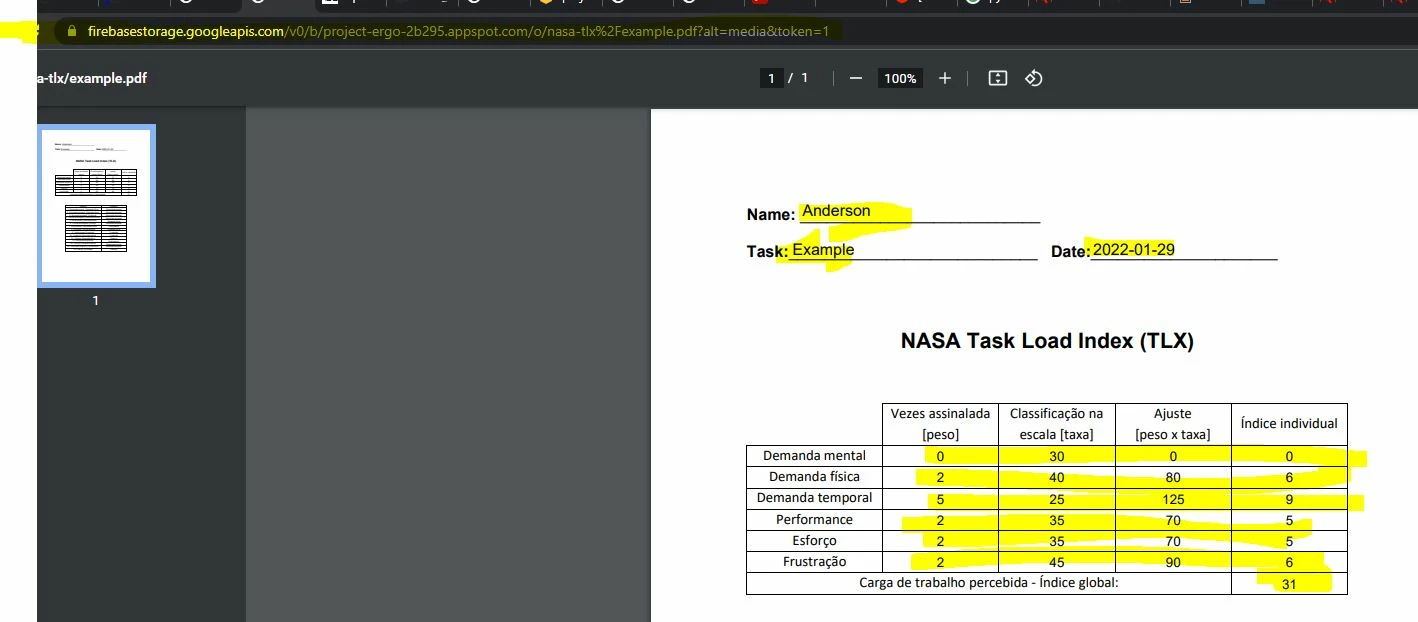
If I access the link of this file directly in the browser, it is possible to see the information filled in, but, as I said, when I used the PDF Embed API, those fields are blank.


In my web app:
 

Direct link to Firebase (https://firebasestorage.googleapis.com/v0/b/project-ergo-2b295.appspot.com/o/nasa-tlx%2Fexample.pdf?alt=media&token=1


Does anyone knows how to fix that?


Thank you.

    1 reply

    Joel Geraci
    Community Expert
    Community Expert
    June 8, 2022

    This is an interesting one. The PDF does not have appearances (the representation of the field values on the page) for the fields. The values are there, just not what they should look like. Based on the PDF specification, the tool that populates the data should generate these appearances but isn't. Unfortunately, Embed API isn't generating them on file open either. While technically this isn't a bug because Embed API is following the behavior defined in the spec, I don't think it's a great end-user experience so I've submitted the issue to engineering.

    I have no timeline on a fix.

    Participant
    June 12, 2022

    Hi Joel.


    Thanks for your answer.


    I had to change my flow. What I did was, I  built a template in Microsoft Word, filled that template with Python, and finally convert that docx. to PDF. 


    In my first post here,  my flow was, that my template was a fillable PDF created in Adobe Acrobat Pro, and I filled that template with Python and save it and unfortunately show up in my web app as I explained.


    Once again, thanks for your explanation.