
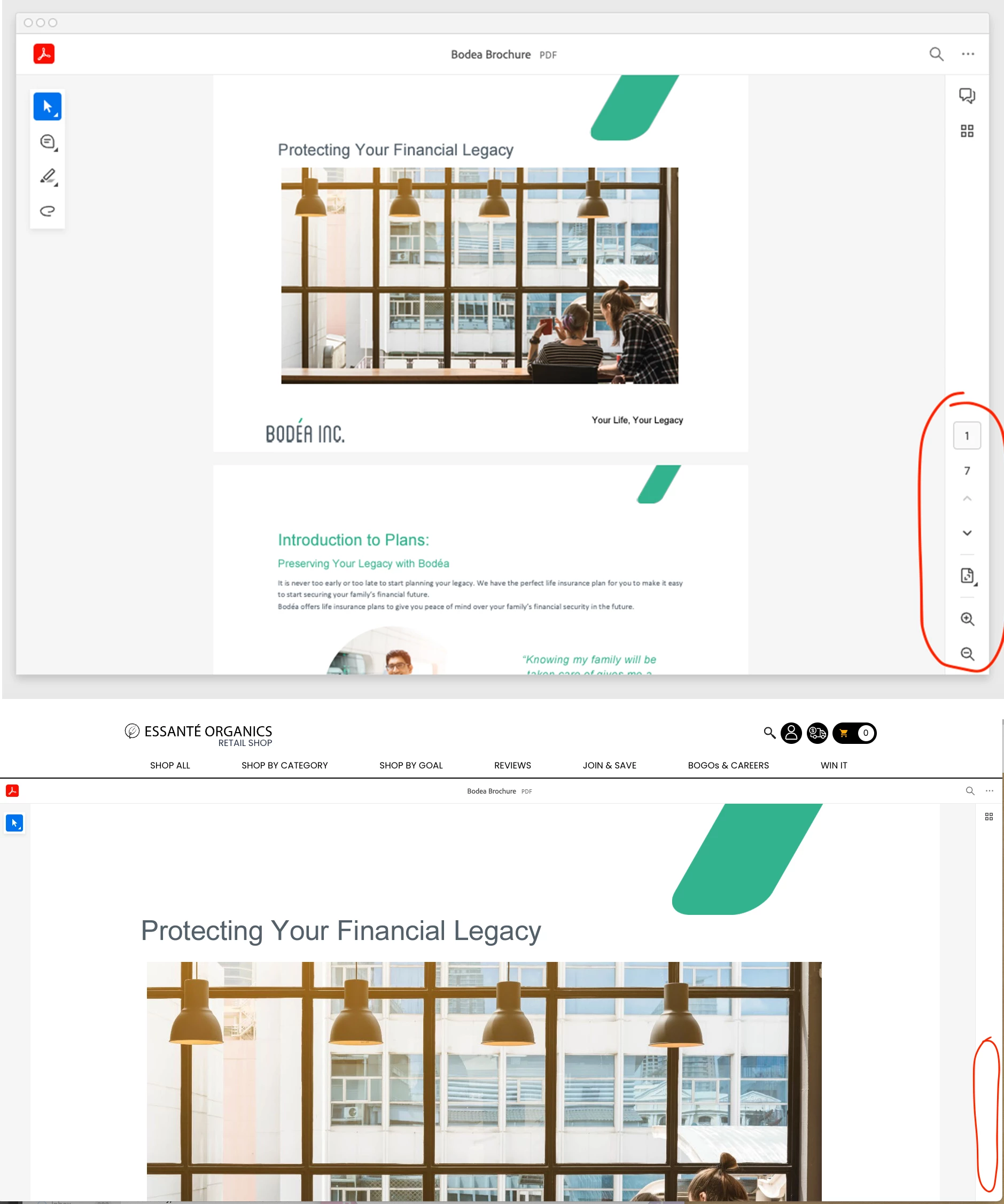
PDF Embed API installed, and working yet Right Hand Navigation Bar does not show.
To test this, I used the default code provided by the Basic Guide. In the code inspector I can see the html is in there, and set to display, but there is nothing visible. I tried putting in the code to "showZoomControl: true"
<div id="adobe-dc-view"></div>
<script src="https://acrobatservices.adobe.com/view-sdk/viewer.js"></script>
<script type="text/javascript">
document.addEventListener("adobe_dc_view_sdk.ready", function(){
var adobeDCView = new AdobeDC.View({clientId: "x", divId: "adobe-dc-view"});
adobeDCView.previewFile({
content:{location: {url: "https://acrobatservices.adobe.com/view-sdk-demo/PDFs/Bodea Brochure.pdf"}},
metaData:{fileName: "Bodea Brochure.pdf"}
}, { embedMode: "FULL_WINDOW", defaultViewMode: "FIT_PAGE", showAnnotationTools: false, showDownloadPDF: true, showZoomControl: true });
});
</script>
URL TO MY PAGE:

 Any help would be appreciated.
[Client ID removed by moderator]


 AdChoices