

Question
PDF Embed Fullscreen Option
I've got the "In Line" option embedded on the page below, with "showPageControls" set to "true" but I'm not seeing the option to fullscreen the PDF.
Also, is there a way to remove all controls, including the Adobe branding/pagination controls?
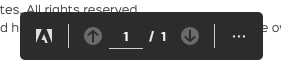
https://www.tripspark.com/why-us
<div id="adobe-dc-view" style="width: 100%;"> </div>
<script src="https://documentcloud.adobe.com/view-sdk/main.js"></script><script type="text/javascript">
document.addEventListener("adobe_dc_view_sdk.ready", function () {
var adobeDCView = new AdobeDC.View({
clientId: "5238abb0fc19469882b0c9bb3027ef9a",
divId: "adobe-dc-view"
});
adobeDCView.previewFile({
content: { location: { url: "https://www.tripspark.com/resource_files/Why-TripSpark-Overview.pdf" } },
metaData: { fileName: "Why TripSpark" }
}, {
embedMode: "IN_LINE",
showDownloadPDF: false,
showPrintPDF: false,
showPageControls: true,
dockPageControls: false,
showAnnotationTools: false,
showLeftHandPanel: false
});
});
</script>


 AdChoices