Participant
October 5, 2020
Answered

Printing not working in firefox

  • October 5, 2020
  • 4 replies
  • 1718 views

greetings Commmunity, 

i discovered that i cannot print anymore in firefox. Not even in the Demo. 

is there any fix or is there anyone working on it ? Because this is a huge let down. 

    This topic has been closed for replies.
    Correct answer Sumona Ghosh

    Hello,

    Thank you for using PDF Embed API.

    Due to some technical limitations, PDF printing is not supported in Firefox and IE 11 browsers. You should see a popup to download the PDF when you try to print. 
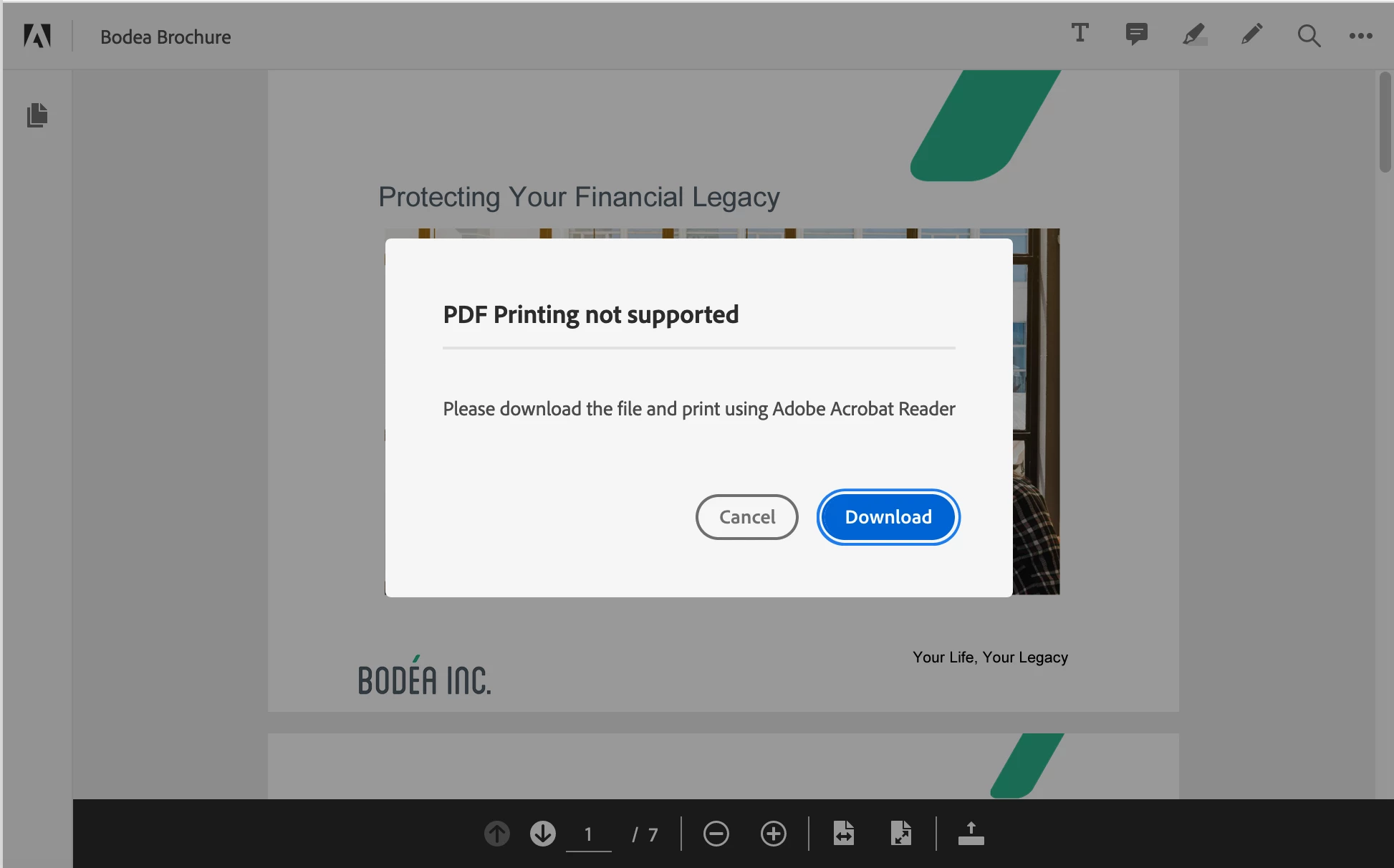


    However, print works on all other browsers.

    4 replies

    Participant
    July 14, 2024
    1. Check Printer Connection and Status:

      • Ensure your printer is properly connected to your computer or network.
      • Make sure the printer is turned on and not showing any error messages or warnings.
    2. Restart Firefox and Your Computer:

      • Close Firefox completely and reopen it.
      • Restart your computer to clear any temporary glitches.
    3. Update Firefox:

      • Make sure you're using the latest version of Firefox. Go to the menu (three horizontal lines in the top right corner) > Help > About Firefox. It will check for updates and install them if available.
    4. Clear Print Settings:

      • In the Firefox address bar, type about:config and press Enter.
      • Search for print printer.
      • Right-click on the print printer preference and select Reset.
    5. Reset Printer Settings:

      • Go to the menu > Print (or press Ctrl + P).
      • In the Print dialog box, click on the “Print Using The System Dialog…” link.
      • Adjust any settings and try printing again.
    6. Disable Extensions and Themes:

      • Sometimes extensions or themes can interfere with printing. Go to the menu > Add-ons and disable any active extensions or themes. Then try printing again.
    7. Check Printer Drivers:

      • Ensure your printer drivers are up to date. Visit the manufacturer's website and download the latest drivers for your printer model.
    8. Print to PDF:

      • Try printing the page as a PDF first to see if the issue is with the printer or the Firefox browser. If it prints to PDF correctly, the problem might be with the printer.
    9. Test in Safe Mode:

      • Restart Firefox in Safe Mode by going to the menu > Help > Restart with Add-ons Disabled. This will help you determine if an add-on is causing the problem.
    10. Reset Firefox:

      • As a last resort, you can reset Firefox to its default state. This will remove all your add-ons and custom settings, but your bookmarks and saved passwords will be preserved. Go to the menu > Help > Troubleshooting Information and click on "Refresh Firefox".

    If you've tried all these steps and are still having trouble, let me know more details about the issue, and I'll help you further!

    Participant
    November 4, 2022

    Fix Printing problems in Firefox

    1. Click on the menu option on the top-right corner of the screen and then select Print. ...
    2. Verify the scale should be set to shrink to fit.
    3. The orientation should be set to Portrait.

    Select the Page Setup option to open the page setup window.

    Participant
    July 15, 2021
    • Tolong di perbaiki akun saya
    Sumona GhoshCorrect answer
    Adobe Employee
    October 5, 2020

    Hello,

    Thank you for using PDF Embed API.

    Due to some technical limitations, PDF printing is not supported in Firefox and IE 11 browsers. You should see a popup to download the PDF when you try to print. 


    However, print works on all other browsers.

    umair14
    Participating Frequently
    July 15, 2021

    @Sumona Ghosh Print option is also not available in menu option list (...) on android and ios devices. Any reason for that? Android and ios are widely used platforms and print feature is a must for wireless printing. 

    We have a public web application where we are integrating SDK Embed API. Absence of print option on android and IOS devices will affect thousands of users.

    When can this feature be available on android and ios devices, at the earliest?

    Adobe Employee
    July 15, 2021

    Thanks for using PDF Embed API.

    In the current implementation, PDF printing is not supported in mobile devices. Please have a look at the section Mobile support in the official documentation to know more. We would definitely add this feature in our product backlog and consider for future releases.