
Split Invoice PDF
Hi,
I'm currently studying on a project which I need to insert a single charge invoice PDF to the last page of some specific invoice PDF through Power Automate. The source invoice PDF file includes many invoices which has different page counts. So what I plan to do is to split the whole PDF file into invidivual PDF. I have do some research on web and find a similar example.
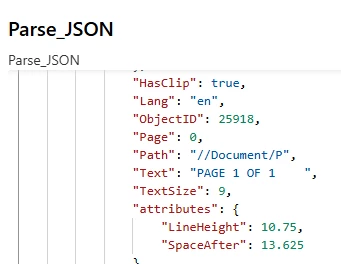
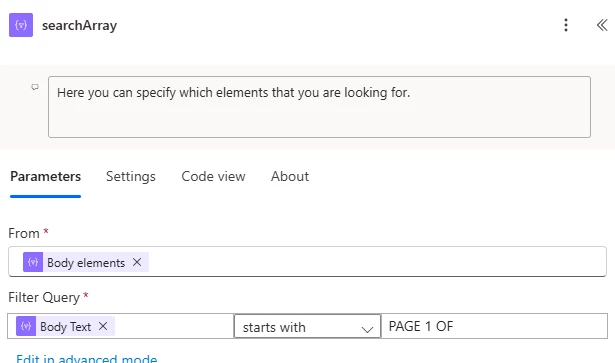
I try to follow the same workflow and change the searchArray logic. In our invoice, there is "Page 1 of X" will be shown on each page, so I try to use this to identify the page count.
However, when the flow run to the SearchArray, it got the below error.
Action 'searchArray' failed: The execution of template action 'searchArray' failed: The evaluation of 'query' action 'where' expression '@startsWith(item()?['Text'],'PAGE 1 OF')' failed: 'The template language function 'startsWith' expects its first parameter to be of type string. The provided value is of type 'Null'. Please see https://aka.ms/logicexpressions#startswith for usage details.'.
I check the raw output of Parse_JSON, some of the "Text" is Chinese characters, symbols, or numeric characters. I'm not sure if these cause the error. Can anyone help? Thanks.


 AdChoices