

Question
Unable to correctly extract tables from pdf document using pdf extract api
Hello Everyone
Use Case : I am using the PDF Extract API service to extract the tables within the pdf
Tech Stack : .Net Nuget version is Adobe.PDFServicesSDK : 3.0.0
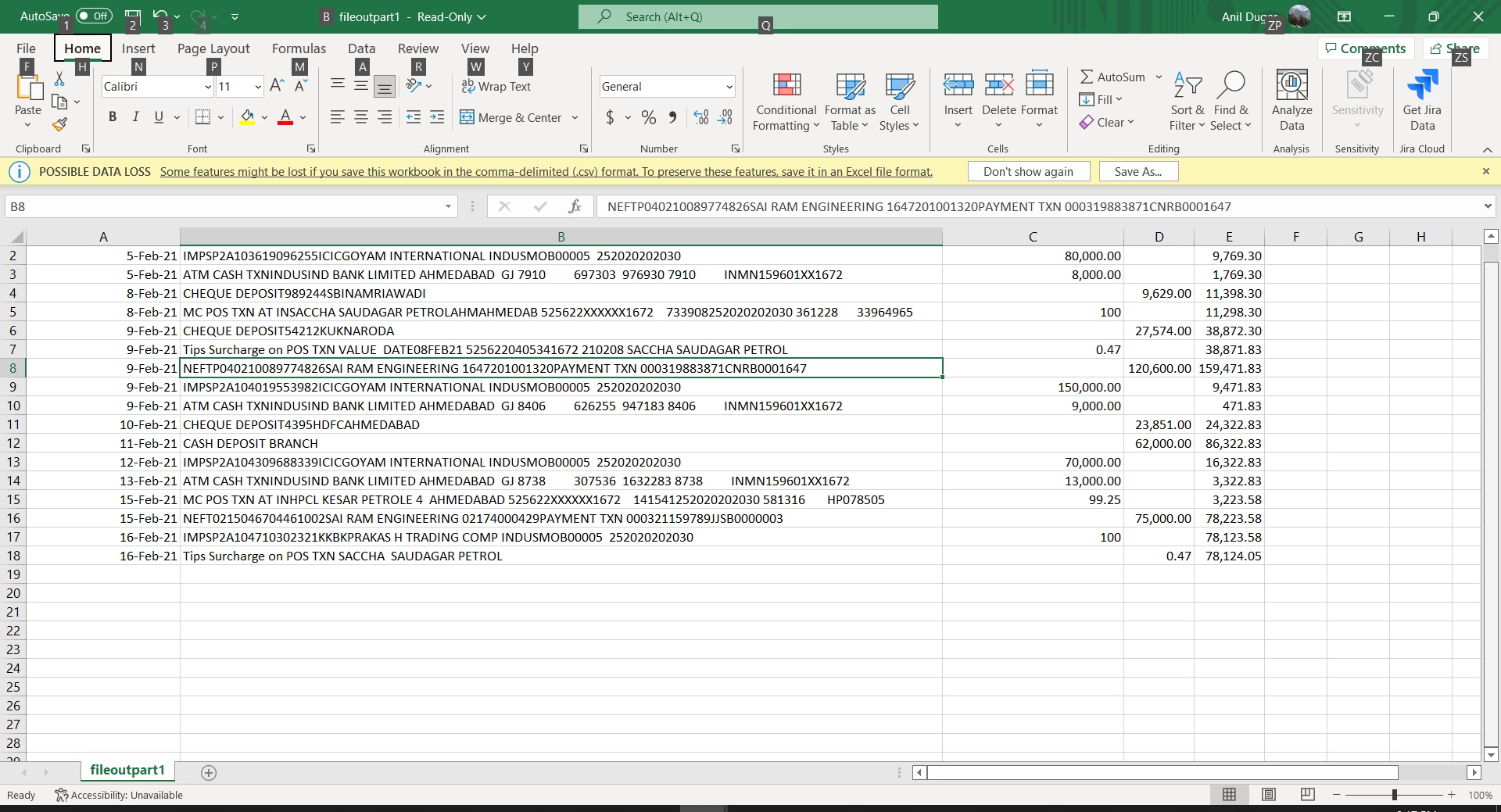
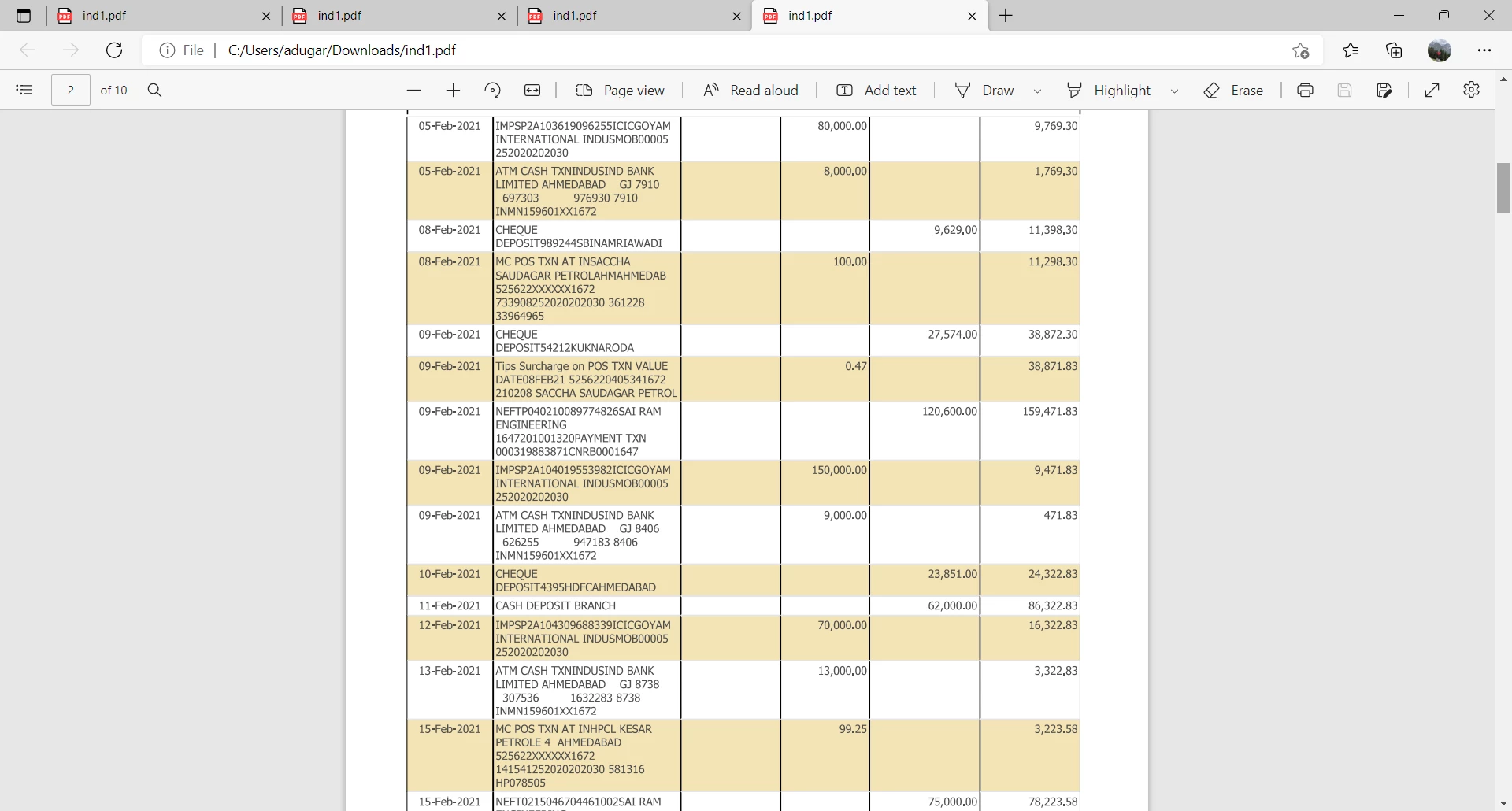
Problem : In a given table, if all the cells for a particular column are empty, they get merged with the next column, (Both the pdf file and output file is attached)
Expected output : CSV Files
Here is the sample code
Adobe.PDFServicesSDK.ExecutionContext executionContext = Adobe.PDFServicesSDK.ExecutionContext.Create(credentials);

ExtractPDFOperation extractPdfOperation = ExtractPDFOperation.CreateNew();
FileRef sourceFileRef = FileRef.CreateFromStream(pdfFileStream, "application/pdf");
                    extractPdfOperation.SetInputFile(sourceFileRef);

                    // Build ExtractPDF options and set them into the operation.
                    ExtractPDFOptions extractPdfOptions = ExtractPDFOptions.ExtractPDFOptionsBuilder()
                          .AddElementsToExtract(new List<ExtractElementType>(new[] { ExtractElementType.TABLES }))
                          .AddTableStructureFormat(TableStructureType.CSV)
                          .Build();

                    extractPdfOperation.SetOptions(extractPdfOptions);

                    // Lock & Execute the operation.
                    FileRef resultZipFile = extractPdfOperation.Execute(executionContext);
Error CSV : expected are 6 columns but only 5 are being shown in the csv
Pdf File being parsed :
Pls help
thanks
AD


 AdChoices