
Participant
July 10, 2023
Question

Unable to generate the buttons and dynamic tables in PDF using adobe document generation api

  • July 10, 2023
  • 1 reply
  • 1191 views

Hello Everyone,

I am trying to generate the PDF using this json

{
"names": [
{
"name":"name1",
"image":"https://www.gstatic.com/webp/gallery/1.jpg",
},
{
"name":"name2",
"image":"https://www.gstatic.com/webp/gallery/2.jpg",
}
],
"sub_names": [
"vegan",
"Mediterrian",
"Winter",
"Gluten-free"
]
}

This is the sample json.

Expected output screenshot is attached.

Note:When I am generating in the below way, the data is coming fine
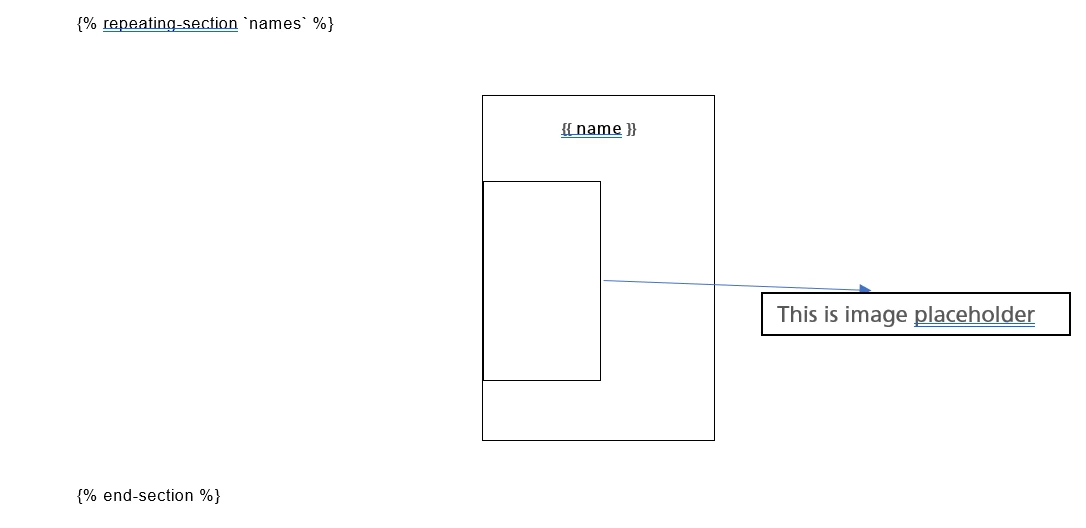
This is only generating with only one value, even if we are having more values.


Same issue for this one as well.

{% repeating-section `sub_names` %}

{{$[0]}}

{% end-section %}

but its not coming when I am trying to generate the pdf in the expected manner.


Any leads will be appreciated.


This topic has been closed for replies.

1 reply

Raymond Camden
Community Manager
Community Manager
July 13, 2023

I'm not able to reproduce this. You do have a minor issue in your JSON where you should not have the trailing comma after the image property in the names array. Once I fixed that, it worked fine. Here's my Word input:


And output:


Participant
July 14, 2023

Thanks for your reply.

I am  able to generate if we don't have the image placeholder and text placeholder applied.

that works for me too.

But when we have some thing like below:

The generated output is printing only one value.Its gettting replaced with last value in array.

Raymond Camden
Community Manager
Community Manager
July 14, 2023

I''m not sure what you mean. I used an image placeholder too, and if by text placeholder you just mean the token {{ name }}, that works fine. Could you maybe share your Word doc?