
When using the Adobe sign REST api to sign transient documents, how do I set the signature location?
I have a PDF document that's been prepared ahead of time with a number of textboxes pre-filled with data.
I then send it to the Adobe REST API as a transient document to be signed using the adobe sign service.
The problem I'm having is that Adobe Sign is adding a blank page and adding a signature box there, instead of using the signature box that's already on the pdf form. Looks like this:

After reading through the tutorials, I thought I could specify the signature location by labeling the text field as {{Submitter Signature_es_:signature}} which looks like this in Adobe DC:
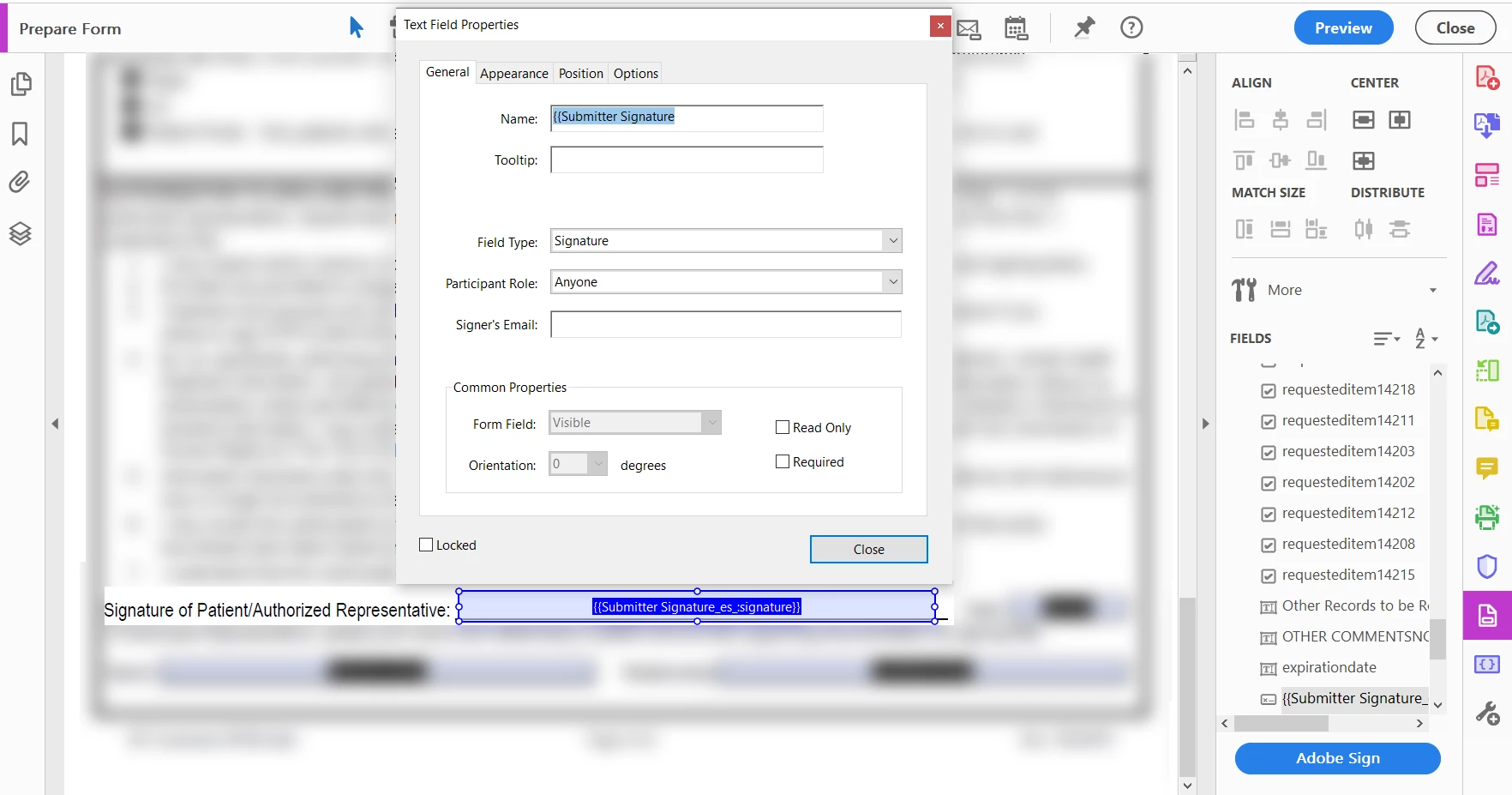
But it still adds a blank page with just a single signature.
I can see that there's a way to specify the location in the JSON payload that gets sent along with the transient document. Is that the only way to specify where the signature is on the document? Is there anyway for me to specify in Adobe DC which field is the signature field?
Thank you for any help or suggestions.
-Nathan


 AdChoices