
EnterpriseHelp
Community Manager
Community Manager
July 27, 2022
Question

Adobe Sign Developer Resources

  • July 27, 2022
  • 2 replies
  • 1063 views

Hey developers,

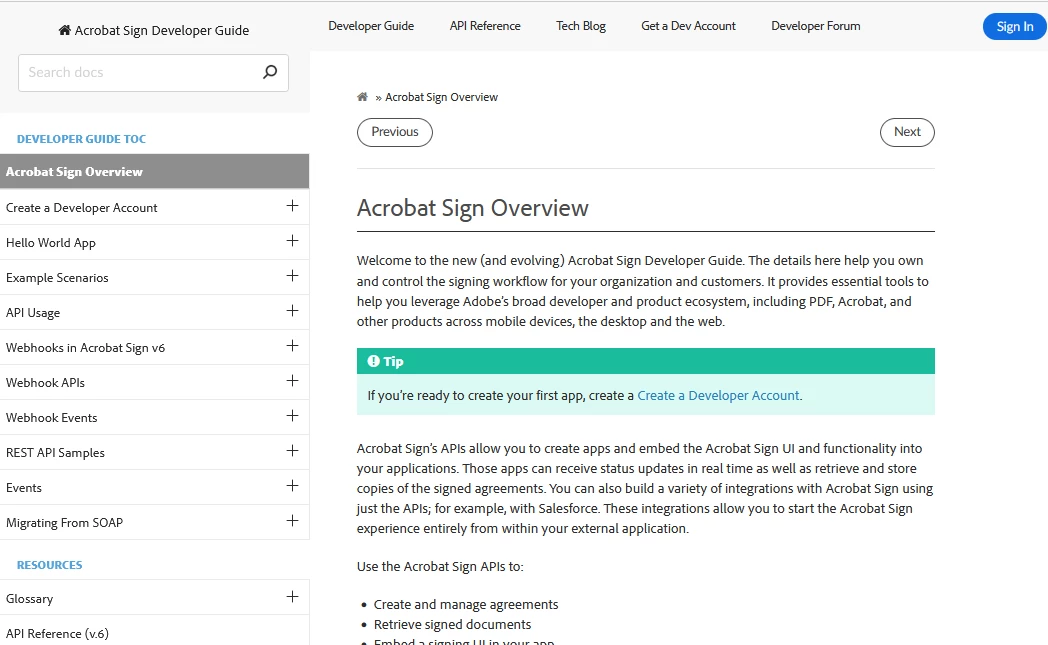
The team is now revamping the developer assets. The latest docs have a new format, look, and doc-level search. As we update the dev ecosystem, your feedback is appreciated. See https://opensource.adobe.com/acrobat-sign/developer_guide/.


    This topic has been closed for replies.

    2 replies

    Participating Frequently
    August 19, 2022

    HI,

    i'd like to see the documentation that informs a developer of what values to populate the API calls with. e.g. What are the valid values to poulate the  "signatureType" parameter with. I located somewhere it was either ESIGN or WRITTEN, but nothing what the valeus mean . Seeking this info for all available fields. the API guide ( REST API — Document e-signature Software — Acrobat Sign (adobesign.com) ) is all I can find. its missing lots of info.


    Thanks,

    Adobe Employee
    August 19, 2022

    thank you for your query, @Scott24480673gm5q. The API guide / REST API documentation has the most up-to-date info. Since you were asking about the signatureType attribute, here's what you should see in  (https://secure.au1.adobesign.com/public/docs/restapi/v6#!/agreements/createAgreement😞

     signatureType (string) = ['ESIGN' or 'WRITTEN']Specifies the type of signature you would like to request - written or e-signature. The possible values are
    ESIGN : Agreement needs to be signed electronically
    , WRITTEN : Agreement will be signed using handwritten signature and signed document will be uploaded into the system
    ,


    Its definitely not searchable which we are trying to fix with the documentation overhaul, but all the APIs on the above link should have the information you are seeking if you expand the Model object. Hope that helps!

    Participating Frequently
    August 19, 2022
    Hi,
    Thanks for that, I located what I required by expanding the AgreementInfo
    Model. I had clicked on the Minimal Model Schema, but not just "model".

    thanks.
    Adobe Employee
    August 3, 2022

    That's awesome!