
Participant
April 24, 2023
Question

Transient Document uploaded Programmatically is Always Cancelled

  • April 24, 2023
  • 2 replies
  • 1260 views

Whenever i upload a pdf document to the transientDocument endpoint, i always get a transientDocumentID and i'm also able to use it to create an agreement but whenever i try to add fields to the agreement, i get a message "The Agreement is not in Authoring Mode". When i check the status of the file, it shows that the agreement is Cancelled and then i get a mail from adobe:
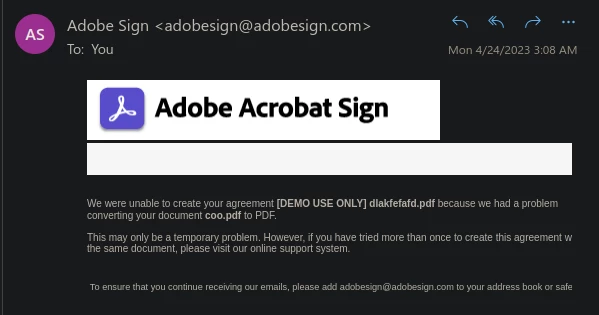
Have changed the pdf being uploaded to test if its an issue with the document but its not, the same thing happens for every pdf document i upload. But whenever i use the adobe sign api rest v6 page to upload the same pdf files, i don't get any errors and it works. This is my code for uploading the document:

headers = {
    'Authorization': f'Bearer {ACC_TOKEN}'
}

file = {
    'File-Name': 'coo.pdf',
    'File': open('coo.pdf','rb')
}

updoc = requests.post("https://api.eu1.adobesign.com/api/rest/v6/transientDocuments",files=file,headers=headers)

Whenever i add the 'Content-Type' as 'multipart/form-data' the upload doesn't succeed. Have been suspicious if it has something to do with the document upload issues. But at least i should get an error when uploading it. Can someone please point out what i'm doing wrong. Have been trying to solve this issue for some days now. And the issue keeps pointing to uploading the transientDocument. Also, i'm using a developers account, can this in anyway be the cause of the issue?

2 replies

Participant
April 3, 2025

Hi, 

I am using the same implementaion but getting this wrrorerror 
Error Response Data: { code: 'NO_FILE_CONTENT', message: 'Must provide file body' }

this is my implementation

const
file = {
'File-Name': 'dynamic_document1.pdf',
'Mime-Type': 'application/pdf',
'File': fs.open('dynamic_document1.pdf', (err) => { console.log(err, 'errerrerrerrerr') })
}
const uploadResponse = await axios.post(`${baseUris}api/rest/v6/transientDocuments`, file, {
headers: {
// ...form.getHeaders(),
'Authorization': `Bearer ${accToken}`,

}
});
atsmusz_as_dsEng
Adobe Employee
Adobe Employee
April 25, 2023

I am not completely sure what you may be missing, but here is a working example using Python 3 with 'requests' library.


https://github.com/asmusz-adobe/Python3-restv6/blob/main/upload_n_send.py


Aaron Smusz - Data Science Engineering - Adobe Acrobat Sign
Participant
April 26, 2023

I was later able to get it to work even though it took somedays. The issue was i had to set a mime-type in the files just like you did in the python example you provided so i ended up with something like this to get it to work:

headers = {
    'Authorization': f'Bearer {ACC_TOKEN}'
}

file = {
    'File-Name': 'coo.pdf',
    'Mime-Type': 'application/pdf',
    'File': open('coo.pdf','rb')
}

updoc = requests.post("https://api.eu1.adobesign.com/api/rest/v6/transientDocuments",files=file,headers=headers)
atsmusz_as_dsEng
Adobe Employee
Adobe Employee
April 26, 2023

Excellent.  Glad to hear you got it sorted!

Aaron Smusz - Data Science Engineering - Adobe Acrobat Sign