



🎨 Create a Portrait Masterpiece with Your Students
Picture this: your library walls lined with golden frames, each one holding a face or figure that tells a story.
Some portraits are bold and loud, dripping in neon. Others are soft and quiet, painted in watercolors that whisper secrets.
Every single one is student-made, powered by imagination, and ready to spark conversations.
That’s the magic of the Create a Portrait Masterpiece Guided Activity in Adobe Express. It’s ready-to-use, completely adaptable, and—best of all—it makes introducing creative tools to your students feel effortless. No starting from scratch, no complicated tech tutorials. Just open, explore, and create.
And if this is your first time trying a guided activity? You’re in for a treat. Think of it as your built-in co-teacher: it leads students step-by-step, so you can focus on guiding their ideas, making connections to your curriculum, and encouraging creative confidence.
How It Works
Students design a portrait in three parts:
- Subject – Who (or what) is the star of the portrait?
- Background – Where is their world?
- Style – How should it feel? Dreamy? Dramatic? Cartoonish?
That simple structure does more than just organize the project. It scaffolds creative literacy skills. Students learn how to describe visuals clearly, choose intentional design elements, and connect their creations back to the story or concept they’re representing.
The result? Portraits that are as thoughtful as they are beautiful and a process students can transfer to any creative project you throw at them later in the year.
Ways to Use in the Library or Classroom
The beauty of this template is its flexibility. You can run it as a quick one-period icebreaker or weave it into a bigger project. Some ideas:
- Back-to-School Icebreaker – “This is Me” portraits for a welcome gallery.
- Book Character Redesign – Visualize characters using only textual evidence.
- History Exhibit – Give historical figures a portrait session in the style of their era.
- MakerSpace Spotlight – Show off students’ creative identities as inventors, builders, or designers.
- Future of Libraries – Imagine the library in 2050 and your role inside it.
Every version gives students a chance to experiment with visual storytelling, while you sneak in skills like research, descriptive writing, and critical thinking.
Pro Tips for Educators
If you’ve never introduced Generative AI with students before, here’s how to make it smooth:
- Start with specific prompts. “A castle” works. “A white and gold castle with pink flags, on a hill surrounded by a lush forest” works better.
- Model ethical AI use—explain why we avoid copyrighted characters or real people’s likenesses without permission.
- Use Animate Characters so students can narrate their portraits. The “why” behind their work is just as powerful as the image itself.
Example Prompts to Jumpstart Your Gallery
I had a little fun playing with this activity myself (because of course I did), and now I’m handing over my prompts so you can make your own magic. Feel free to steal these ideas, tweak them, or let them inspire your students to dream up something totally different.
Inventor in the Future
Think Tomorrowland meets the school makerspace.
Prompt: A young inventor wearing a tool belt filled with futuristic gadgets, standing in a workshop filled with glowing holographic blueprints, Style: colorful digital painting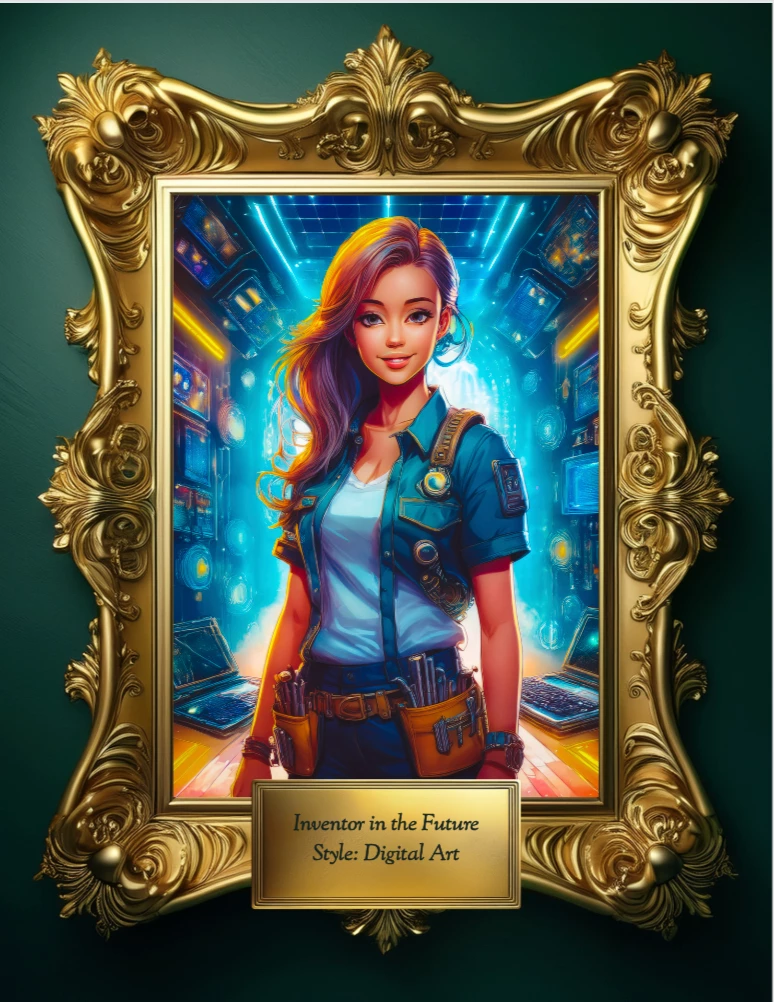
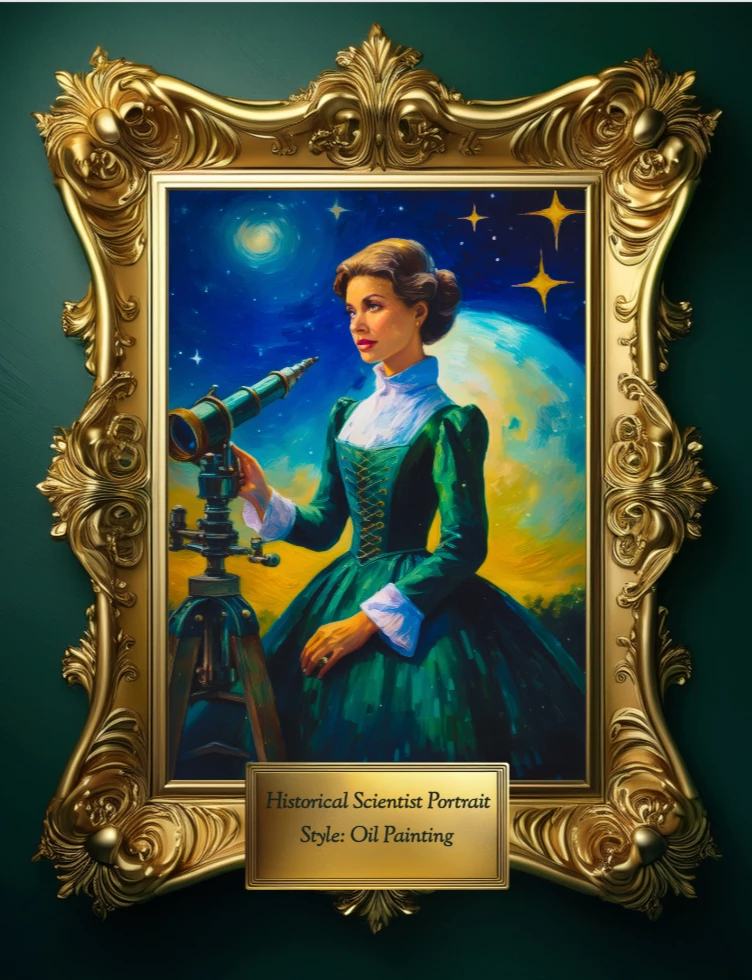
Historical Scientist Portrait
A mash-up of history and stargazing elegance.
Prompt: A woman scientist from the 1800s wearing a deep green Victorian dress, holding a telescope, with a background of a starry night sky and observatory dome, Style: oil painting on canvas
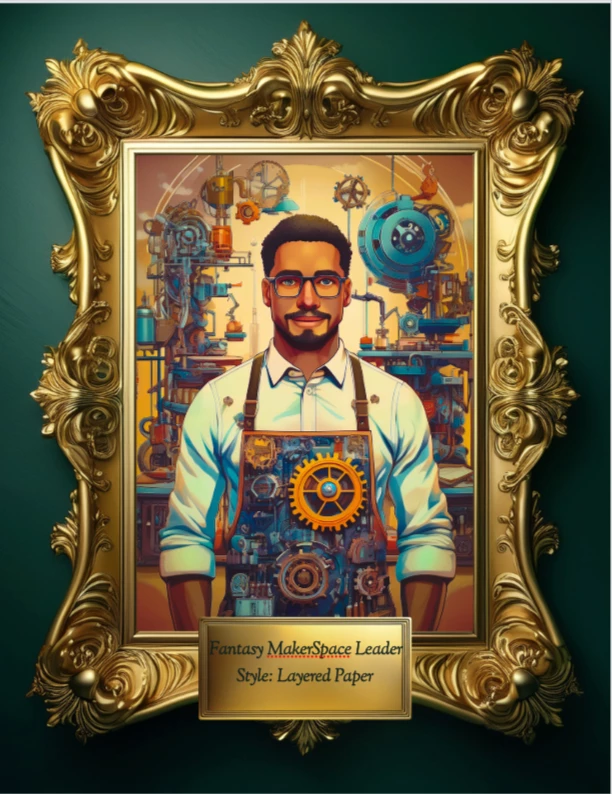
Fantasy MakerSpace Leader
Imagine the ultimate creator, with a workshop that feels like a dream.
Prompt: A person wearing a steampunk-style apron with gears and cogs, surrounded by floating 3D printers and robotic arms, in a bright, whimsical workshop, Style: whimsical storybook illustration
Your Turn
These prompts are just the beginning. The real magic happens when students dream up their own because that’s when you see their personalities, passions, and curiosities come to life in a single frame.
The Create a Portrait Masterpiece guided activity takes care of the “how” so you can focus on the “why”:
- Storytelling – every portrait is a chance for students to share who they are or what they’ve learned
- Creative literacy – building the skill of describing visuals with clarity and detail
- Pride in their work – because gallery-worthy results feel worth sharing
Whether you hang them in the hallway, create a digital gallery, or host a “portrait opening night” in the library, you’re not just filling walls, you’re building a culture where student voice is visible and valued.
✨ Pro Tip: Run it once early in the year, then bring it back in a new context like book characters, historical figures, future careers and watch how students’ confidence and skills grow.
🔗 Try it here: adobe.ly/edumasterpiece and get ready to curate the most creative gallery your library has ever seen.
 AdChoices