陳小妹
Participant
June 11, 2026
Answered

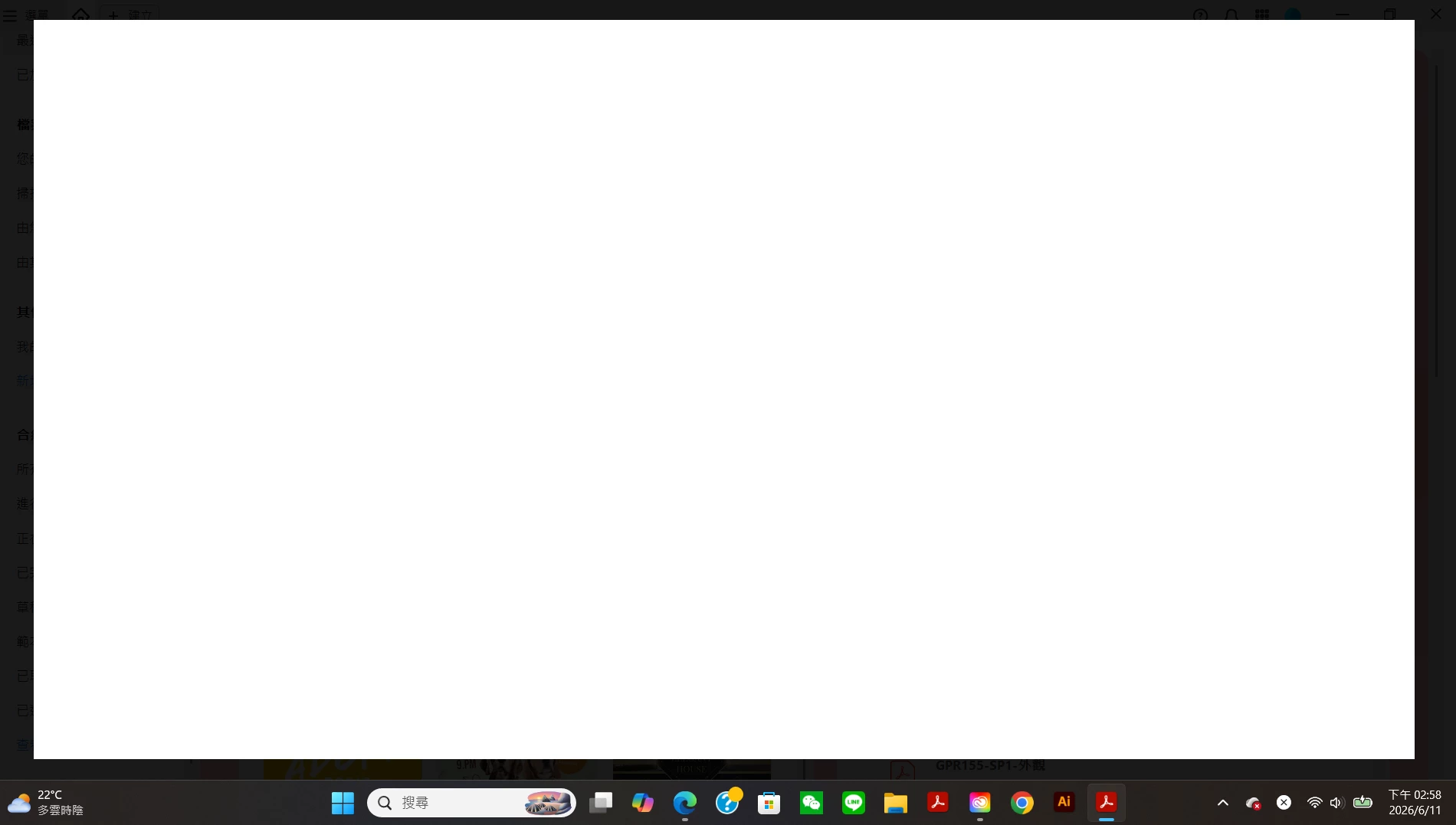
Adobe Acrobat 更新後 無法使用.. 開啟PDF文件檔畫面會反白

  • June 11, 2026
  • 3 replies
  • 125 views

開啟PDF文件檔畫面會反白,如圖.. 電話詢問了客服..沒有即時解決,只能等待回信!!...


    Correct answer Tariq Ahmad Dar

    Hello ​@陳小妹 ,


    Thank you for reporting the issue, and sorry for the troubled experience.
     

    Have you tried the following:

    • Repair Acrobat:

      • Launch Acrobat > Help > Repair Acrobat installation.

    • Check for any pending updates:

      • Launch Acrobat > Help > Check For Updates.

    • Restart the machine once.

    • Try signing out of Acrobat, re-launching Acrobat, and logging back in

    • Lastly, you can try uninstalling Acrobat using the cleaner tool: https://adobe.ly/4e0WAt8, then reinstall.


    • Let us know how it went
       

    And to better understand the behavior, could you please provide a few additional details?

    • Which version of Acrobat is installed? (Help → About Acrobat)

    • What operating system and version are you using?

    • Does the flashing/highlighting occur with all PDF files or only specific documents?

    • Does the issue occur immediately when opening a PDF, or only after interacting with the document?

    • If possible, could you share a short screen recording showing the behavior?

    Since you mentioned the issue started after an update, it would also be helpful to know whether the problem occurs when Acrobat is opened in a different display environment (for example, a different monitor setup, if applicable).

    The video and version information will help determine whether this is related to rendering, display settings, graphics acceleration, or a recent application update.


    ~Tariq

    3 replies

    Amal Jaiswal
    Community Manager
    Community Manager
    June 19, 2026

    Hi all


    Hope you are doing well and thanks for your patience. 


    We have logged a ticket with the engineering team for this issue, we will keep you all posted as soon as we get more information from the team. 


    Thanks
    Amal

    數學小天使
    Participant
    June 15, 2026

    一樣出現相同的情況
    卸載重新裝還是一樣
    要操作其他方法
    根本來不及就變成白色了
    在我最緊急的時候出現此狀況
    真的很悲慘

    Meenakshi0101
    Community Manager
    Community Manager
    June 15, 2026

    Hi 數學小天使,


    We are sorry to hear that the issue still occurs. 

    Please share the following information to further investigate this behavior:

    • A short video showing what happens when you launch the Acrobat. Try opening Acrobat directly.
    • Please let us know if you can access other applications in Creative Cloud without any issues.
    • Share the Acrobat and OS version number currently install on the machine.


    Let us know if you need an help.


    Thanks,

    Meenakshi

    Tariq Ahmad DarCommunity ManagerCorrect answer
    Community Manager
    June 11, 2026

    Hello ​@陳小妹 ,


    Thank you for reporting the issue, and sorry for the troubled experience.
     

    Have you tried the following:

    • Repair Acrobat:

      • Launch Acrobat > Help > Repair Acrobat installation.

    • Check for any pending updates:

      • Launch Acrobat > Help > Check For Updates.

    • Restart the machine once.

    • Try signing out of Acrobat, re-launching Acrobat, and logging back in

    • Lastly, you can try uninstalling Acrobat using the cleaner tool: https://adobe.ly/4e0WAt8, then reinstall.


    • Let us know how it went
       

    And to better understand the behavior, could you please provide a few additional details?

    • Which version of Acrobat is installed? (Help → About Acrobat)

    • What operating system and version are you using?

    • Does the flashing/highlighting occur with all PDF files or only specific documents?

    • Does the issue occur immediately when opening a PDF, or only after interacting with the document?

    • If possible, could you share a short screen recording showing the behavior?

    Since you mentioned the issue started after an update, it would also be helpful to know whether the problem occurs when Acrobat is opened in a different display environment (for example, a different monitor setup, if applicable).

    The video and version information will help determine whether this is related to rendering, display settings, graphics acceleration, or a recent application update.


    ~Tariq