AMPELMANN-jEtEn1
Participant
May 8, 2015
Answered

adobe dc problems

  • May 8, 2015
  • 2 replies
  • 798 views

Hello,

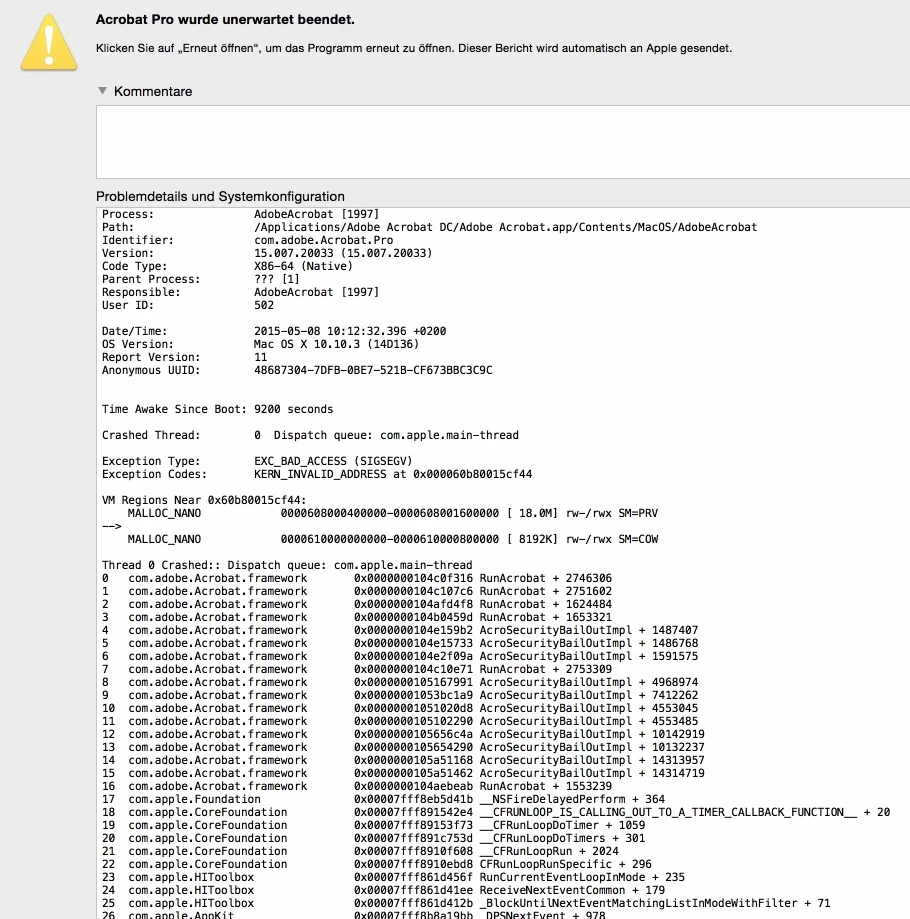
we have the new adobe creative cloud for teams installed on a mac.

The Adobe DC crashes every time we went to the "output preview"

(Ausgabevorschau in German)

Could you help?

Thanks in Advance

Dirk Dähn

Ampelmann GmbH

Berlin

    This topic has been closed for replies.
    Correct answer AadeshSingh

    Hi Dirk,

    We are currently aware of two scenarios in which Acrobat will abnormally terminate either when clicking Output Preview or when already in Output Preview, both under MacOS 10.x. We are not aware of the problem ever occurring under any Windows OS version.

    Scenario #1 - PDF file has an RGB Output Intent such as a PDF/A file created with an sRGB output intent (typical default value). In this case, simply clicking on Output Preview will immediately cause Acrobat to abnormally terminate.

    Scenario #2 - PDF file either has no output intent or has a CMYK-based output intent (typically for PDF/X files). If you open Output Preview, you do see the output preview window without any issue. However, if you attempt to change the Simulation Profile from the current CMYK profile to any RGB profile, Acrobat then abnormally terminates.

    The good news is that we have found the source of the problem and internally have it fixed, the fix will appear in the first maintenance release of Acrobat DC.

    If you have a scenario other than above, please let us know.

    Regards,

    Aadesh

    2 replies

    AadeshSingh
    AadeshSinghCorrect answer
    Participating Frequently
    May 8, 2015

    Hi Dirk,

    We are currently aware of two scenarios in which Acrobat will abnormally terminate either when clicking Output Preview or when already in Output Preview, both under MacOS 10.x. We are not aware of the problem ever occurring under any Windows OS version.

    Scenario #1 - PDF file has an RGB Output Intent such as a PDF/A file created with an sRGB output intent (typical default value). In this case, simply clicking on Output Preview will immediately cause Acrobat to abnormally terminate.

    Scenario #2 - PDF file either has no output intent or has a CMYK-based output intent (typically for PDF/X files). If you open Output Preview, you do see the output preview window without any issue. However, if you attempt to change the Simulation Profile from the current CMYK profile to any RGB profile, Acrobat then abnormally terminates.

    The good news is that we have found the source of the problem and internally have it fixed, the fix will appear in the first maintenance release of Acrobat DC.

    If you have a scenario other than above, please let us know.

    Regards,

    Aadesh

    AMPELMANN-jEtEn1
    Participant
    May 8, 2015

    Hi Aadesh,

    thanks for the reply. Scenario #1 is the one that occurs here.

    Could you tell us, when the first maintenance release of Acrobat DC will take place?

    Regards

    Dirk