


Adobe Document Cloud for Microsoft Outlook - Acrobat
After updating Adobe Reader DC to version 24.001.20604, I became the "happy" owner of an absolutely unnecessary module for me, which is called "Adobe Document Cloud for Microsoft Outlook - Acrobat" in my Outlook 2019:

After reading a lot of information on the Internet, I still haven't found the right solution to disable it. I tried disabling it in the COM settings in Outlook but after the restarting app, this plugin appears again and again and it doesn't help:
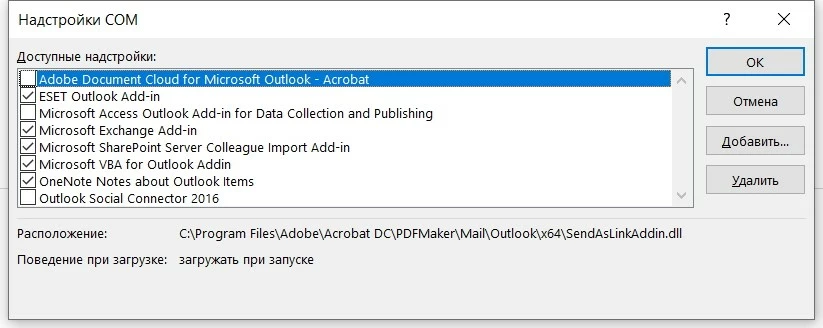
I tried to disable it by adding an option bAdobeSendPluginToggle to the registry according to the Adobe instructions:
[HKEY_LOCAL_MACHINE\SOFTWARE\Wow6432Node\Policies\Adobe\Adobe Acrobat\DC\FeatureLockDown\cCloud]
"bAdobeSendPluginToggle"=dword:00000001
And it doesn't help too. One of the options suggested by one user was renaming the Outlook folder to Outlook_DISABLE at the following address:
C:\Program Files\Adobe\Acrobat DC\PDFMaker\Mail\Outlook
But I think this is not a way out of this situation, because after updating the app, this plugin will reappear in Outlook. I have disabled all Adobe Reader DC Cloud Services in GPO. and I'm not going to use Cloud Services to share my files, because I appreciate privacy.
I would like to receive official support from the employees how can I disable this plugin so that it never appears in my Outlook 2019 again.
 AdChoices