Participant
January 27, 2020
Answered

Are Acrobat Portfolios files supported in Adobe Document Cloud?

  • January 27, 2020
  • 2 replies
  • 2400 views

We recently started using Adobe Document Cloud with SharePoint Online.  Regular PDF files open fine but if any user uploads a PDF Portfolio file they see the error/warning message below.  The users have Acrobat DC licenses and can login to Document Cloud, but the Portfolios still don't open.


Can anyone confirm if Portfolio's are supported or not?  Thanks
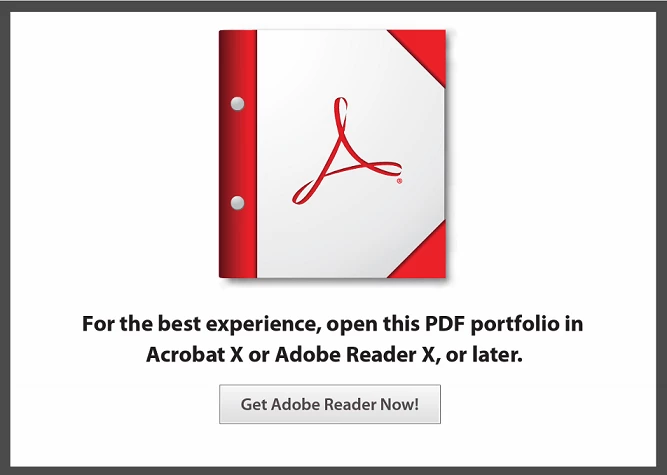
This topic has been closed for replies.
Correct answer Ben Vanderberg

Hello nillac,

At this time, PDF Portfolios are not supported within the PDF Web Viewer. In order to view, you will need to download the PDF and open it in Acrobat or Acrobat Reader.


Optionally, you can also open documents directly from SharePoint: https://helpx.adobe.com/acrobat/using/access-sharepoint-files.html

2 replies

Ben Vanderberg
Community Manager
Ben VanderbergCommunity ManagerCorrect answer
Community Manager
January 27, 2020

Hello nillac,

At this time, PDF Portfolios are not supported within the PDF Web Viewer. In order to view, you will need to download the PDF and open it in Acrobat or Acrobat Reader.


Optionally, you can also open documents directly from SharePoint: https://helpx.adobe.com/acrobat/using/access-sharepoint-files.html

nillacAuthor
Participant
January 28, 2020

Thanks for the reply.  I don't suppose you have a link to an Adobe FAQ that states that Portfolio files are not supported? Looking for something I can show the project team so we can move on.


I think the link you included is valid for SharePoint on-premise environments, with SharePoint Online it doesn't have the same integration as it used to with on premise versions - that's why we've been using Document Cloud.

Ben Vanderberg
Community Manager
Community Manager
January 28, 2020

Hi Nillac,

I don't have a reference to a blog or FAQ that states that directly, but I will provide that feedback to the product team. I work for Adobe and I am part of the Technical Marketing team for Adobe Document Cloud.


As for the SharePoint on-premise vs. Online, it actually doesn't make a difference. If you are using SharePoint Online, you can put in the URL to the SharePoint Online site and it will allow you to navigate and check in / out documents from your SharePoint Online site.

Bernd Alheit
Community Expert
Community Expert
January 27, 2020

Does they open the file in Acrobat?

nillacAuthor
Participant
January 28, 2020

No, they open the file in a browser using Adobe Document Cloud and then add comments.  Document Cloud lets them do that and save directly back to SharePoint Online.