
RHefner
Participant
December 3, 2015
Question

Browser Unsupported

  • December 3, 2015
  • 8 replies
  • 1924 views

Hello all,

Hope someone can help me on this.

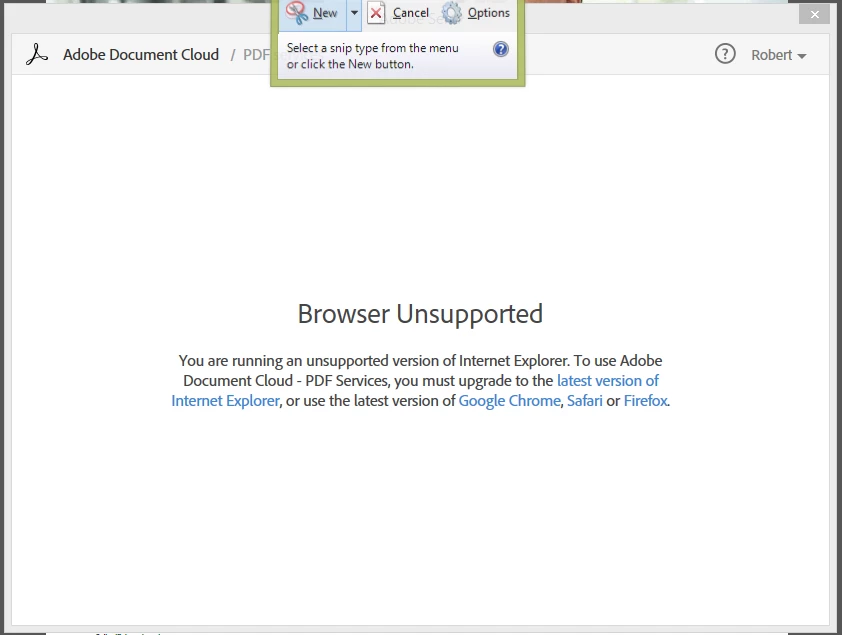
I am trying to send using the Mail feature "Adobe Send". I am able to sign in and authenticate just fine. When sending a pdf and creating a link I get the following pop-up stating I need the latest browser.

1.) I have the latest IE11 fully patched

2.) Have the latest Adobe Flash installed

3.) I have added acrobat.com to Trusted sites in IE11

4.) This happens across multiple windows installations.

Can anyone lend a hand and help me resolve this issue? Please see graphic below of the error.
    This topic has been closed for replies.

    8 replies

    January 15, 2016

    Anything new on this? Would love to get a solution....... Still an issue a month+ later

    December 15, 2015

    Any updates on this? Anybody have a solution?

    Participant
    December 15, 2015

    ‌same situation as all here

    not corrected since original posts

    had to resort back to older technology to keep moving until Adobe identifies their issues

    just retried after a week

    nothing new but error messages

    December 16, 2015

    Resort back to older technology as in downgrading Adobe or something else? Just curios if downgrading works :l

    Participant
    December 9, 2015

    SAME PROBLEM as above.

    NEVER had this issue until they "changed" it

    Please advise

    been a 12 hour nightmare for my company computers all day

    RHefner
    RHefnerAuthor
    Participant
    December 8, 2015

    This solution works but We need adobe to fix why this is broken in the first place as the workaround is much more cumbersome. Adobe can you please advise us as to the fix on this?

    Robert

    Participant
    December 8, 2015

    This does not address the fact that we can’t create a “link” to a document.

    *************************

    Leslie A. Hennessy

    Plummer Slade, Inc.

    “Computer Networking & IT Solutions”

    412.261.5600 x228

    “Exclusively endorsed for IT solutions by the Allegheny County Bar Association (ACBA).”

    Participant
    December 5, 2015

    I'm having a similar problem.  This has worked for me (it's certainly not the most convenient, but at least it works):

    Log in to your Adobe Document Cloud: cloud.acrobat.com

    Click Document Cloud in the left column

    Upload the file (click the cloud with an arrow in the top right corner)

    Your document should appear at the top of the file list

    Click the box next to the title of your document and a taskbar will appear on the right side of the screen

    Click "Send & Track" and proceed as you normally would for creating and sending the document. 

    Participant
    December 4, 2015

    I have a client with this same issue.  Neither IE11 nor Chrome as the default seem to make a difference.  Would appreciate a solution.

    December 4, 2015

    I too have this same issue, with no luck after downgrading and trying each version of Internet Explorer from 8-11, installing Chrome and setting it as the default browser and also Firefox.

    Participant
    December 9, 2015

    Same issue

    ITS ADOBE and lack of support on this issue

    NOT A HAPPY CUSTOMER

    Anubha Goel
    Community Manager
    Community Manager
    December 4, 2015

    Hi RHefner,

    Could you please try clearing your browser cache and cookies and then check again.

    Have you tried using a different browser?

    Let me know how it goes.

    Regards,

    Anubha

    RHefner
    RHefnerAuthor
    Participant
    December 4, 2015

    Anubha,

    This did not resolve the issue.

    1.) I have reset IE 11 to its defaults.

    2.) Cleared all Browser cache

    Any Idea why this is happening. I have multiple clients that this is happening to right now this is not just specific to me. - Robert