


Question
Bug: Fillable PDF fields appear blank to users with View Only permission in OneDrive
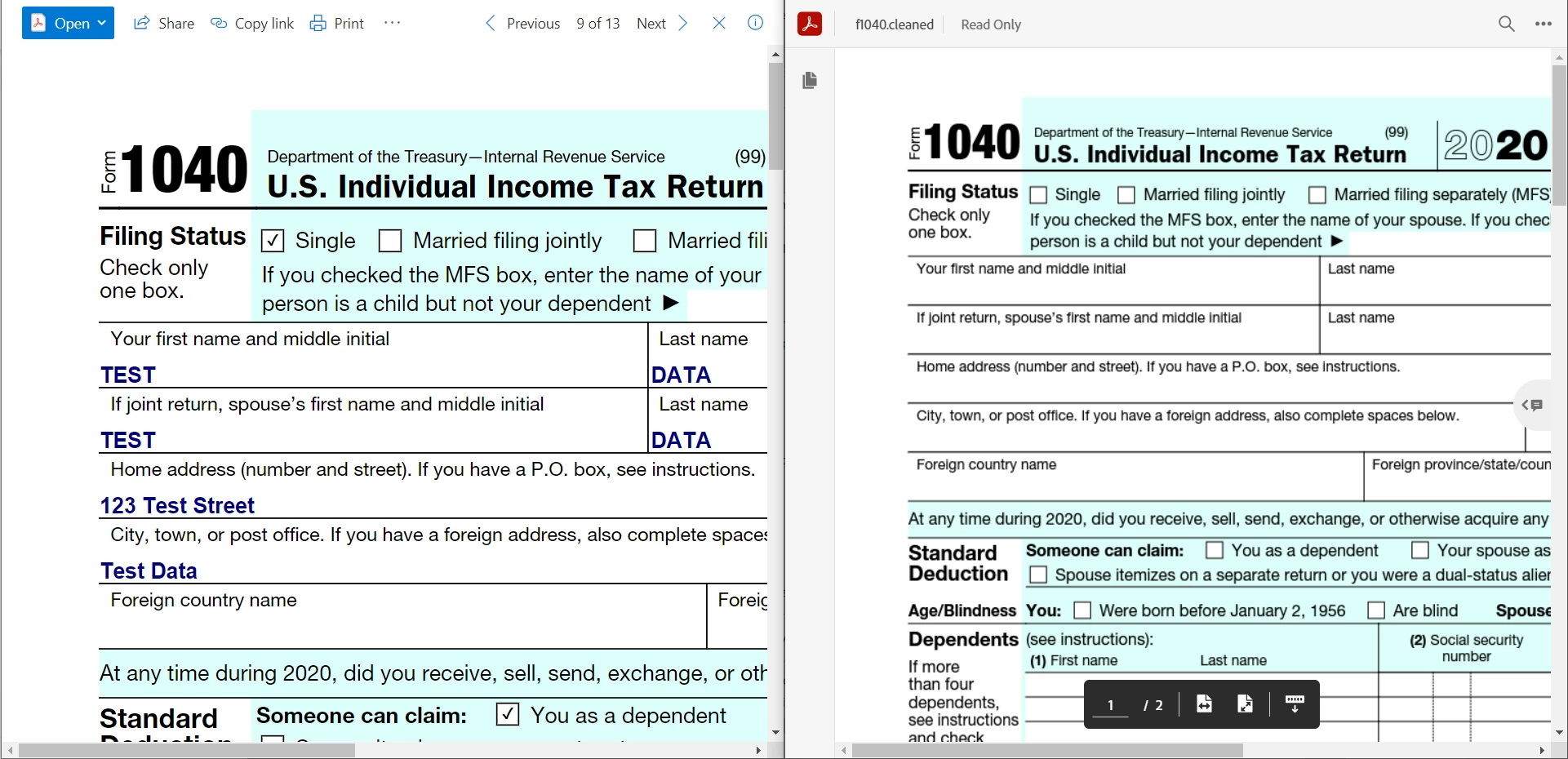
We are encountering a bug where fillable PDF fields appear blank to users with View Only permission to a file in OneDrive when opening the document with the Adobe Document Cloud intergration. Users with view only permission to a fillable PDF are able to view the data when previewing the document within OneDrive, the bug only occurs when using the Adobe Document Cloud integration.
Please see the below screenshot as an example. Left, a fillable PDF being previewed in OneDrive (the data entered in fillable fields visable). Right, that same PDF opened in Adobe Dcoument Cloud (the data entered in fillable fields is not visable). The user has view only permission to this file.
 AdChoices