


Participant
January 17, 2018
Question

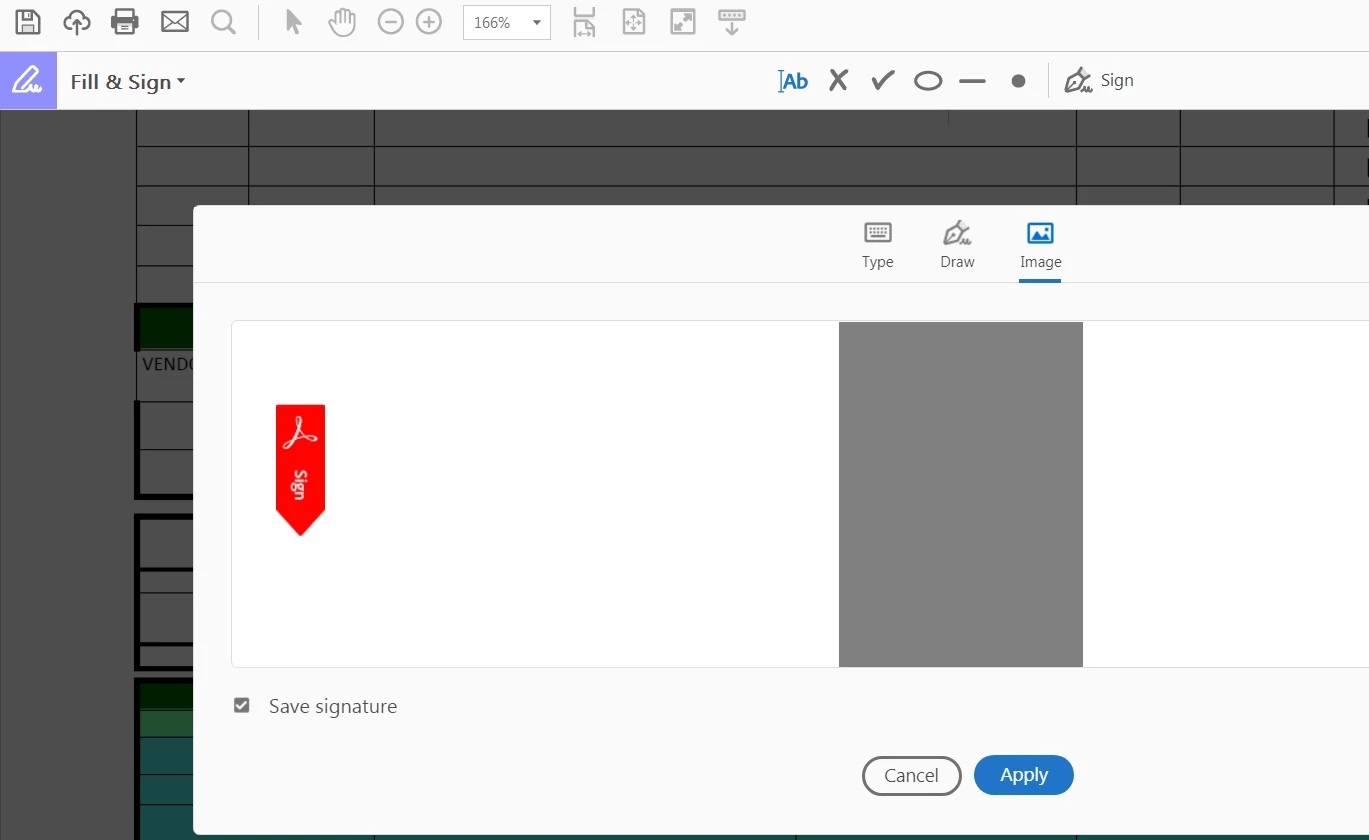
Can't add my signature from image

  • January 17, 2018
  • 1 reply
  • 882 views

I try to import my signature from image after I scanned it but adobe reader show gray photo rather than my signature . I try diffirent resolution and differenet supported formats and still have the same result.

My OS :Windows 7 64bit

Adobe :  Adobe  reader DC 2018.009.20050

please advice.
    This topic has been closed for replies.

    1 reply

    AnandSri
    Legend
    February 8, 2018

    Hello HazemMosaad

    We apologize for the inconvenience caused, as per the description above, you are not able to add your scanned signature in a PDF using Adobe Reader DC Fill&Sign, Is that correct?

    Please make sure you are logged in with your current Adobe ID and password and have completed the Signature profile. Please try repairing the Adobe Reader DC from Help>Repair installation. Reboot the machine after the repair and see if this brings any difference.

    Try signing the PDF online through the URL https://cloud.acrobat.com/fillsign  and see if this brings any difference. You can also try with another PDF file and see if the issue still persists.

    You can also reset the preferences of Adobe Reader How to reset Acrobat Preference settings to default. Reboot the machine and try signing the PDF file.

    Let us know how it goes and share your findings.

    Regards,

    Anand Sri.