

Participant
August 6, 2024
Question

Can't Share PDF In Acrobat Pro

  • August 6, 2024
  • 2 replies
  • 416 views

This is what it looks like... App is up to date, using a 2021 MBP.
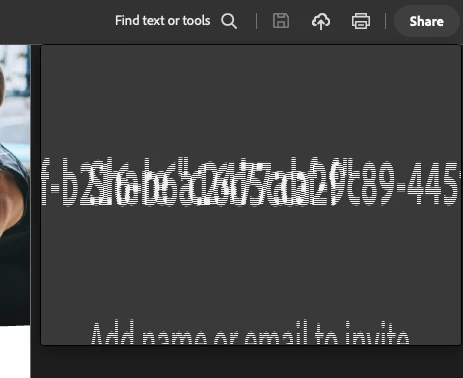
 

This topic has been closed for replies.

2 replies

Participant
August 20, 2024

I am still experiencing this issue. I uninstalled and reinstalled it, which solved it for 30 seconds. However, all of the share options go back to this screen, so I haven't found a viable workaround.


I am on a MacBook Pro 2023 / MacOS Sonoma 14.6.1.

Participant
August 20, 2024

I found this solution on another chain. If you move the Acrobat window to the native laptop (not the external monitor), the issue is fixed. Still annoying!


https://community.adobe.com/t5/acrobat-discussions/acrobat-share-link-error-glitch/m-p/14803767

Meenakshi Negi
Community Manager
Community Manager
August 12, 2024

Hi Jedd31852330yiz6,


Thank you for reaching out, and sorry about the delay in response.


Do you experience this behavior with all the files you try to share? Did you make any recent changes after which the issue started?

Please share a small video showing the steps to share the file. Also, let us know if the file used to share is saved locally or on the cloud. Share the Acrobat and OS versions that are in use.


Thanks,

Meenakshi

Participant
August 12, 2024

Strangely this seems to have sorted itself out.

Meenakshi Negi
Community Manager
Community Manager
August 12, 2024

Thank you for updating here. Glad to know the issue has resolved.

Let us know if we can be of any help.


Thanks,

Meenakshi


Marking a reply or response “Correct” will help future users with the same issue quickly identify the correct answer.
