Participant
September 15, 2018
Answered

Cant Convert

  • September 15, 2018
  • 1 reply
  • 454 views

I am having trouble converting a document from pdf to word.  I get a prompt that says "error signing in" yet I seem to be logged in already.

This topic has been closed for replies.
Correct answer AkanchhaS8194121

Hey Andrewm,

Sorry for the delay in response.

I assume you are trying the conversion through the desktop application Adobe Reader DC? If yes, then do you get the Sign In error when you  select a pdf and try exporting it using the "Export PDF" tool?

You may check the following-

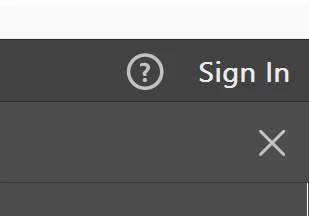
1- As it gives you Sign In error, so before starting a conversion you may Sign In to the application first. Make sure that you see your name at the upper right corner of the app.
2- Check is you are able to complete the conversion online, via- https://cloud.acrobat.com/exportpdf

3- If it works online, then you may check the desktop application's update. Open Adobe Reader>Help>Check for Update.

4- If there is any internet security software, then please turn it off for a while and try exporting the file.

[Antivirus software can help protect your computer against viruses and other security threats. In most cases, you shouldn't disable your antivirus software. If you have to temporarily disable it to install or activate other software, you should re-enable it as soon as you're done.]

Let us know the update.

Regards,

Akanchha

1 reply

AkanchhaS8194121
AkanchhaS8194121Correct answer
Legend
September 18, 2018

Hey Andrewm,

Sorry for the delay in response.

I assume you are trying the conversion through the desktop application Adobe Reader DC? If yes, then do you get the Sign In error when you  select a pdf and try exporting it using the "Export PDF" tool?

You may check the following-

1- As it gives you Sign In error, so before starting a conversion you may Sign In to the application first. Make sure that you see your name at the upper right corner of the app.

2- Check is you are able to complete the conversion online, via- https://cloud.acrobat.com/exportpdf

3- If it works online, then you may check the desktop application's update. Open Adobe Reader>Help>Check for Update.

4- If there is any internet security software, then please turn it off for a while and try exporting the file.

[Antivirus software can help protect your computer against viruses and other security threats. In most cases, you shouldn't disable your antivirus software. If you have to temporarily disable it to install or activate other software, you should re-enable it as soon as you're done.]

Let us know the update.

Regards,

Akanchha


