


RealEventDesigns
Participant
July 24, 2025
Question

Date Dropdown doesn't appear while create form

  • July 24, 2025
  • 1 reply
  • 117 views

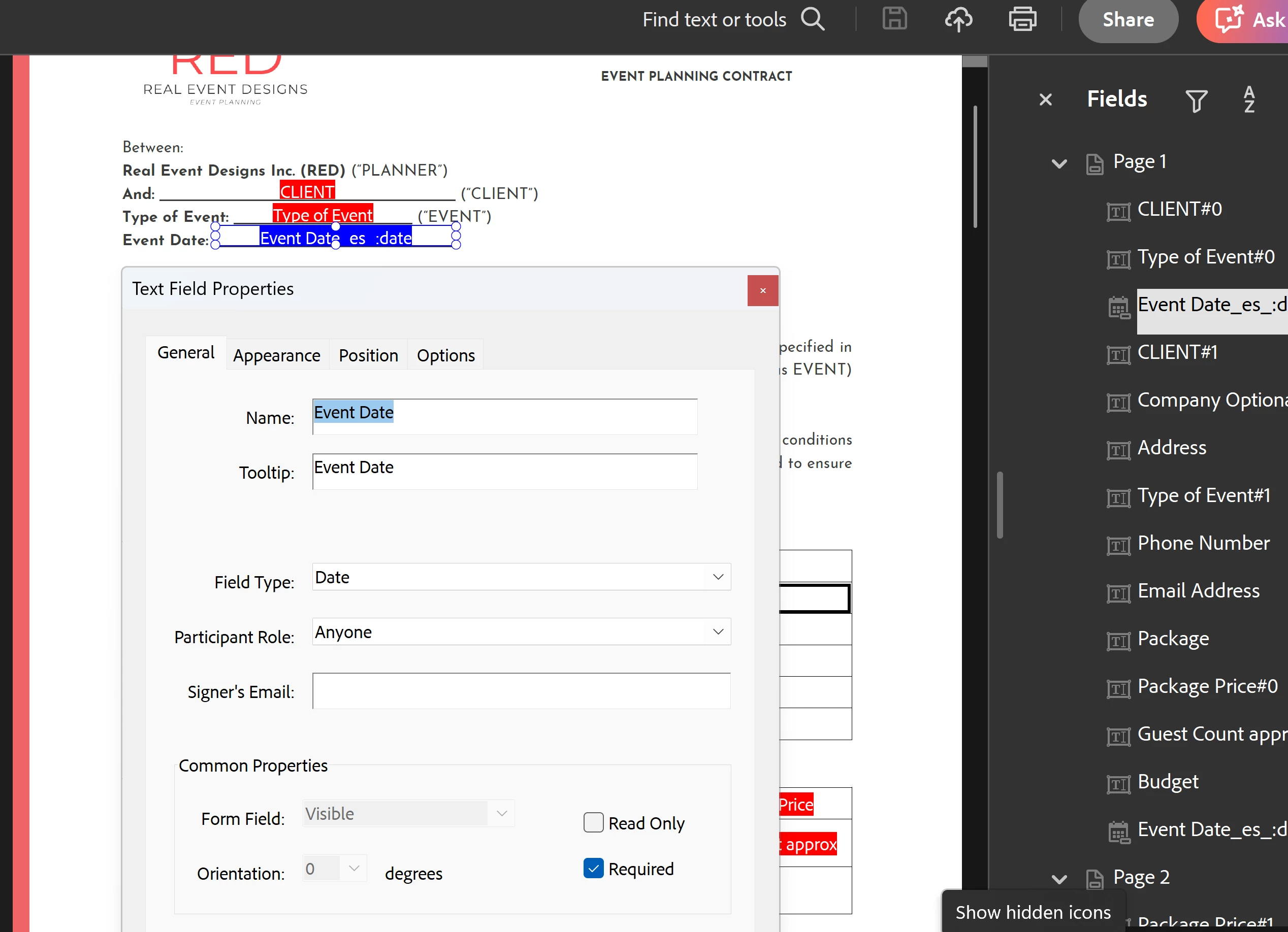
I'm trying to add a date dropdown menu for my form. However, after the update, there's no options to format the date dropdown, and it only has a text option for people to write the date. Can anyone assist?
1 reply

Community Manager
July 24, 2025

Hi @RealEventDesigns


Thanks for reaching out. 
Given the screenshot provided, if you check the properties window, it seems the text field was selected, hence the text field properties. You may check if there are overlapped fields at this location. 

You may try removing everything at this location and ensure that a date field is being placed. Could you also confirm if you are using an e-signature form? If that is the case, click on the three dots on the left-hand side at the top and click on: "Remove e-signing options".


Let us know how it works. If the issue is still reproducible, please share a video of the workflow. 


Best regards,
Tariq | Adobe Community Team