Participant
November 8, 2018
Answered

Document Cloud but the icon/button is greyed out

  • November 8, 2018
  • 1 reply
  • 2620 views

I'm trying to save a PDF to Document Cloud but the icon/button is greyed out.

I have been able to do this perfectly for a long time but now it won't let me.

I'm signed in to Creative Cloud and have the most up to date version of Acrobat.

    This topic has been closed for replies.
    Correct answer AkanchhaS8194121

    Hi Design_SW,

    Are you referring to the "Document Cloud" option which is grayed out or is it the "Save" option that's not available?

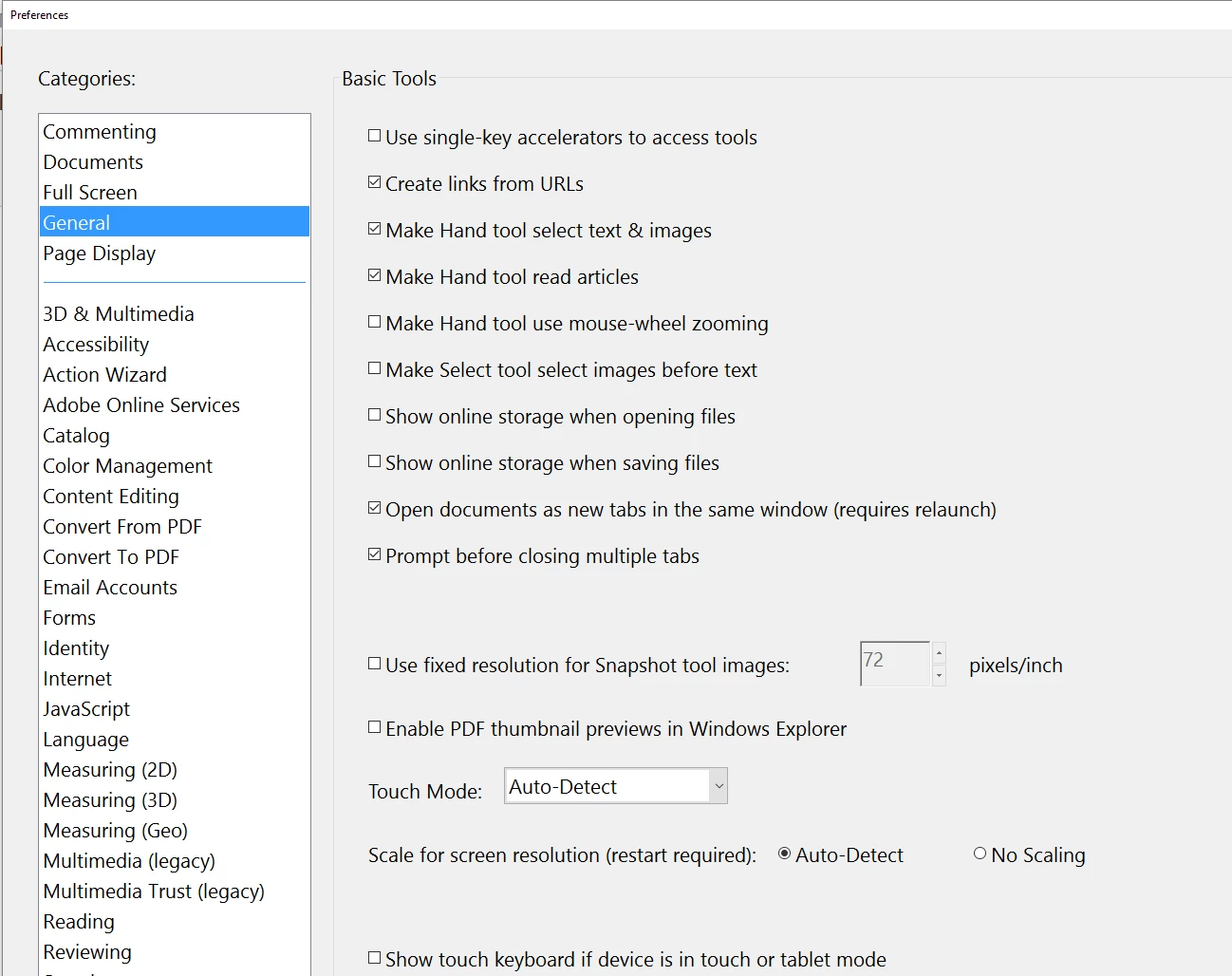
    If its a Document Cloud option then you may once check the following setting-"Show online storage when saving files" checked.

    Regards,

    Akanchha

    1 reply

    AkanchhaS8194121
    AkanchhaS8194121Correct answer
    Legend
    November 16, 2018

    Hi Design_SW,

    Are you referring to the "Document Cloud" option which is grayed out or is it the "Save" option that's not available?

    If its a Document Cloud option then you may once check the following setting-"Show online storage when saving files" checked.

    Regards,

    Akanchha