Participant
September 13, 2018
Answered

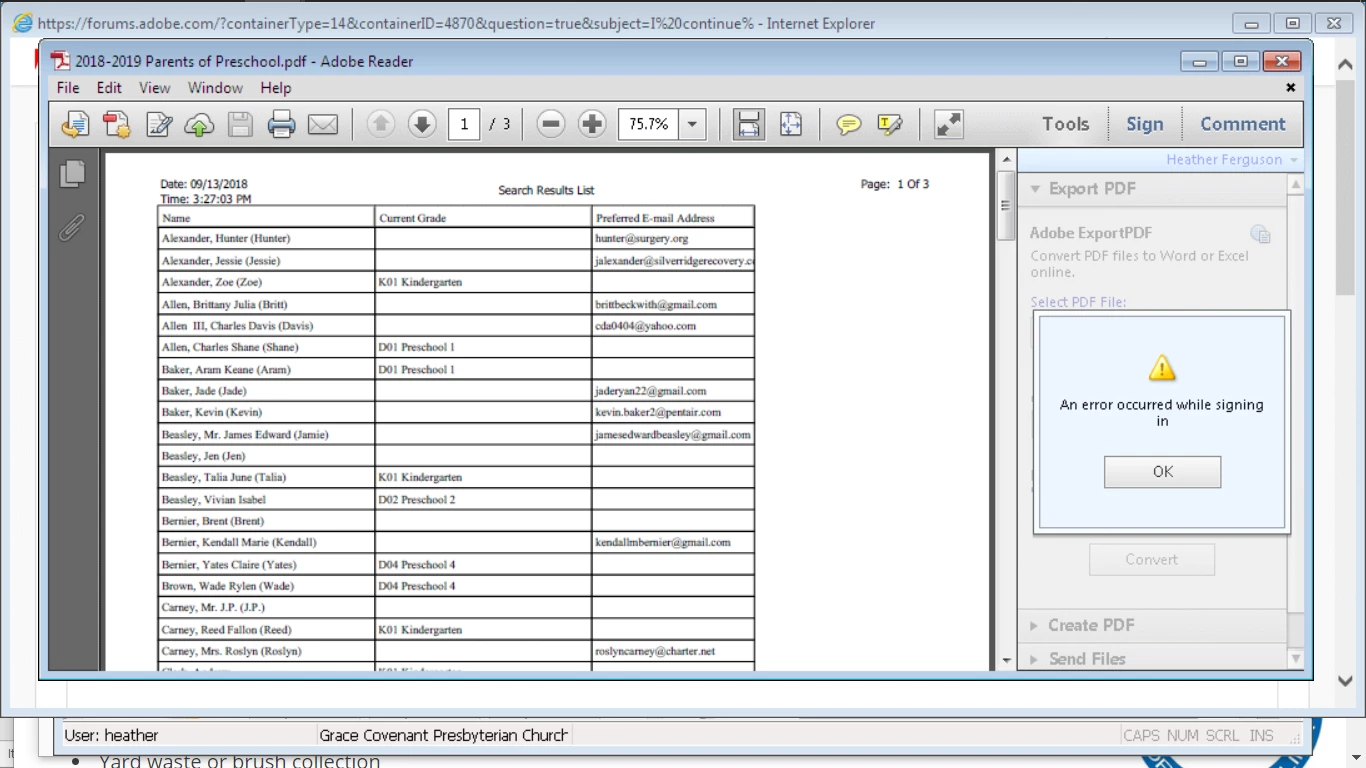
Error message when signing in

  • September 13, 2018
  • 1 reply
  • 569 views

This topic has been closed for replies.
Correct answer AkanchhaS8194121

Hey Heatherf,

Looking at the screenshot shared above, I assume that the Adobe Reader you are working on is an older version?

  • There could be a possibility that its a connection issue with the server  which has might have caused trouble Signing In.
  • Or this happens when you change your Adobe email address to a new email and the updates are not synced yet.

You may try the following to troubleshoot the problem-

  1. Check the application's update, Open Adobe Reader>Help>Check for update.
  2. For testing purpose, try signing in on the website https://cloud.acrobat.com/exportpdf  and see if that works.
  3. Still no luck then, uninstall the application using cleaner tool Download Adobe Reader and Acrobat Cleaner Tool - Adobe Labs and reinstall it Adobe - Adobe Acrobat Reader DC Distribution

Regards,

Akanchha

1 reply

AkanchhaS8194121
AkanchhaS8194121Correct answer
Legend
September 17, 2018

Hey Heatherf,

Looking at the screenshot shared above, I assume that the Adobe Reader you are working on is an older version?

  • There could be a possibility that its a connection issue with the server  which has might have caused trouble Signing In.
  • Or this happens when you change your Adobe email address to a new email and the updates are not synced yet.

You may try the following to troubleshoot the problem-

  1. Check the application's update, Open Adobe Reader>Help>Check for update.
  2. For testing purpose, try signing in on the website https://cloud.acrobat.com/exportpdf  and see if that works.
  3. Still no luck then, uninstall the application using cleaner tool Download Adobe Reader and Acrobat Cleaner Tool - Adobe Labs and reinstall it Adobe - Adobe Acrobat Reader DC Distribution

Regards,

Akanchha