
Participant
June 7, 2016
Question

Export PDF creates a mess of text

  • June 7, 2016
  • 1 reply
  • 3553 views

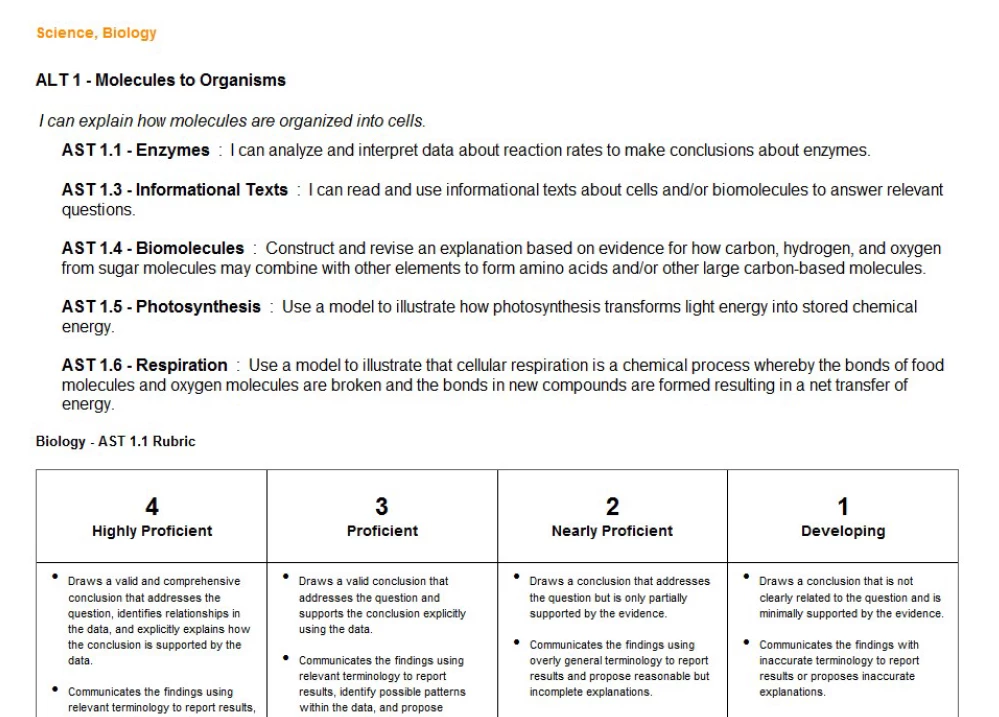
PDF Export is creating a mess of text when converting to Word. I've used Adobe Acrobat Reader DC as well as the online interface for PDF Export. Here are some screenshots:

PDF:
Word conversion:
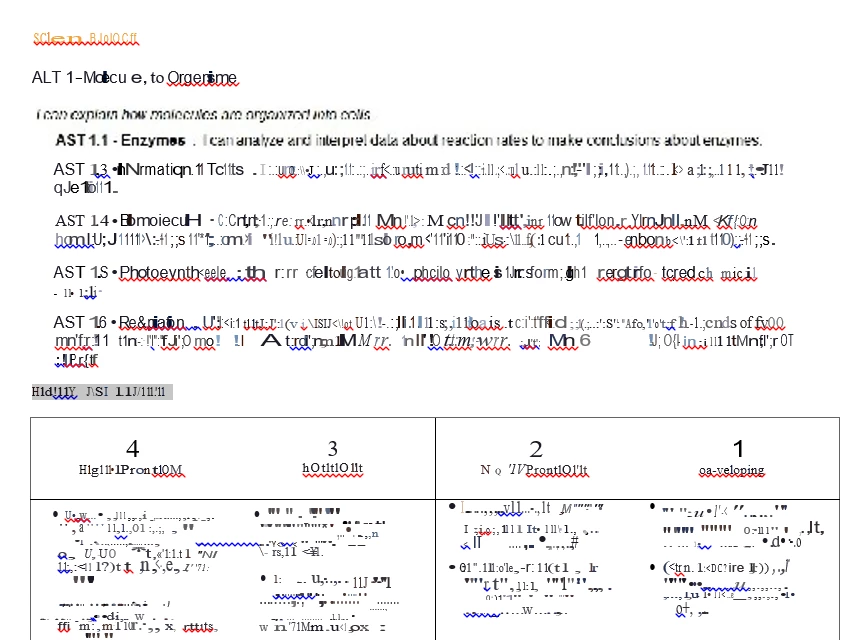
Any ideas for why this is happening? I'm not even sure the steps to troubleshoot it. I also don't know how the source PDF was originally created. I know, I'm super helpful. Any help anyone can provide is appreciated. Thank you!

Brian

This topic has been closed for replies.

1 reply

try67
Community Expert
Community Expert
June 8, 2016

The results of this process depend a lot on the way the file was created. If it was created from a poor quality scan or a non-compliant application, the results are likely to be poor. As the saying goes: Garbage In, Garbage Out.

You can see what application was used to create the file by opening it in Reader and then looking under File - Properties - Description. Especially the "Application" and "PDF Producer" values are of importance.

Participant
June 13, 2016

Thank you. Can I assume that it was a garbage application if both the "Application" and "PDF Producer" fields are blank in the document properties (which they are)? Is this beyond hope of converting into a Word file at this point? Anyone have a solution that might allow me to convert this to a Word document?

try67
Community Expert
Community Expert
June 13, 2016

Yeah, that's not a good sign, generally...

One thing you can try is to export the pages as image files (File - Save As Other - Image - PNG), and then create a new PDF file from those images, run Text Recognition on it and then try to export it to a Word file.