
April 17, 2015
Answered

Hi, All. Iam using Adobe Document Cloud. After saving a pdf document to this cloud, I am able to see my PC folders . How to disable this? Does my PC folders are also available across other PC's to access them with my Adobe ID? Please help me. Thanks

  • April 17, 2015
  • 1 reply
  • 569 views

Hi, All. Iam using Adobe Document Cloud. After saving a pdf document to this cloud, I am able to see my PC folders as well with a browsing option  . How to disable this? Does my PC folders will  also available across other PC's to access them with my Adobe ID? Please help me. Thanks in advance.
    This topic has been closed for replies.
    Correct answer AadeshSingh

    Hi indi68632954,

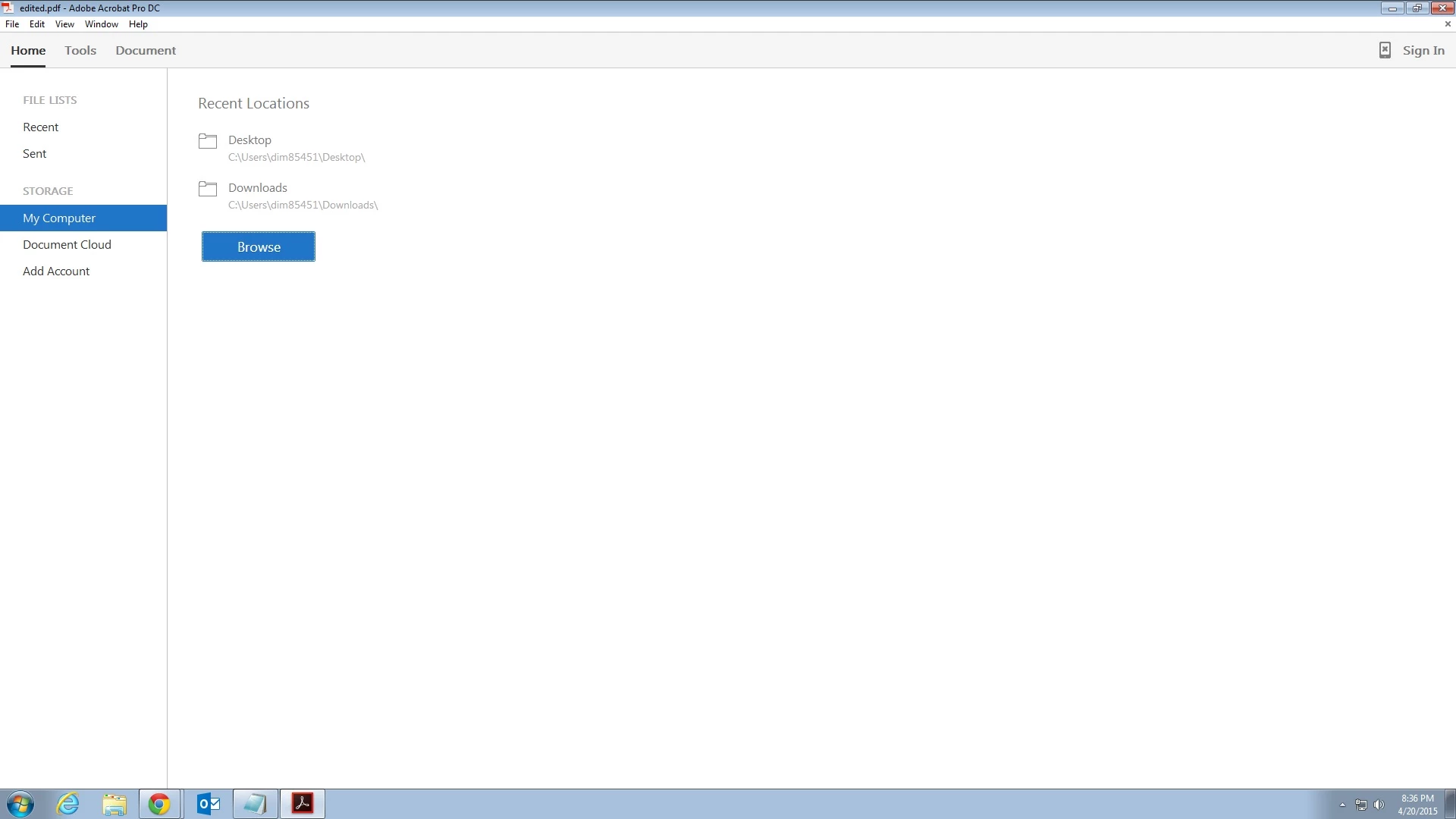
    I can understand your concern & you need to worry about this, as your PC folders won't be available on other PC's as this option is just to browse through the files of the specific system on which you are working as shown in the screenshot below.

    Only the files uploaded on the Document cloud will be available over Internet using Adobe Document Cloud service upon the authentication of your Adobe ID & password.

    I hope this will answer your query.

    In case if you have any further query please let us know, we will be happy to assist you.

    Regards,

    Aadesh

    1 reply

    AadeshSingh
    AadeshSinghCorrect answer
    Participating Frequently
    April 20, 2015

    Hi indi68632954,

    I can understand your concern & you need to worry about this, as your PC folders won't be available on other PC's as this option is just to browse through the files of the specific system on which you are working as shown in the screenshot below.

    Only the files uploaded on the Document cloud will be available over Internet using Adobe Document Cloud service upon the authentication of your Adobe ID & password.

    I hope this will answer your query.

    In case if you have any further query please let us know, we will be happy to assist you.

    Regards,

    Aadesh

    April 27, 2015

    Thank you very much sir.