Answered
How can I backup my document cloud somewhere else?
I want to have a back up copy for all my files in the cloud. How can I do it? Also, how can I find out how much cloud have I used?

I want to have a back up copy for all my files in the cloud. How can I do it? Also, how can I find out how much cloud have I used?
Hi jorget333,
You may download the files from the Cloud to your computer and have a backup of those files saved on a flash drive for ex.
You may also upload those files to one of the file hosting services on the Internet.
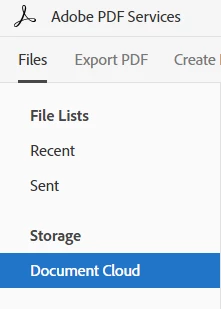
Currently, there is no method to calculate how much space is consumed in Document Cloud. But you may check the space occupied by a file by logging into your account>click Document Cloud( in the left hand corner) and check the file size under "Size".
Below are the screenshots:

You may visit the following link to request this feature here:
Feature Request/Bug Report Form
Let me know if you have questions about this.
Thanks!
Shivam
Already have an account? Login
Enter your E-mail address. We'll send you an e-mail with instructions to reset your password.


 AdChoices